19
Sharing your device with family or friends
By choosing “My Shares” on the menu and pressing the [+] add button, you can share
access to your device(s) with other registered smanos accounts.
Enter the email address and label (nick name) of the account you want to share with,
and then select the device(s).
The user who receives the shared device(s) can only edit the name of the device(s) and
receive alerts; they will NOT be able to re-share the device with anyone else, or change
settings.
There are two types of sharing way with some key differences: The Administrator and
the User who has been invited to the devices.
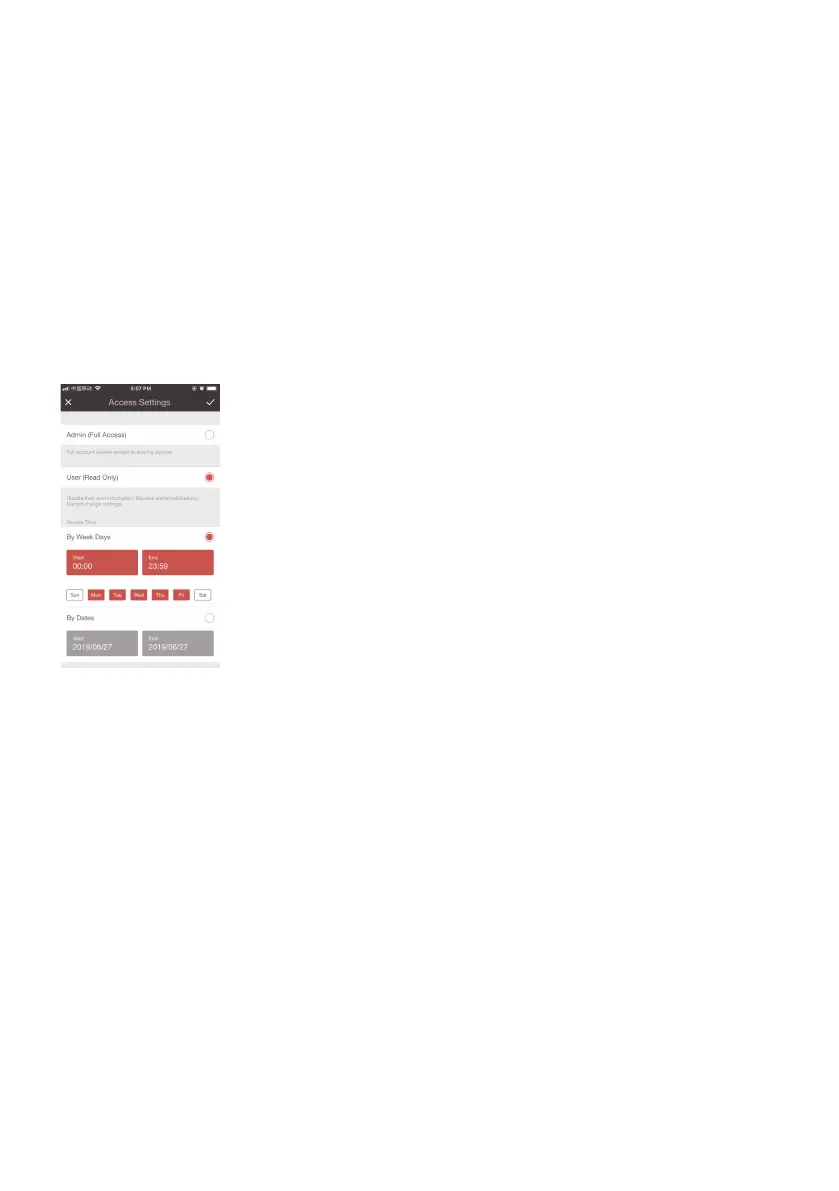
Access Settings
Admin (Full Access)
With Admin (Full Access), the shared user in this group will be able to do almost
everything as the Owner can to the devices your shared, with few exception, like re-
sharing to others.
Important: Because people in Admin group with access to a device can do so much, you should only invite
people you really trust.
User (Read Only)
With User (Read Only), the shared user in this group will only be able to edit the name
of the device(s) and receive alerts; re-sharing the device(s) to other users or changing
the settings are not permitted.
(1) By week days
Select the day(s) and each day's routine you want the device(s) to be accessible to the
account you share with.
(2) By dates
The family and/or friend(s) you share with would have access to your device(s) during
the entire chosen time period.



 To Next Page