37
Installation instructions
A1.13
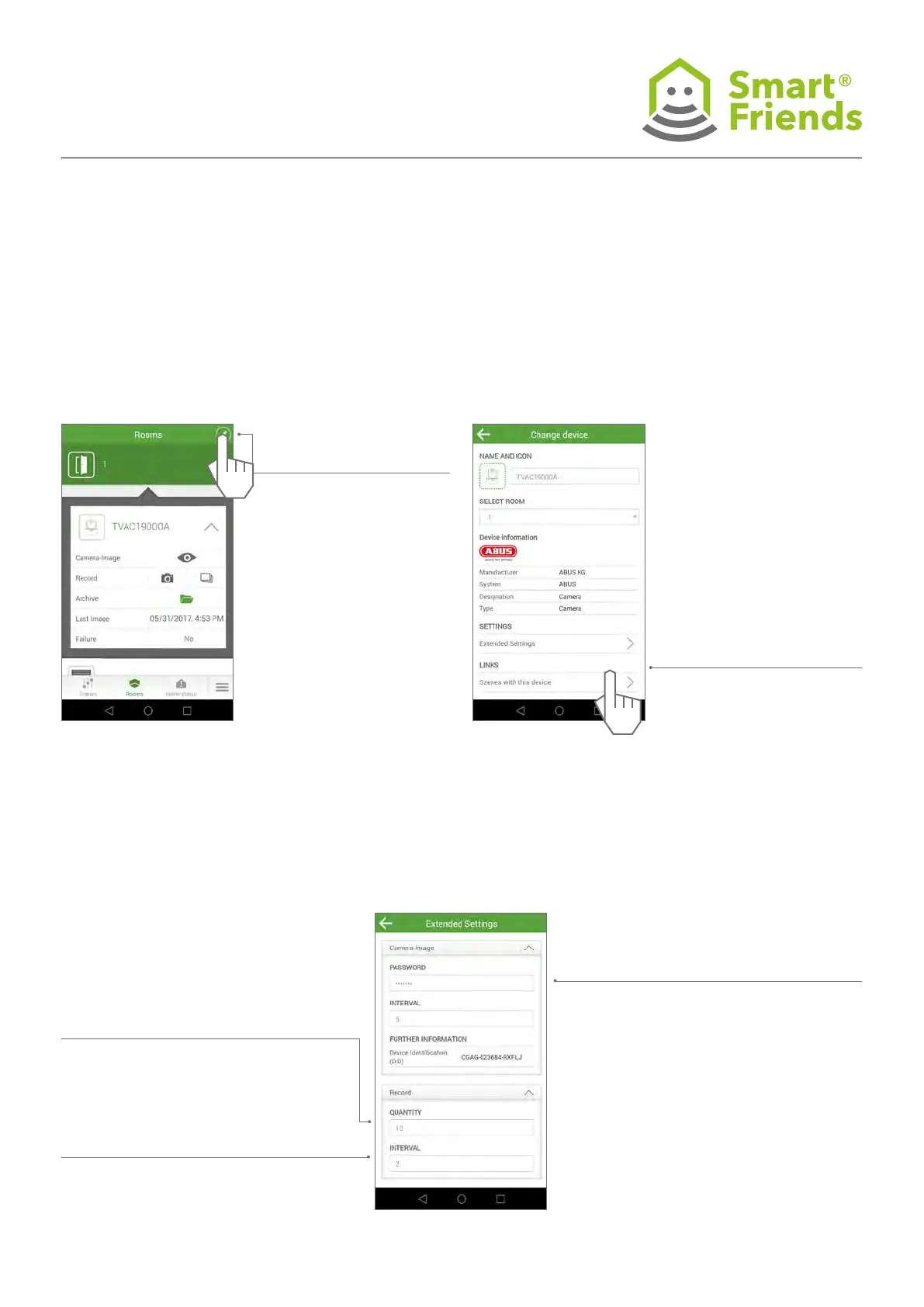
Select the pencil icon to switch to the programming mode.
Then select the gear icon to switch to the camera’s settings.
A1.14
Links:
A1.15
Extended settings:
Show the camera DID and option of changing the password
for connecting to the camera.
Links: All scenes with this
product.
Changes can be made to the
icon, name and room
Show the camera DID and option of changing
the password for connecting to the camera.
Live image refresh interval: This interval de-
nes how often the camera’s preview image
is refreshed.
- Default: 5 seconds
- Possible range 2 to 10 seconds
Serial image quantity: The serial image
quantity denes how many serial images are
to be taken each time by the action “Capture
serial image”.
- Default: 5 images
- Possible range 3 to 10 images
Serial image interval The serial image inter-
val denes how long the gap between the
individual serial images should be.
- Default: 5 seconds
- Possible range 2 to 10 seconds



 To Next Page