36
Installation instructions
A1.10
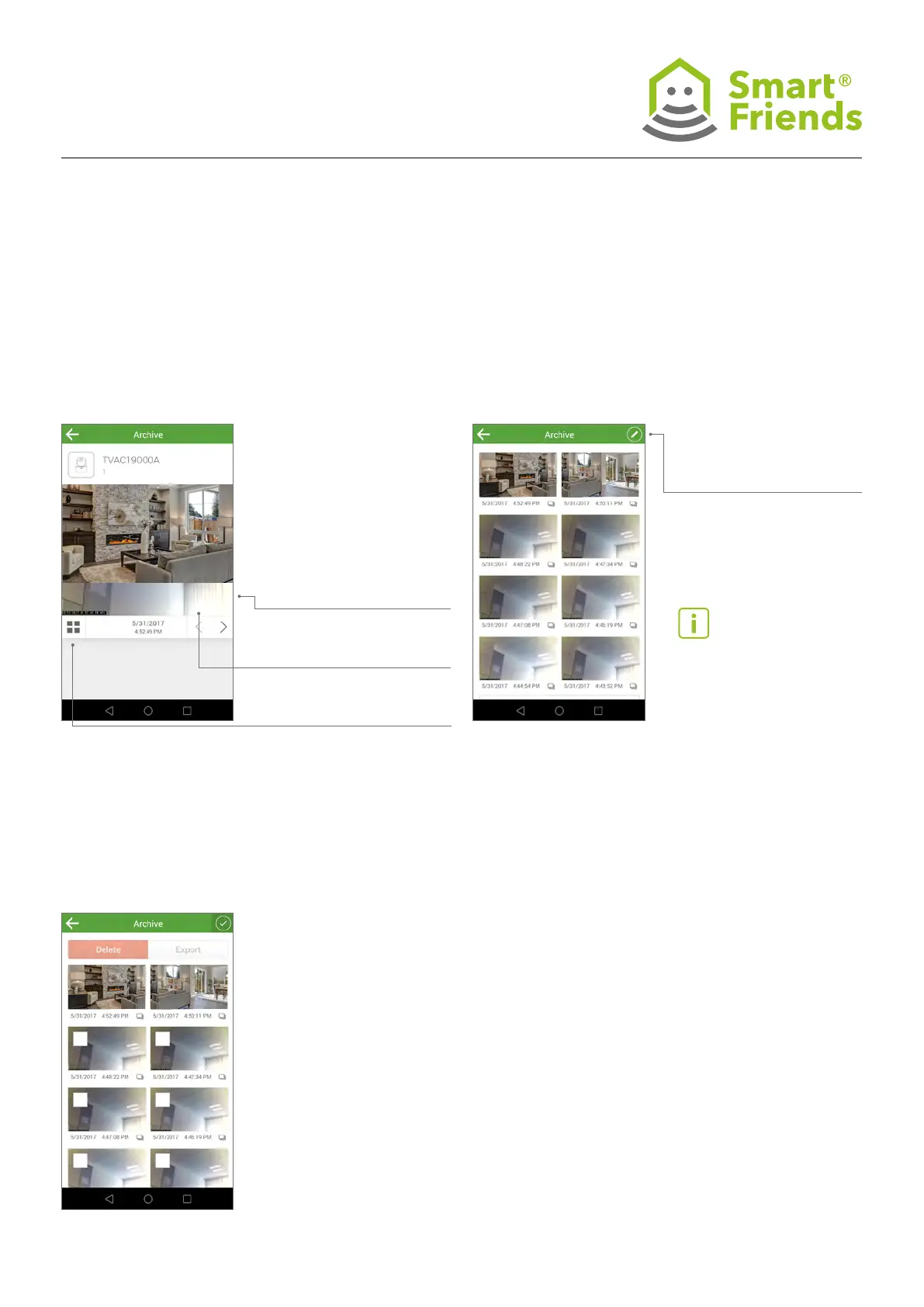
Camera in the view: Archive
The archive contains all the saved images.
A1.11
Camera in the view: Image archive
The image archive contains all the saved images. For each
image, a compressed preview image appears in the view.
A1.12
In the programming mode, you can select images and then
delete them using the relevant button or export them to your
smartphone/tablet.
Forward: Switch to
next image
Back: Switch to previous
image
Changes to the
“Image archive” view
Select the pencil icon
to switch to the
programming mode.
Important note: If the Smart
Friends Box’s memory is full, old
images are automatically overwrit-
ten (circular buffer).



 To Next Page