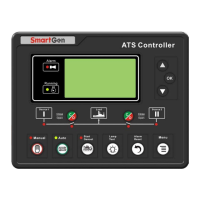
HAT600N Series ATS Controller User Manual
HAT600N Series ATS Controller Version 1.1 2019-09-05 Page 16 of 24
Information
One OFF Position
1# Priority
Ver1.0 2009-10-11
12. CONTROLLER INFORMATION
In the main screen, press key and select 6 Controller information, and then press key, the
screen will show the controller information interface as follow:
Display contents include off positions setting and switching priority choice and controller version, date.
Long press key and it will exit and return to main screen.


 To Next Page