General saftey information
1.
To remove the scanner from the packaging, one person stands to the left of the scanner and the
other person stands to the right.
2.
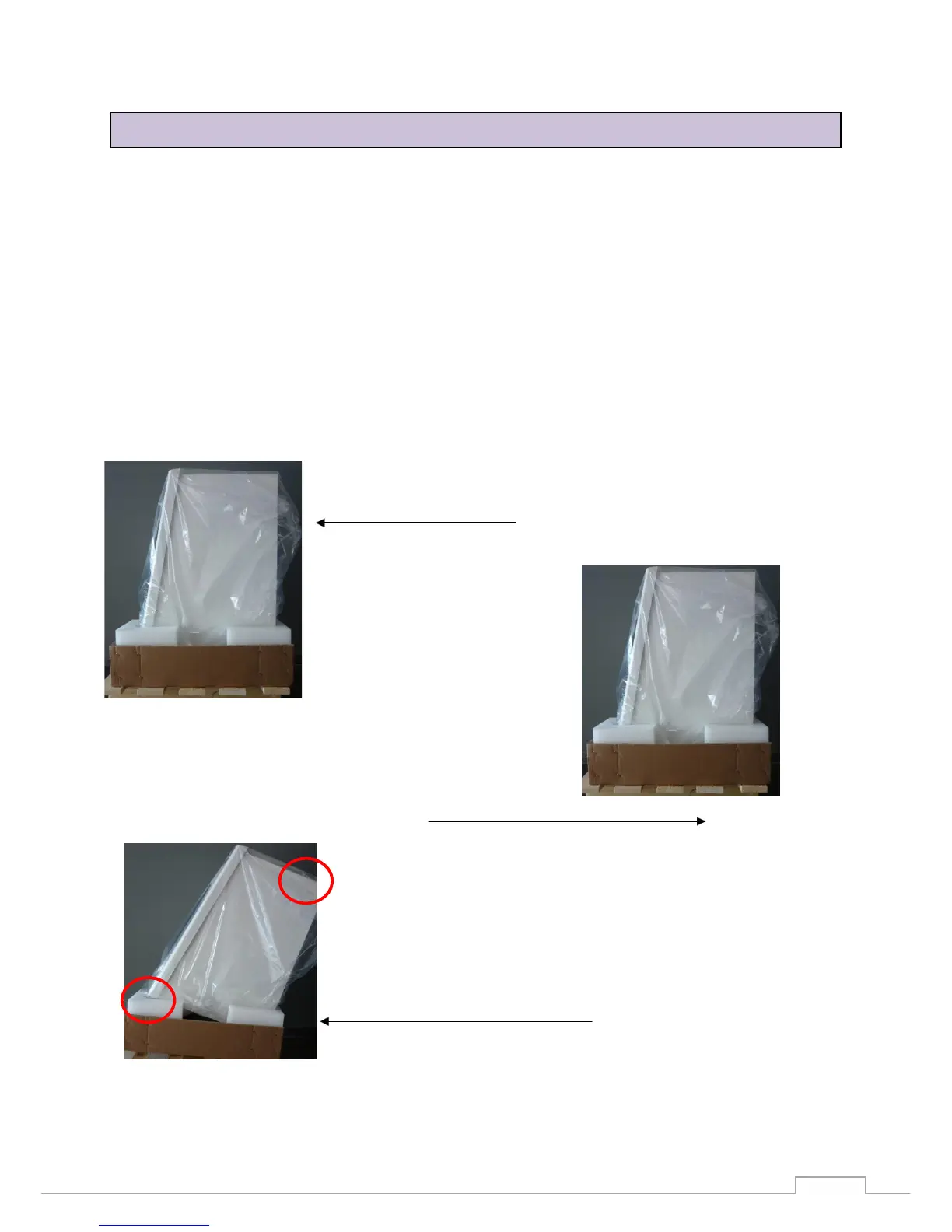
Each person must take hold of the scanner with one hand on the upper support point. Next, tilt the
scanner slightly to the rear until you can grip underneath the scanner at the front with your other
hand. (Figures 2 and 3)
3.
Working together and at the same time, lift the scanner out of the packaging and place it at the
installation site.
4.
When doing do, make sure that you have free access to the workplace and do not trip over the
packaging.
Figure 1: Side view of scanner
Remove the upper part of the packaging
Grip and lift scanner at the upper holding point (one
holding point each side for each person)
Figure 2: Holding point of scanner
Lift the scanner at the same time and place it at the installation
site
Figure 3: Scanner lifting point
8.4 Removing the scanner from the packing


 To Next Page