EasyManua.ls Logo

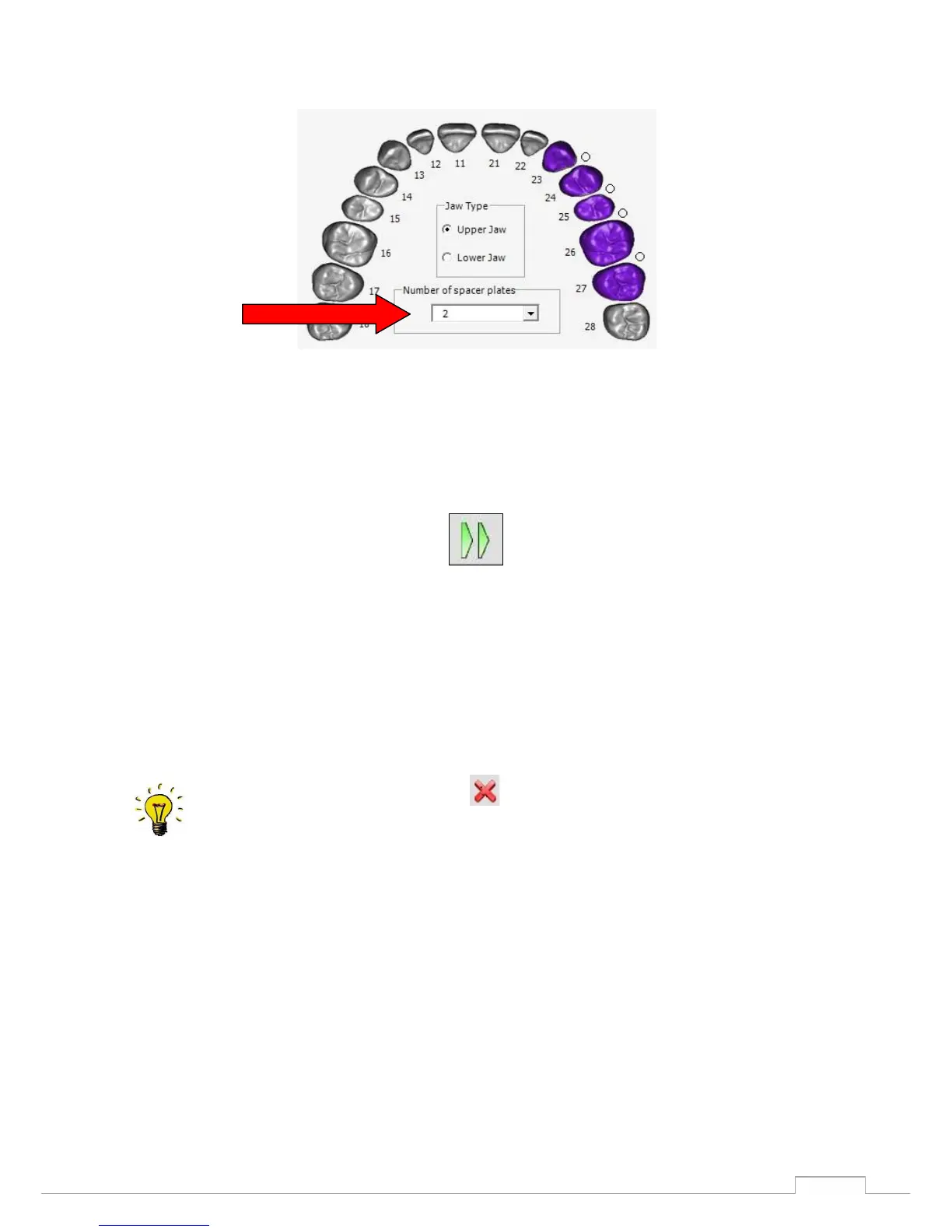
Smartoptics Activity 885 - Figure 34: Number of Spacer Plates; Figure 35: Starting the Scan Process

Smartoptics Activity 885
57 pages
Print Icon
To Next Page IconTo Next Page
To Previous Page IconTo Previous Page
Loading...
38
Scanning procedure
Figure 34: Number of spacer plates
After aligning all scan positions, start the 3D scan with this icon.
Figure 35: starting the scan process
The scanner now moves the model down automatically, based on the predefined scan strategy, and
compiles a number of individual measurements from various perspectives.
During the prescan or the 3D scan, the symbol is displayed, and you can use this to
cancel the corresponding scanning process.
After a short time the squeeze occlusion scan will appear in the 3D viewer. (See fig. 37)

Table of Contents