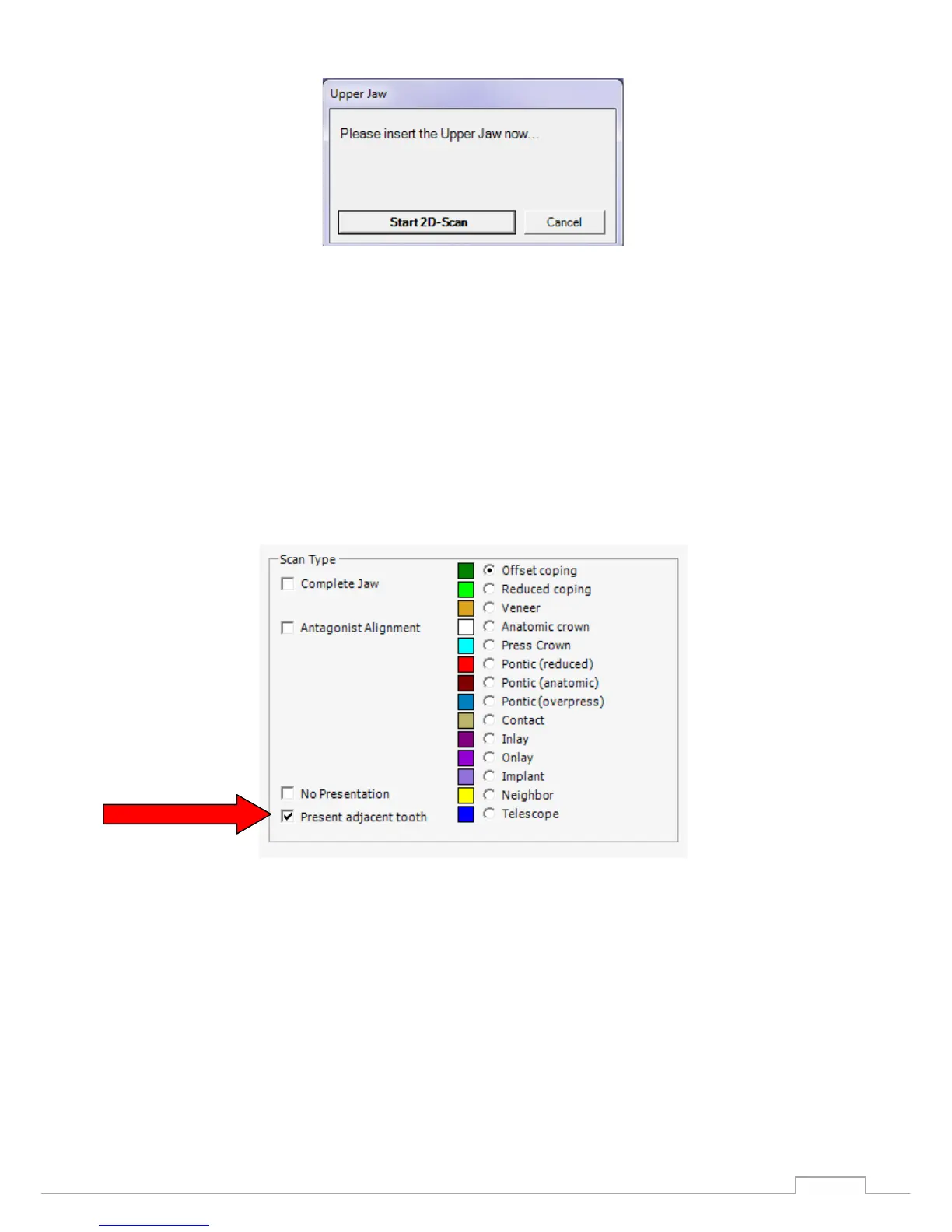
Perform the 2D scan again and align the prescribed tooth positions, select the spacer plates and start
the 3D scan. (See fig. 33 and 35)
The prescan is started and you can then newly define the selection for the occlusion registration in the
pre-scan image.
The neighbouring teeth can also be measured for individual images. If this mode is activated by
checking the box, the neighbouring teeth will be interdentally measured individually.
If this mode is deactivated, only a global scan will be used for the neighbouring teeth.
(See fig. 40)
Figure 39: selection box Scan Type
The entire scene is therefore always measured in the first step, and in the second step you are
prompted to present one tooth each freely (see Fig. 41).


 To Next Page