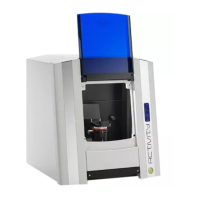
Basic information about the device
A 3D scan is created as follows:
The model to be measured is mounted on the object holder:
The model is fixed on the object holder for this.
Prescan:
The prescan compiles a two-dimensional image of the clamped model.
This image serves as a basis for the following scan definition.
Scan definition:
The scan definition defines the positions in which the model is to be scanned.
The scan definitions are formulated using the prescan image after the user highlights the tooth
positions on the screen.
Individual measurements:
After completing the scan definition, the software automatically calculates a scan program for
recording the positions specified by the operator and starts these. The positions provided in the scan
program are started up by the positioning unit and a 3D measurement is performed.
When scanning adjacent tooth stumps, it is usually necessary to measure the stumps in isolation
without the adjacent stumps, as otherwise the interdental area cannot be captured by the 3D sensor.
The software will therefore prompt you to present the relevant tooth stumps individually and freely, i.e.
to remove all other stumps from the saw cut model.
Matching and data storage:
The recorded individual measurements are grouped together in the "Matching" mode.
The finished data set is then saved on the hard disk of the computer.
Visualization:
When the matching process is complete, the scan result is displayed on the monitor so that you can
directly assess the result visually.
The most important components and operating controls of the scanner are explained below.


 To Next Page