-71-
No.PF※※-OMY0005
<Operation – Without security code input>
•Locking
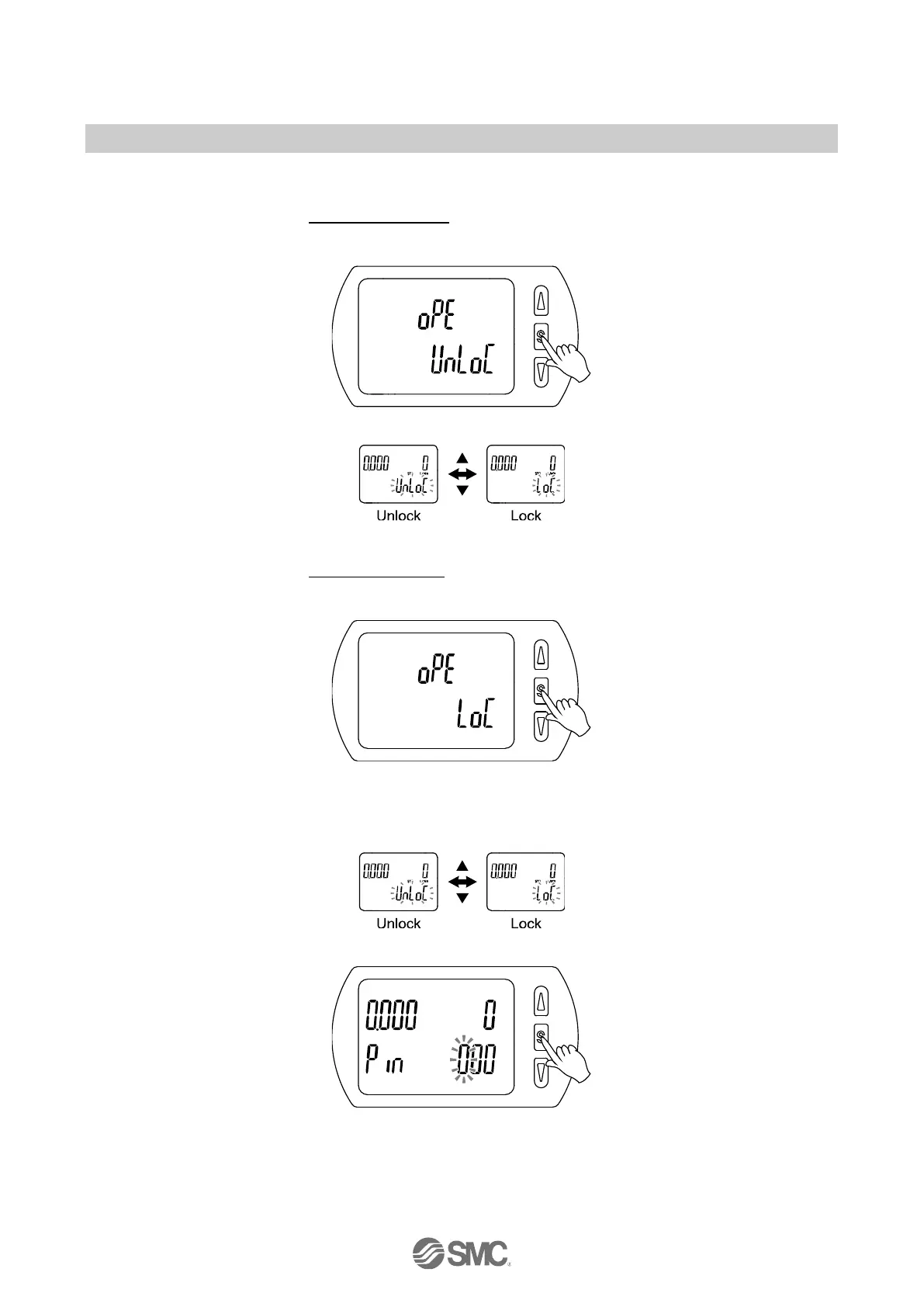
(1) Press the SET button for 5 seconds or longer in measurement mode. When [oPE] is displayed on the
main display, release the button.
The current setting [LoC] or [UnLoC] will be displayed on the sub display.
(2) Select the key locking/ un-locking with UP or DOWN button, and press the SET button to set.
•Unlocking
(1) Press the SET button for 5 seconds or longer in measurement mode. When [oPE] is displayed on the
main display, release the button.
The current setting [LoC] or [UnLoC] will be displayed on the sub display.
(2) Select the un-locking [UnL] with UP or DOWN button. Setting is recognized by pressing the SET button,
then security code is required. When the security code is set, select the un-lock [UnLoC] with UP or
DOWN button. Setting is recognized by pressing the SET button, then the security code is required. If
the security code is not set, select the un-lock [UnLoC]. Locking is released by pressing the SET button.
(3) For the input method, refer to [F81] Security code (checking of the setting of security code) (page 55).
(4) If inputted security code is correct, the indication of the main display changes to [UnLoC], and pressing
one of UP, SET or DOWN button releases key lock and the measurement mode returns.
If the security code entered is incorrect, [FAL] will be displayed on the main screen, and the security
code must be entered again. If an incorrect security code is entered 3 times, [LoC] will be displayed on
the main screen and the device will return to measurement mode.



 To Next Page
 Loading...