31
en
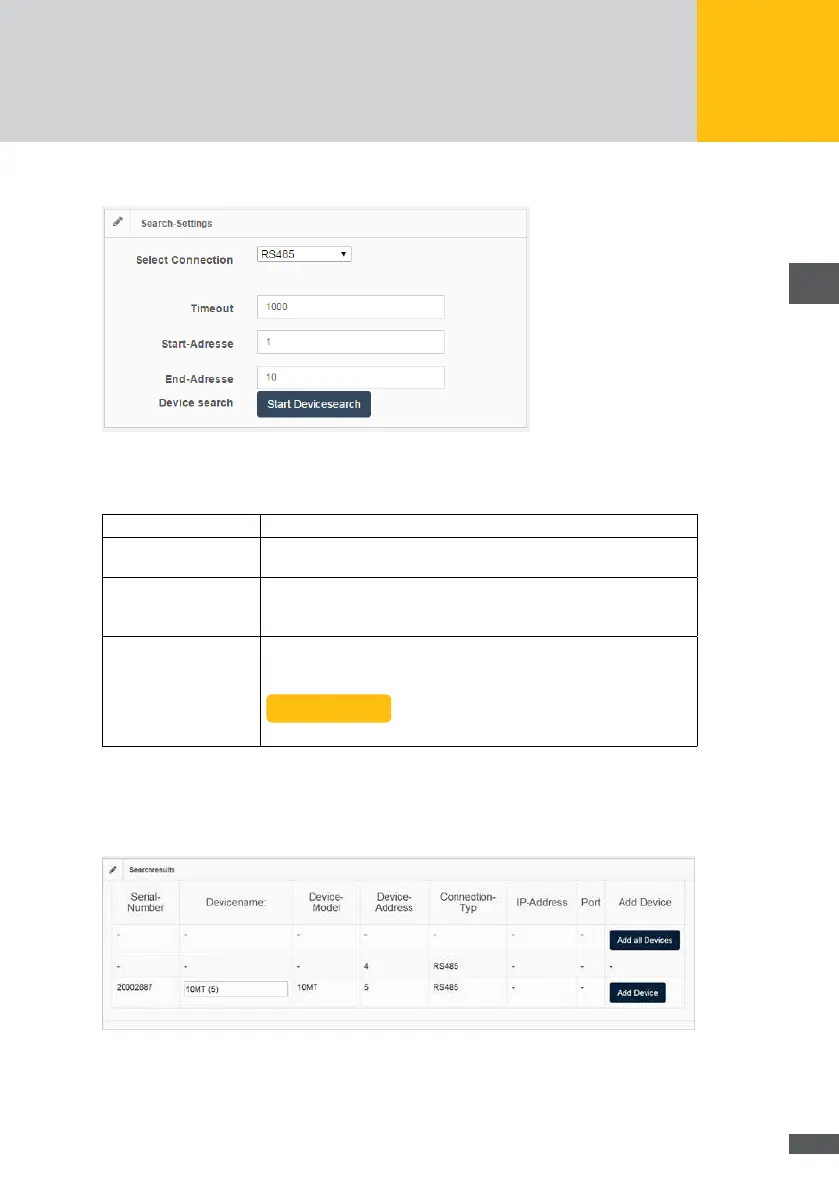
Search settings for devices connected via RS485
Fig. 17: Menu: Search settings for a RS485 connection
Select connection: Select the menu item “RS485”.
Timeout: Enter a timeout (from 300 to 3000 ms) for the device search. We
recommend you set a longer timeout for networks under high load.
Start address /
End address:
Enter the start and end address (from 1 to 249) for the address range
within which devices are to be searched for. Every device must have
its own address.
Device search: Click on the button “Start device search” to search for your connected
devices. Once the search is completed, the following message
appears:
Complete
The “Search results” window shows a list of the devices found.
Search results of the MaxWeb XPN
This menu shows all devices which have been identied within the address range of the
device search.
Fig. 18: Menu: Search results



 To Next Page