52
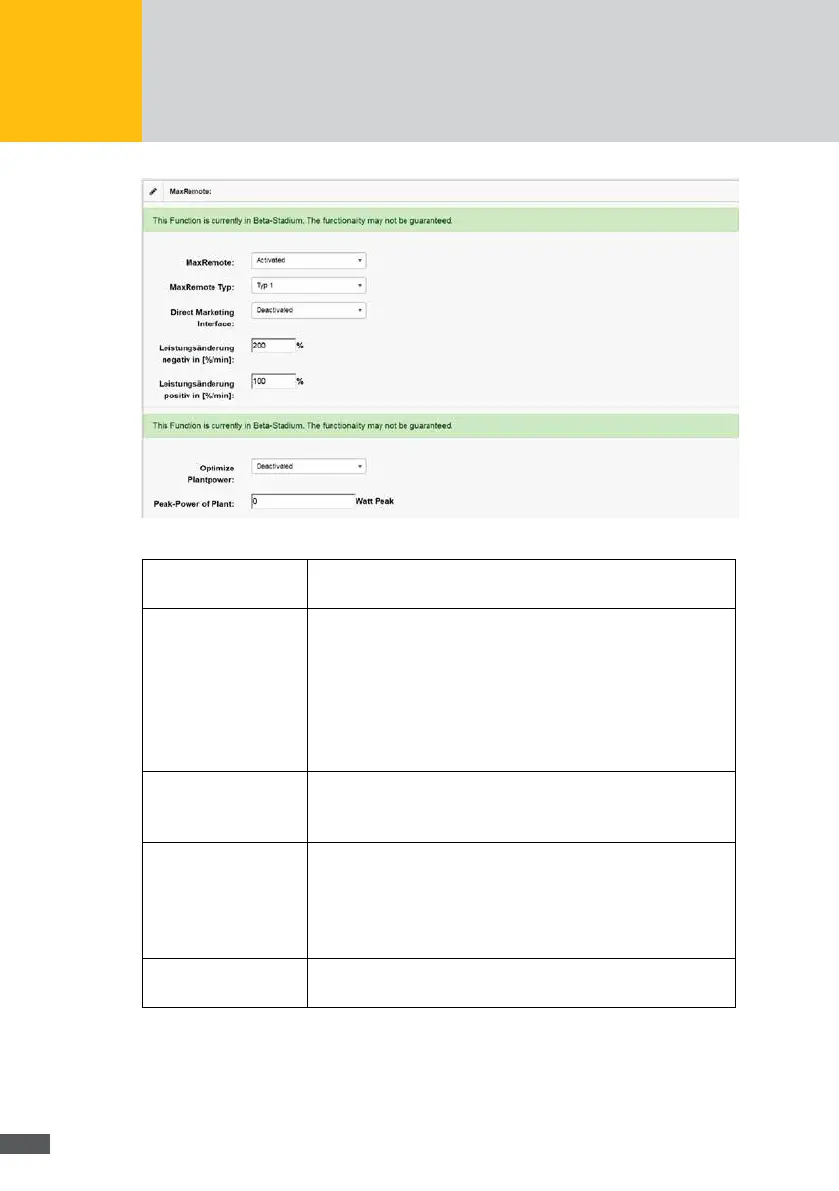
Fig. 49: Conguration of the MaxRemote
MaxRemote Select “Activated” in the selection menu to activate MaxRemote.
Select “Deactivated” in the selection menu to deactivate MaxRemote.
MaxRemote type In this menu, you can select the respective MaxRemote type. You can
select from the following types:
Type 1, only the effective power of the PV generator can be
remote-controlled. Select this mode if the PV plant is equipped
with inverters which do not support idle power generation.
Type 2, only the effective power and idle power generation of the
PV generator can be remote-controlled.
Direct seller interface You can select a direct seller interface in this menu which shall be
used for the control of your plant.
If there shall be no direct seller control, select “Deactivated”.
Power change negative
in [%/min]
Enter the reduction gradient for the power limitation (in % of the nom-
inal power/minute). Example: A value of 200 [%/min] implies that the
inverters reduce their effective power with a slope of 200% of the
nominal power per minute down to the desired output value, when a
reduction command is given.
Power change positive
in [%/min]
Enter the rising gradient for the power increase to the maximally pos-
sible output line (in % of the nominal capacity/minute).



 To Next Page