54
No idle power control
Mark the checkbox if you have a MaxRemote type 1 connected. For a MaxRemote
of type 2, the checkbox must not be marked.
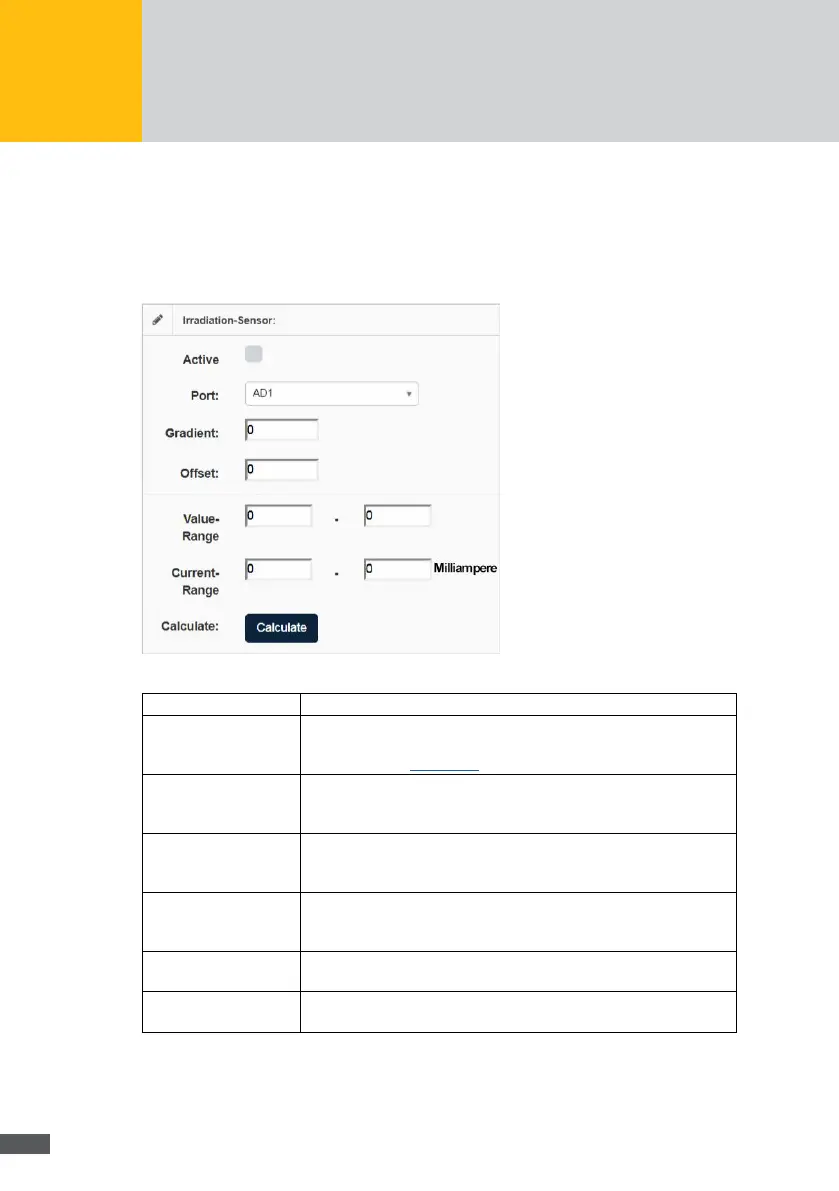
The following parameters can be congured for irradiance and temperature sensors:
Fig. 51: Conguration of an irradiation sensor
Active: Tick this option to log the data of the external devices.
Port:
In this menu, select the terminals to which the external device is
connected. For a detailed overview of the assignment and designation
of terminals, see Section 8.5.
Gradient: The gradient of your external device is calculated automatically as
soon as you enter the irradiance and temperature range. You will nd
these values in the manual of your external device.
Offset: The offset of your external device is calculated automatically as soon
as you enter the irradiance and temperature range. You will nd these
values in the manual of your external device.
Value range: Enter the irradiance range of your irradiance sensor or the tempera-
ture range of your temperature sensor. You will nd this value in the
manual of your external device.
Current range: Enter the current range of your external device. You will nd this value
in the manual of your external device.
Calculate: Click on the Calculate button to calculate the gradient and offset
values after entering the irradiance and temperature range.
You can connect external alarm sensors to the external alarm inputs of the MaxWeb XPN
to monitor the function of a fan or an AC isolating switch, for example. The following
parameters can be congured with the MaxWeb XPN:



 To Next Page