Setting
71
Item Description
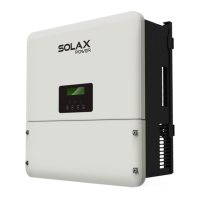
LCD screen Display the information of the inverter.
Operating
indicator light
Light in green: The inverter is in grid-connected operation
state or off-grid operation state.
Flash in green: The screen shows "STR
".
The inverter is in
the process of grid connection or off-grid.
Light off: The inverter is in a fault or manual shutdown state.
Battery
indicator light
Light in blue: The battery is online and the voltage is normal.
Light off: Low battery voltage or no battery.
Error indicator
light
Light in red: The inverter is in fault status.
Flash in red:The inverter has alarm information.
Light off: There are no faults and alarms in the inverter.
Up key Turn to the previous page.
Esc key Return to the superior menu or cancel setting value.
Down key Turn to the next page.
Enter key Confirm the selection.
8 Setting
8.1 Control Panel
LCD Screen
Operating
indicator light
Battery
indicator light
Error
indicator light
Up
Esc
Down
Enter
* While upgrading, the green, blue and red indicator lights will ash in turns,
indicating that the upgrade is in progress.



 To Next Page
 Loading...