B
Brian JacksonSep 10, 2025
What does Mgr EEPROM Fault mean on Solax X3-PRO G2 Inverter?
- DDwayne NelsonSep 10, 2025
An Mgr EEPROM Fault on your Solax Inverter indicates an ARM EEPROM fault. Disconnect both the PV and grid, then reconnect them.


 To Next PageTo Next Page
What does Mgr EEPROM Fault mean on Solax X3-PRO G2 Inverter?
An Mgr EEPROM Fault on your Solax Inverter indicates an ARM EEPROM fault. Disconnect both the PV and grid, then reconnect them.
What does EepromFault mean on Solax X3-PRO G2?
An EepromFault on your Solax Inverter indicates a DSP EEPROM fault. Disconnect and reconnect the PV wiring.
What should I do if my Solax Inverter shows SW OCP Fault?
If your Solax Inverter displays SW OCP Fault, it means there is a software overcurrent protection fault. Wait for a while to check if the inverter is back to normal. If the issue persists, disconnect both the PV and grid, then reconnect them.
What to do if my Solax X3-PRO G2 Inverter shows GridLostFault?
If your Solax Inverter displays a Grid Lost Fault, it indicates a loss of connection with the power grid. First, check if the mains cable is loose. If the cable is properly connected, wait for the utility to return to normal; the system should automatically reconnect.
What causes InternalComFault on Solax X3-PRO G2 Inverter?
An InternalComFault on your Solax Inverter indicates an internal communication fault. Try restarting the inverter to see if it returns to normal. If that doesn't work, update the ARM software or reburn the program.
How do I fix a GridRelayFault on my Solax X3-PRO G2?
A GridRelayFault on your Solax Inverter indicates a relay fault. You should check the grid connection and restart the inverter.
What does PvConnDirFault mean on my Solax X3-PRO G2?
A PvConnDirFault on your Solax Inverter indicates a PV direction fault. Check if the PV positive and negative sides are connected correctly.
What to do if Solax Inverter displays ResidualOCP?
If your Solax Inverter shows a ResidualOCP, this indicates an overcurrent protection fault. You should check the connections of the inverter and wait for a while to check if the inverter is back to normal.
Why is my Solax Inverter showing FanFault?
A FanFault on your Solax Inverter suggests there's an issue with the fan. Check whether the fan is faulty or damaged.
What should I do if my Solax Inverter displays IsoFault?
If your Solax Inverter is showing an IsoFault, this indicates an isolation fault. Begin by checking the connections of the inverter.
 General
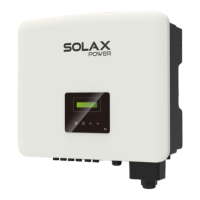
| Model | X3-PRO G2 Series |
|---|---|
| Category | Inverter |
| MPPT Efficiency | 99.9% |
| Max. DC Voltage | 1100V |
| THDi | <3% |
| DC Switch | Yes |
| European Efficiency | 98% |
| Communication | WiFi, Ethernet, RS485 |
| Operating Temperature Range | -25°C to +60°C |
| AC Voltage Range | 310V-480V |
| AC Grid Frequency | 50/60 Hz |
| Warranty | 10 years |
| Rated Power | 6kW, 8kW, 10kW, 12kW, 15kW, 20kW, 25kW, 30kW |
| Number of MPPTs | 2 or 4 (depends on model) |
| AC Output Power | 6kW / 8kW / 10kW / 12kW / 15kW / 20kW / 25kW / 30kW |
| Nominal AC Voltage | 400V |
| Protection | DC Reverse Polarity Protection, AC Short Circuit Protection, Output Over Current Protection, Output Over Voltage Protection |
Lists changes and updates made across different versions of the manual.
Defines the applicability and purpose of the manual for the product series.
Identifies the intended audience as qualified electricians for safe operation.
Explains the meaning of various safety and informational symbols used in the document.
Describes the intended function of the inverters as PV to AC converters for grid connection.
Provides critical safety warnings and precautions for handling and operating the inverter.
Details the specific symbols used on the inverter and type label for hazard identification.
Lists relevant European Union directives and standards for compliance.
Highlights key technological features and benefits of the inverter series.
Identifies and describes the various input/output terminals on the inverter.
Provides detailed technical parameters for the DC input side of the inverter.
Provides detailed technical parameters for the AC output side of the inverter.
Lists efficiency ratings and safety/protection features of the inverter models.
Includes general specifications such as dimensions, weight, and environmental ratings.
Ensure the inverter is intact after transportation; contact dealer if damages are visible.
Lists all accessories included in the package for verification upon opening.
Details important precautions for selecting a suitable installation site and conditions.
Outlines the procedure for installing the inverter, including site preparation.
Specifies the necessary space around the inverter for adequate heat dissipation.
Describes the process of fixing the bracket and hanging the inverter onto the wall.
Details how to connect the photovoltaic array to the inverter.
Explains the process for connecting the inverter to the electrical grid.
Covers the proper procedure for grounding the inverter for safety.
Details various communication interfaces like COM, RS485, and monitoring options.
Explains connecting multiple inverters in parallel and integrating an EV-charger.
Provides instructions for updating the inverter's firmware via USB.
Steps and indicators for starting, checking, and running the inverter.
Explains the physical control panel and navigation through the LCD menu system.
Details configuration for safety, grid parameters, export control, password, and operational modes.
Provides a guide to identify and resolve common inverter faults.
Outlines periodic safety checks and maintenance procedures.
Covers inverter removal, packaging, and storage requirements.
Provides information on proper disposal of the inverter and related materials.