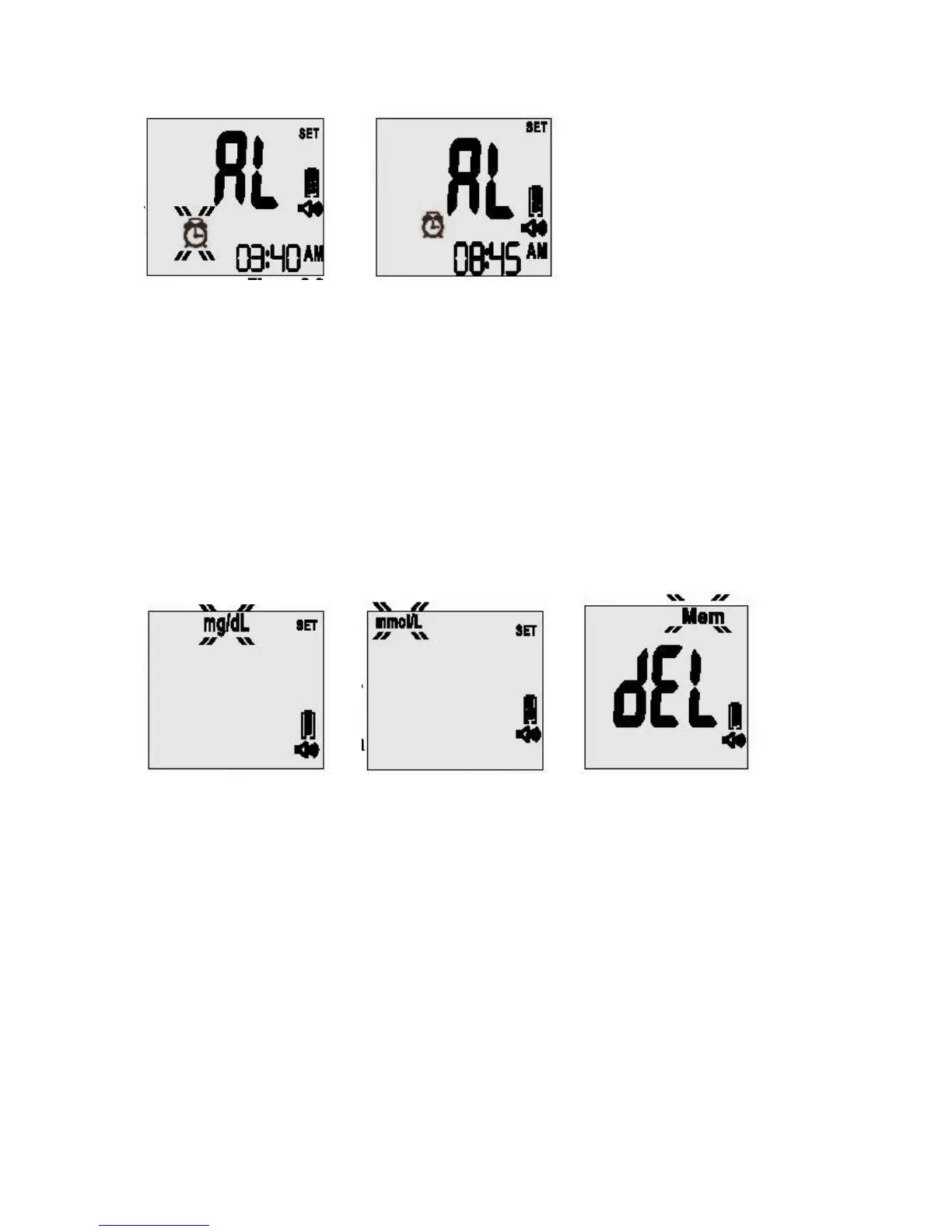
1-19 1-20
Note: Once the Alarm Reminder is SET, the meter will beep for 60 seconds every day at the
set Alarm Reminder time. To silence the alarm, press the “R” right function button once.
8. Set the measurement unit: Press the “Up” or “Down” button on the right side of the
meter until the desired measurement appears. The meter will display either “mg/dL” or
“mmol/L” when pressing the “Up” or “Down” button (see Figures 1-21, 1-22). Each time you
press the “Up” or “Down” button, you will hear: “Measurement unit in milligrams per
deciliter” or “Measurement unit in millimol per liter.” Press the “R” right function button to
confirm the selection and you will hear: “Ready to delete memory records. Press the
“Down” button to delete all records” (see Figure 1-23).
1-21 1-22 1-23
Warning: This meter can show results either in “mg/dL” or “mmol/L” units. Mg/dL is the
typical unit of measurement used in the United States, please contact the manufacturer if
your meter does not display mg/dL when you turn it on. The factory set default for the
meter is mg/dL. In the event that the meter loses power or the batteries are changed, the
factory set default is mg/dL.
It is critical to use the correct unit of measurement to manage your diabetes. If your meter is
set to mg/dL, your results will never have a decimal point.
If you obtain your results using the metric system, you will be using the mmol/L unit of
measurement. In this case, your results will ALWAYS have a decimal point.
9. Deleting the Memory: To delete your stored results, you will hear: “Ready to delete
memory records. Press the down button to delete all records?” Press the “Down” button



 To Next Page