Installing/Replacing the Batteries
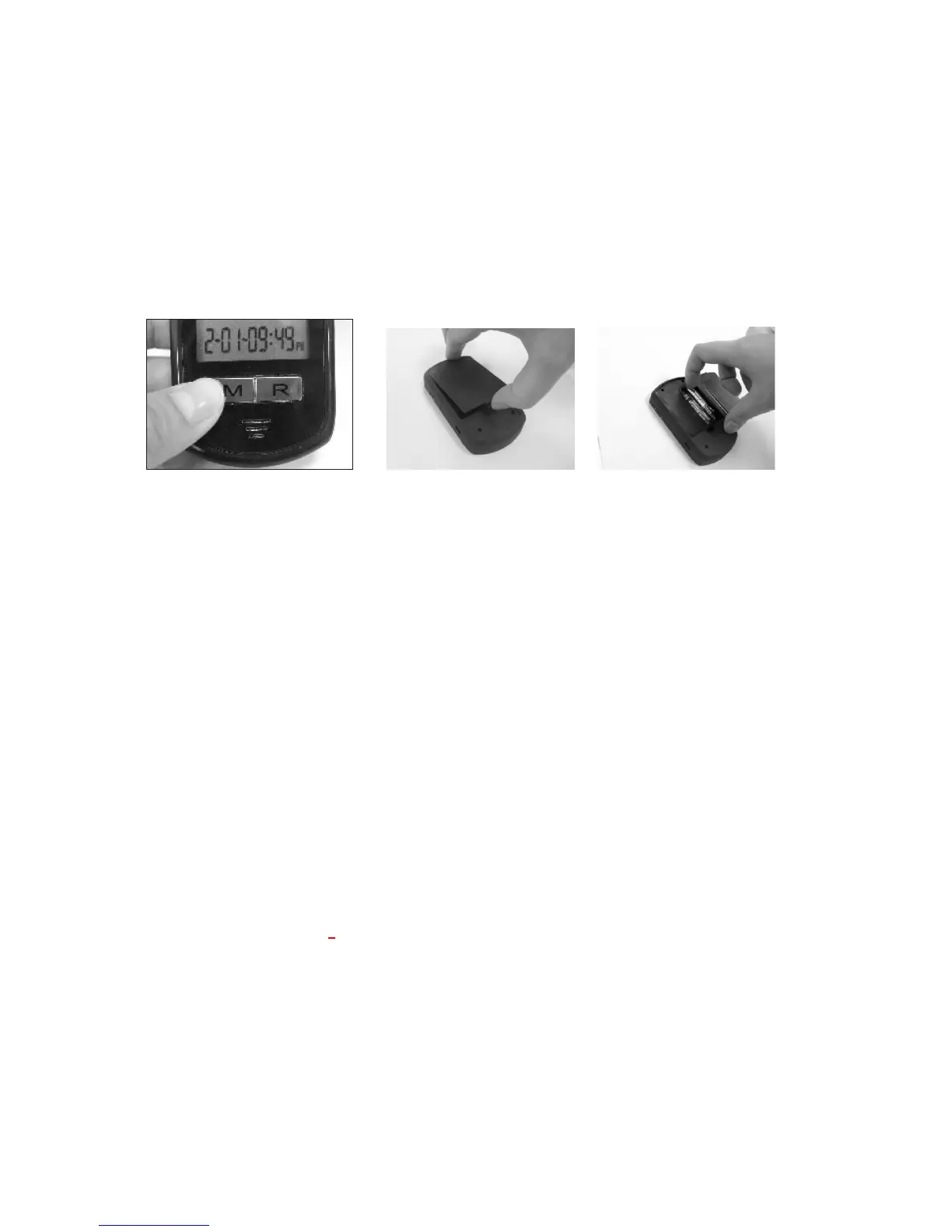
1. If the meter is on, turn the meter off by pressing and holding the “ M ” left function button
until it says “Goodbye” and you see “OFF” on the screen (see Figure 1-1).
2. Open the battery cover on the back of the meter by pushing the tab in the direction of the
arrow and pulling the cover up (see Figure 1-2).
3. Remove any used batteries and replace with two (2) AAA alkaline batteries. Put the battery
cover back in place and snap it closed. You will hear a “beep” sound if the battery is installed
correctly (see Figure 1-3).
1-1 1-2 1-3
Important:
1. It is suggested you replace the batteries when the battery icon appears empty. You will get
an Error 3(E_3) message when the batteries do not have enough power to perform a test.
2. Replacing the batteries will NOT delete your stored test results.
3. Replacing the batteries will NOT change your meter settings except for date and time. You
will need to reset the date and time after the batteries have been replaced.
4. Dispose used batteries according to your local ordinances.
Meter Setup
Solus V2 allows you to personalize your meter to meet your healthcare needs. Below are
features that you can customize:
Volume Level
Language
Date and Time
Testing Alarm Reminder
Unit of Measurement
Before and After Meals Memory
Setting the Volume Level and Language Selection
On the right side of the meter, you will find two buttons, the “^” up symbol and the “v” down
symbol. Pressing the ”^” up symbol (“Up” button) increases the volume; pressing the “v”
down symbol (“Down” button) decreases the volume (see Figure 1-4).



 To Next Page