LCD Screen Overview
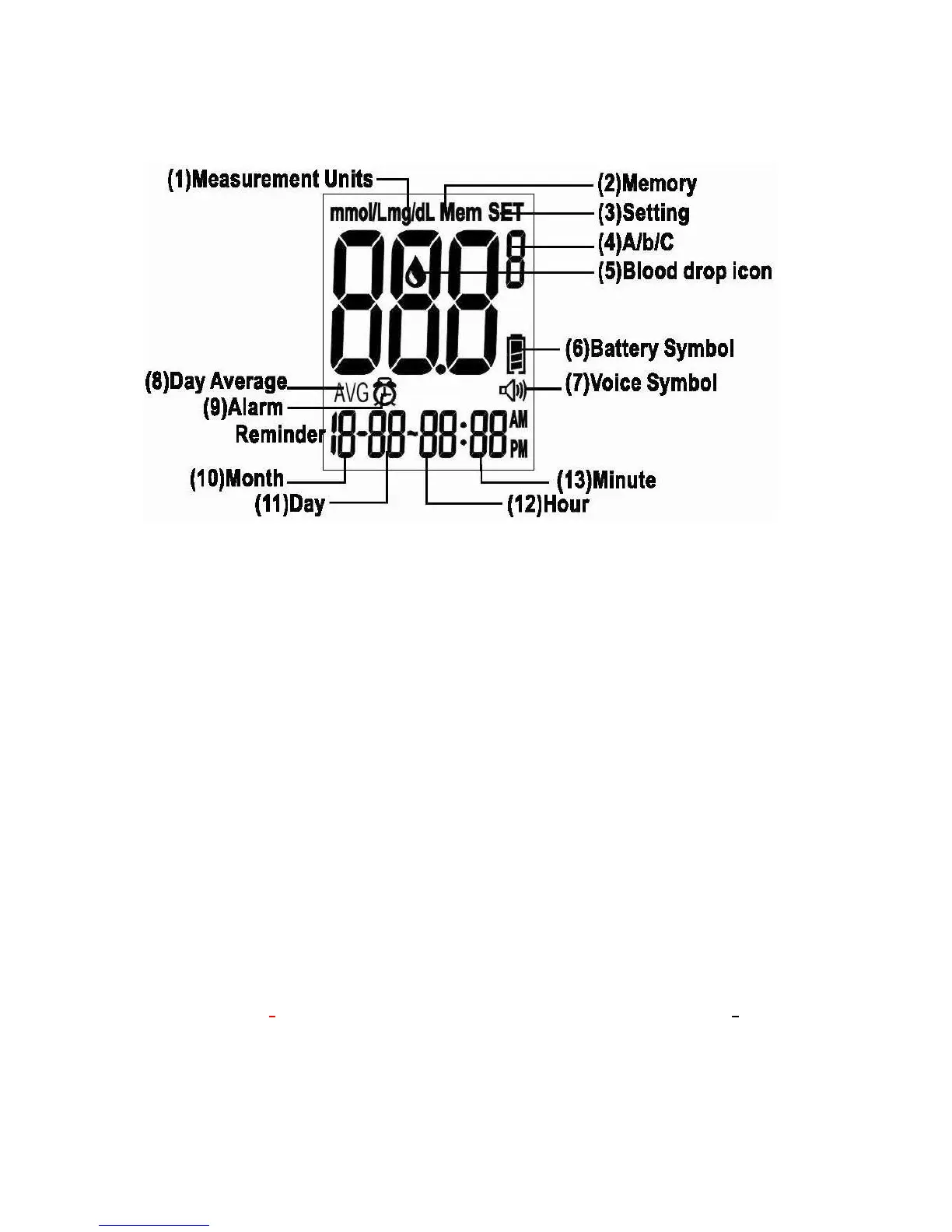
Below is the appearance of the LCD screen:
(1) Measurement Units
(2) Memory
(3) Setting
(4) A/b/C: After Meals, Before Meals, and Control Test Indicators
(5) Blood drop Symbol
(6) Battery Symbol
(7) Voice Symbol
(8) Day Average
(9) Alarm Reminder
(10) Month
(11) Day
(12) Hour
(13) Minute
1. Appears with the test result either in mg/dL or in mmol/L.
2. Appears when you recall the memory.
3. Appears when you are in setting mode.
4. When the test is flagged as a control test a “C” appears here. When the test is flagged for
a before meals test a “b” appears here. When a test is flagged for an after meals test an
“A” appears here.
5. Flashes when it is OK to apply the sample.
6. Indicates the remaining battery life.



 To Next Page