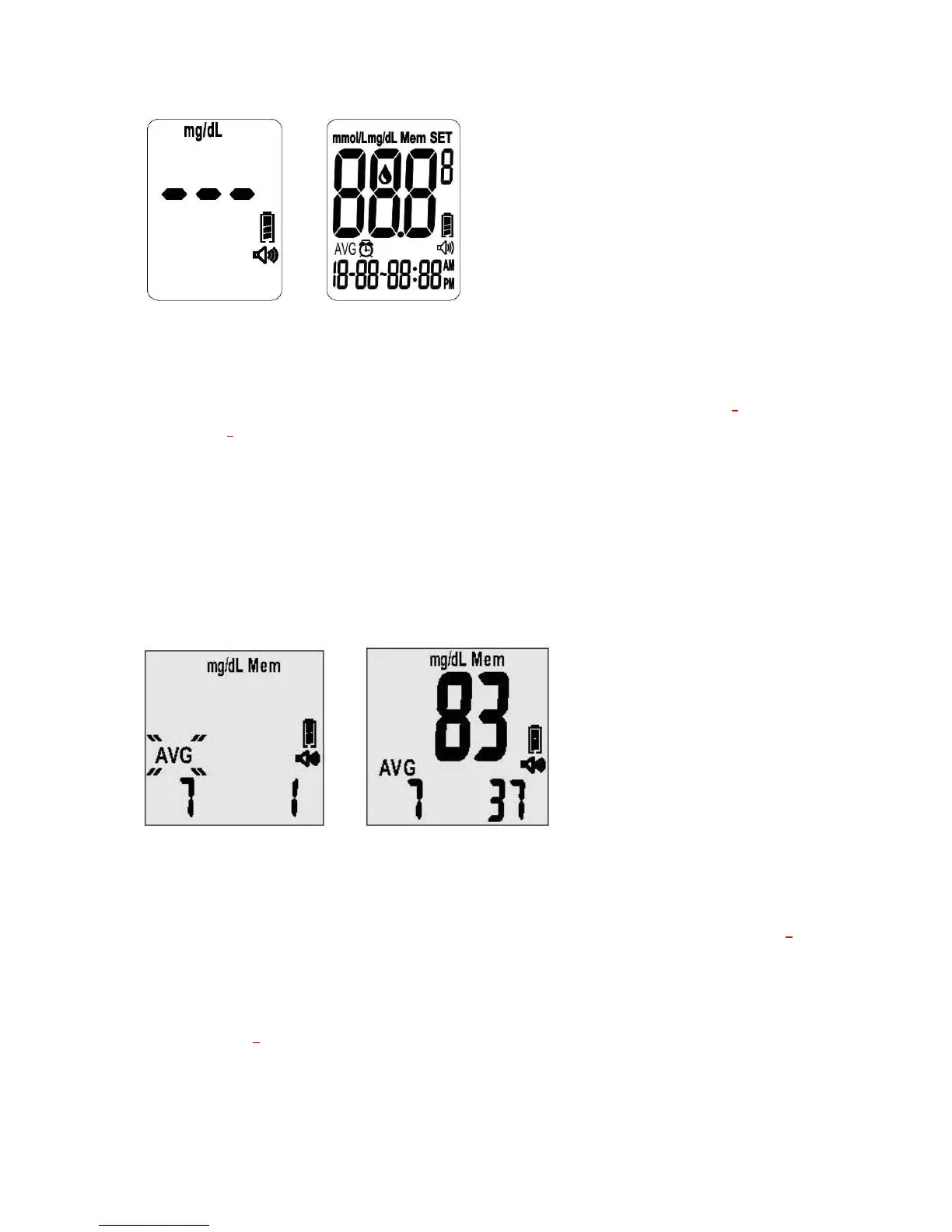
4-1 4-2
Viewing the Averages
Note: The average will have all test results including those flagged as “Before-Meals” tests,
“After-Meals” tests and those not flagged at all. When the meter displays “---” on the screen,
it indicates there are no readings stored in memory.
1. Press the “R” right function button once and you will see “AVG” and the number “7”
flashing on the lower left corner. The number “7” means that the average was taken over
the past seven (7) days. For example, you will hear: “The average for “7” day is 83
milligrams per deciliter.” (see Figure 4-3 and 4-4).
2. Press the “R” right function button to incrementally move between the different
time-frames for averages (i.e., the past 7, 14, 28, 60, and 90 days).
4-3 4-4
Displaying Averages in Sequential Order
1. Press the “Up” key to see the test averages in the sequence starting with “Before-Meals”
test results. For example, you will hear: “The before-meal average for seven days is 108
milligrams per deciliter.”
2. Press the “Down” key to see the test averages in the sequence starting with
“After-Meals” test results. For example, you will hear: “The after-meal average for seven
days is 108 milligrams per deciliter.”



 To Next Page