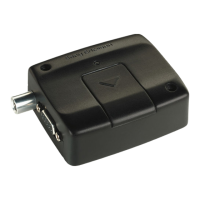
Need help?
Do you have a question about the Sony Ericsson GM47 and is the answer not in the manual?
Introduces the GM47 and GM48 modules and their GSM band capabilities.
Details the characteristics of GM47 and GM48 dual band mobile stations.
Lists all hardware and software components included in the developer's kit.
Provides guidance on setting up and using the developer's kit, showing front and rear views.
Details the developer board layout, including connectors, switches, and jumpers.
Provides detailed pin assignments for the system connector interface.
Describes the mechanical design, connectors, and mounting holes of the GM47 module.
Provides detailed physical dimensions and key measurements of the GM47 module.
Introduces the 60-pin system connector for module connections.
Details pin assignments, signal names, types, and descriptions for the system connector.
Outlines electrical characteristics, protection requirements, and voltage levels.
Details the three UART serial interfaces for communication.
Describes signals for communicating with the SIM card holder.
Provides essential safety guidelines for module handling and usage environments.
Lists mechanical dimensions, weight, and materials of the GM47/GM48 modules.
Details power supply voltage ranges, ripple, and power consumption figures.
Provides frequency ranges and maximum RF output power for GM47 and GM48.
Lists and explains common CME and CMS error codes for mobile equipment.
Initiates voice or data connections using phone numbers or stored entries.
Resets user data to default values and unlocks the module.
Sets the real-time clock and date of the module.
Selects the level of functionality, affecting power consumption.
Manages SIM PIN and PUK entry for ME operational access.
Returns received signal strength indication and channel bit error rate.
Allows modification and configuration of the current audio profile.
Manages and stores audio profiles, including copying and resetting.
Selects bearer service, data rate, and connection element for data calls.
Activates or deactivates specified PDP contexts for GPRS service.
Attaches or detaches the MS from the GPRS/packet domain service.
Specifies PDP context parameters identified by <cid>.
Specifies minimum acceptable QoS profile checked against negotiated profile.
Specifies QoS profile used when sending PDP context request to network.
Controls presentation of unsolicited result codes for GPRS registration status.
Returns current HSCSD call parameters: receive/transmit timeslots, user rate.
Shows information about HSCSD features supported by the ME/TA.
Controls parameters for non-transparent HSCSD calls.
Defines and configures Internet accounts for WAP access.
Resets all parameters to default values specified by the manufacturer.
Retrieves the IMEI and software version number of the ME.
Controls operation of general purpose I/O signals, including read, write, configure, check.
Resets all parameters to default user-specified values.
Enables M2M engineering monitoring mode for network information.
Requests the SIM serial number from the ICCid field on the SIM.
Locks, unlocks, or interrogates an ME or network facility.
Forces an attempt to select and register the GSM network operator.
Controls presentation of unsolicited result codes for network registration status.
Sets the SMSC address for transmitting mobile originated SMs.
Selects the input and output message format (PDU or Text mode).
Stores a message to memory storage in PDU or Text mode.
Sends a message from TE to the network (SMS-SUBMIT or SMS-COMMAND).
Sends a message from storage to the network (SMS-SUBMIT or SMS-COMMAND).
Selects memory storage for reading, writing, and other message operations.
Reads messages from preferred storage, returning status and data.
Lists messages from preferred storage based on status value.
Deletes messages from preferred storage based on index or delflag.
Selects messaging service (MT, MO, BM) supported by the ME.
Selects which types of Cell Broadcast Messages (CBMs) are received by the ME.
Resets or reads the accumulated call meter value from the SIM.
Sets the maximum call meter value allowed for the subscriber.
Provides information about the cost of calls and enables event reporting.
Controls call forwarding supplementary service: registration, erasure, activation.
Controls call waiting service: activation, deactivation, and status query.
Manages call hold, recovery, release, and multiparty conversations.
Enables/disables presentation of the calling line identity (CLI) to the called party.
Allows calling subscriber to enable/disable CLI presentation.
 General
| Brand | Sony Ericsson |
|---|---|
| Model | GM47 |
| Category | Modem |
| Language | English |

 To Next Page