34
us
• The front cover closes automatically when you
press
~
PLAY. Be careful not to put your hand
into the player after pressing
~
PLAY,
otherwise your hand may be caught
in
the front
cover.
To
remove
discs
1 While checking the disc slot number
indicated on the front panel display
or
by
the slot, turn the DISC/AMS dial until
you find the disc you want
to
remove.
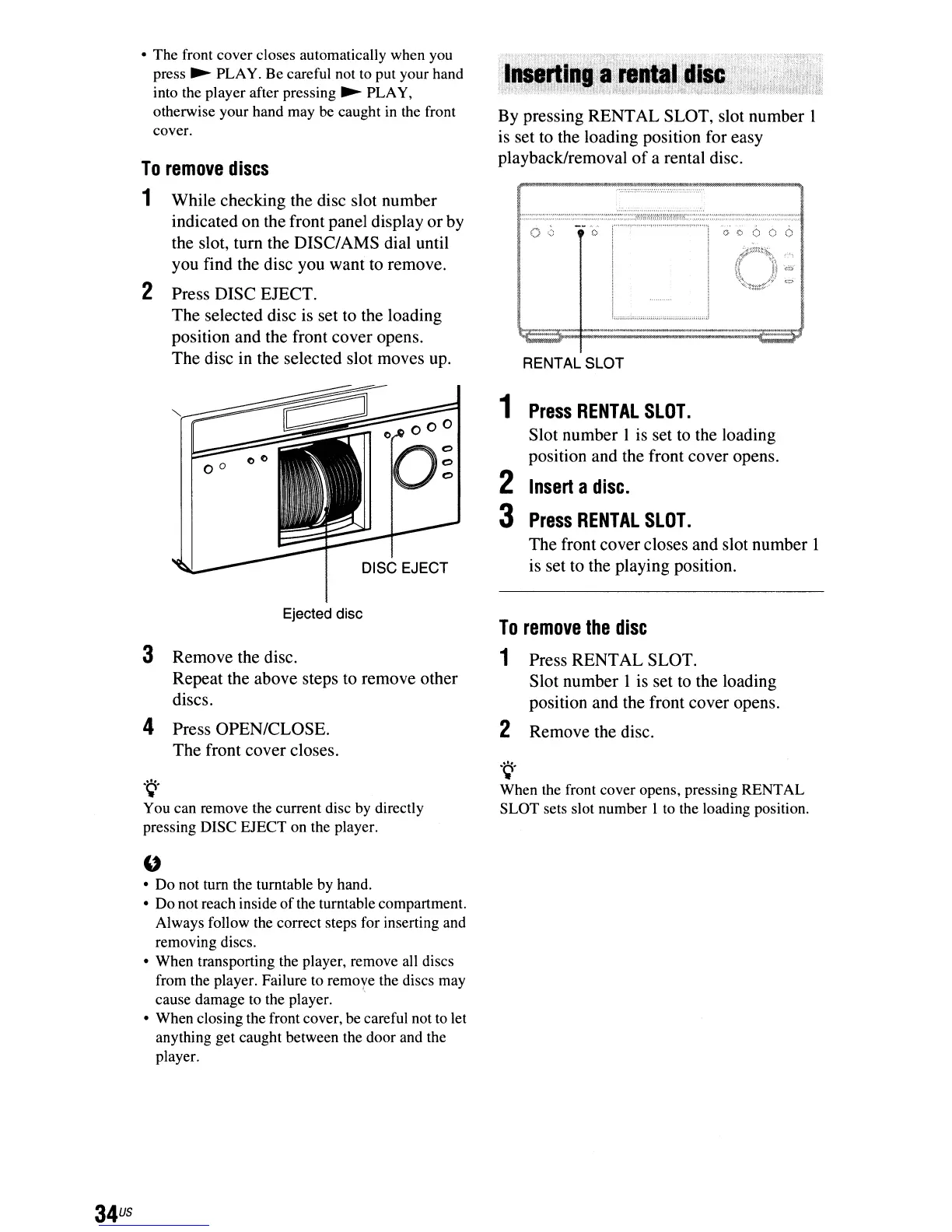
2 Press DISC EJECT.
The selected disc is set to the loading
position and the front cover opens.
The disc in the selected slot moves up.
DISC EJECT
Ejected disc
3 Remove the disc.
Repeat the above steps to remove other
discs.
4 Press OPEN/CLOSE.
The front cover closes.
.
~.
You can remove the current disc
by
directly
pressing DISC EJECT on the player.
u
• Do not tum the turntable by hand.
• Do not reach inside
of
the turntable compartment.
Always follow the correct steps for inserting and
removing discs.
• When transporting the player, remove all discs
from the player. Failure to remoye the discs may
cause damage
to
the player.
• When closing the front cover, be careful not to let
anything get caught between the door and the
player.
By pressing RENTAL SLOT, slot number I
is set to the loading position for easy
playback/removal
of
a rental disc.
()
<) 0
RENTAL SLOT
1
Press
RENTAL
SLOT.
Slot number 1 is set to the loading
position and the front cover opens.
2
Insert
a
disc.
3
Press
RENTAL
SLOT.
The front cover closes and slot number 1
is set to the playing position.
To
remove
the
disc
1 Press RENTAL SLOT.
Slot number I is set
to
the loading
position and the front cover opens.
2 Remove the disc.
.~
.
When the front cover opens, pressing RENTAL
SLOT sets slot number I to the loading position.



 To Next Page