Step
8:
Inserting
Discs
You can insert up to 400 discs into this
player.
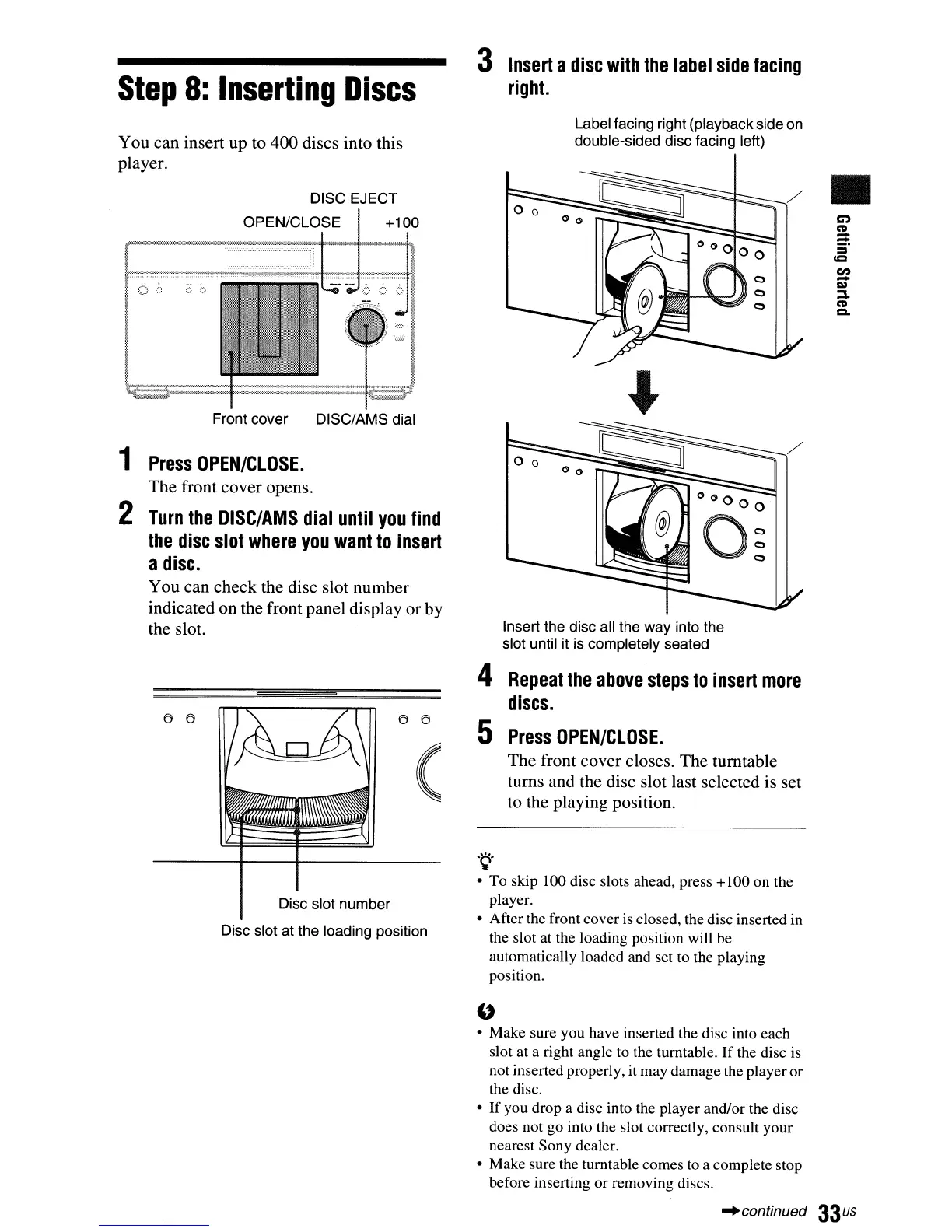
DISC EJECT
OPEN/CLOSE
+100
06
00
Front cover DISC/AMS dial
3
Insert
a
disc
with
the
label
side
facing
right.
Label facing right (playback side on
double-sided disc facing left)
•
1
Press
OPEN/CLOSE.
The front cover opens.
2
Turn
the
DlSC/AMS
dial
until
you
find
the
disc
slot
where
you
want
to
insert
a
disc.
You can check the disc slot number
indicated on the front panel display or by
the slot.
6 6 6 6
(
Disc slot number
Disc slot at the loading position
Insert the disc all the way into the
slot until it is completely seated
4
Repeat
the
above
steps
to
insert
more
discs.
5
Press
OPEN/CLOSE.
The front cover closes. The turntable
turns and the disc slot last selected is set
to the playing position.
.
~.
• To skip 100 disc slots ahead, press +100 on the
player.
• After the front cover is closed, the disc inserted in
the slot at the loading position will be
automatically loaded and set to the playing
position.
"
• Make sure you have inserted the disc into each
slot at a right angle to the turntable.
If
the disc
is
not inserted properly, it may damage the player or
the disc.
•
If
you drop a disc into the player and/or the disc
does not go into the slot correctly, consult your
nearest Sony dealer.
• Make sure the turntable comes to a complete stop
before inserting or removing discs.
-'continued
33
us



 To Next Page