Various
music
playback
operations
+/+/0
----
OPTIONS
~.'!:::r6·.·~o
.:
•
'~.'
.
':
'.0.
"
....
',;.
crn:r::rLJ
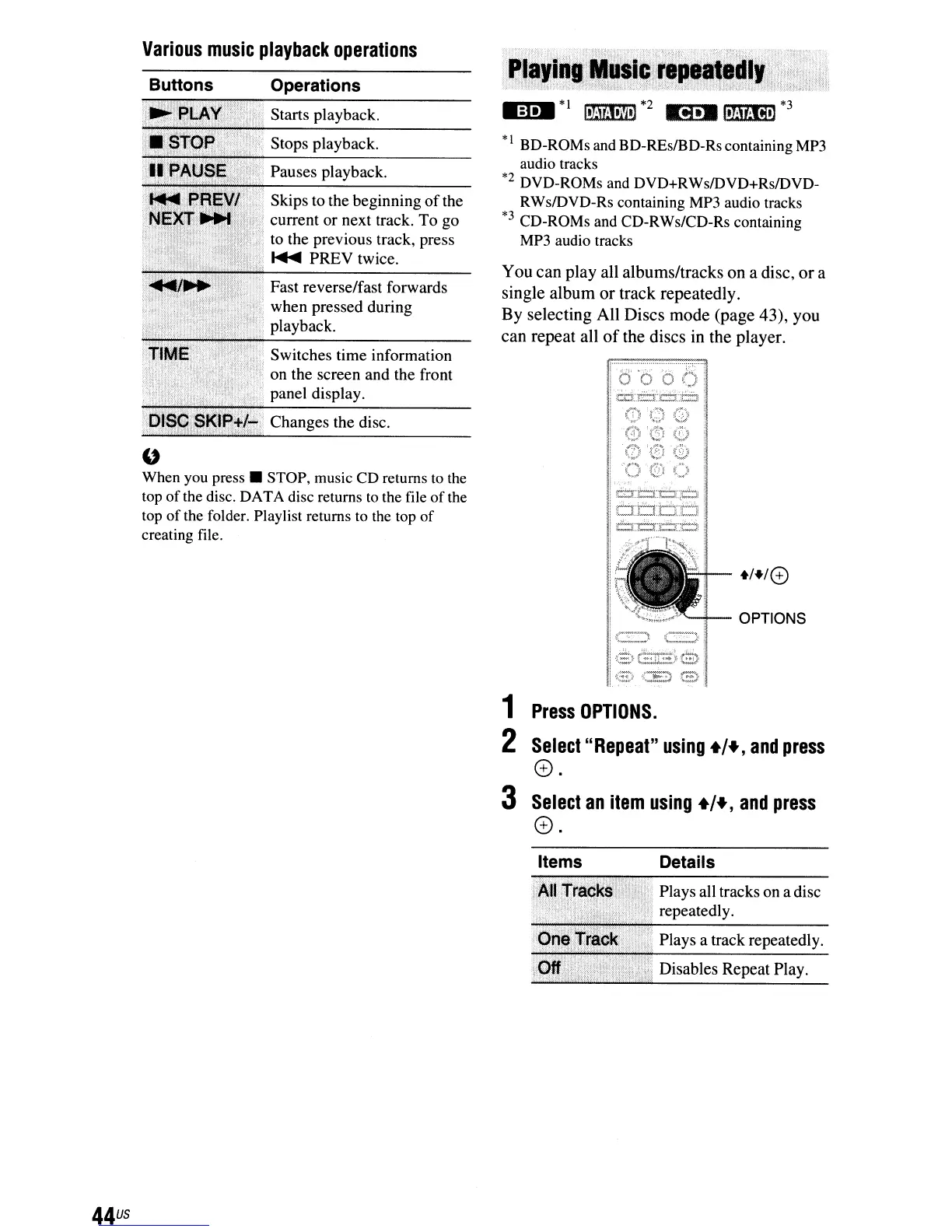
You
can
play
all
albums/tracks
on
a disc,
or
a
single
album
or
track
repeatedly.
By
selecting
All
Discs
mode
(page
43),
you
can
repeat
all
of
the
discs
in
the
player.
M:I._
*1
Ilhinltl'N
*2
ti
••
,,]jt;fi']
*3
*I BD-ROMs and BD-REsIBD-Rs containing
MP3
audio tracks
*2
DVD-ROMs and DVD+RWs/DVD+Rs/DVD-
RWs/DVD-Rs containing
MP3
audio tracks
*3
CD-ROMs and CD-RWs/CD-Rs containing
MP3
audio tracks
Changes the disc.
Switches time information
on the screen and the front
panel display.
Skips to the beginning
of
the
current or next track.
To
go
to the previous track, press
~
PREY
twice.
Operations
Pauses playback.
Stops playback.
Starts playback.
. Fast reverse/fast forwards
when pressed during
playback.
Buttons
"
When you
press.
STOP, music CD returns
to
the
top of the disc. DATA disc returns
to
the file of the
top
of
the folder. Playlist returns to the top
of
creating file.
1
Press
OPTIONS.
2
Select"
Repeat"
using
+/+,
and
press
e.
3
Select
an
item
using
+/+,
and
press
0.
Items
Details
Plays all tracks on a disc
repeatedly.
Plays a track repeatedly.
Disables Repeat Play.
44
us



 To Next Page