To
adjust
the
audio
characteristics
1
Press
OPTIONS
during
playback.
The
options
menu
appears.
2
Select
"AN
Settings"
using
+1+,
and
press
e.
3
Select
"Audio
Settings"
using
+1+,
and
press
e.
The
"Audio
Settings"
screen
appears.
AudiO
Settings
Playing
Music
CDs
M:I.M
*1
!.tMNltl
*2
attJ
••
I.tj(,1~,l
*3
*1 BD-ROMs and BD-REsIBD-Rs containing
MP3
audio tracks
*2
DVD-ROMs and DVD+RWsIDVD+RsIDVD-
RWsIDVD-Rs containing
MP3
audio tracks
*3
CD-ROMs and
CD-RWs/CD-Rs
containing
MP3
audio tracks
4
Select
an
item
using
+1+,
and
press
e .
The
default
settings
are
underlined.
OPTIONS
HOME
-*"=="'"
....
PREVI
-~r--""""'"""
~NEXT
"'/~-T"'!"!IL-::"~"-"'::-
II
PAUSE
---I~~
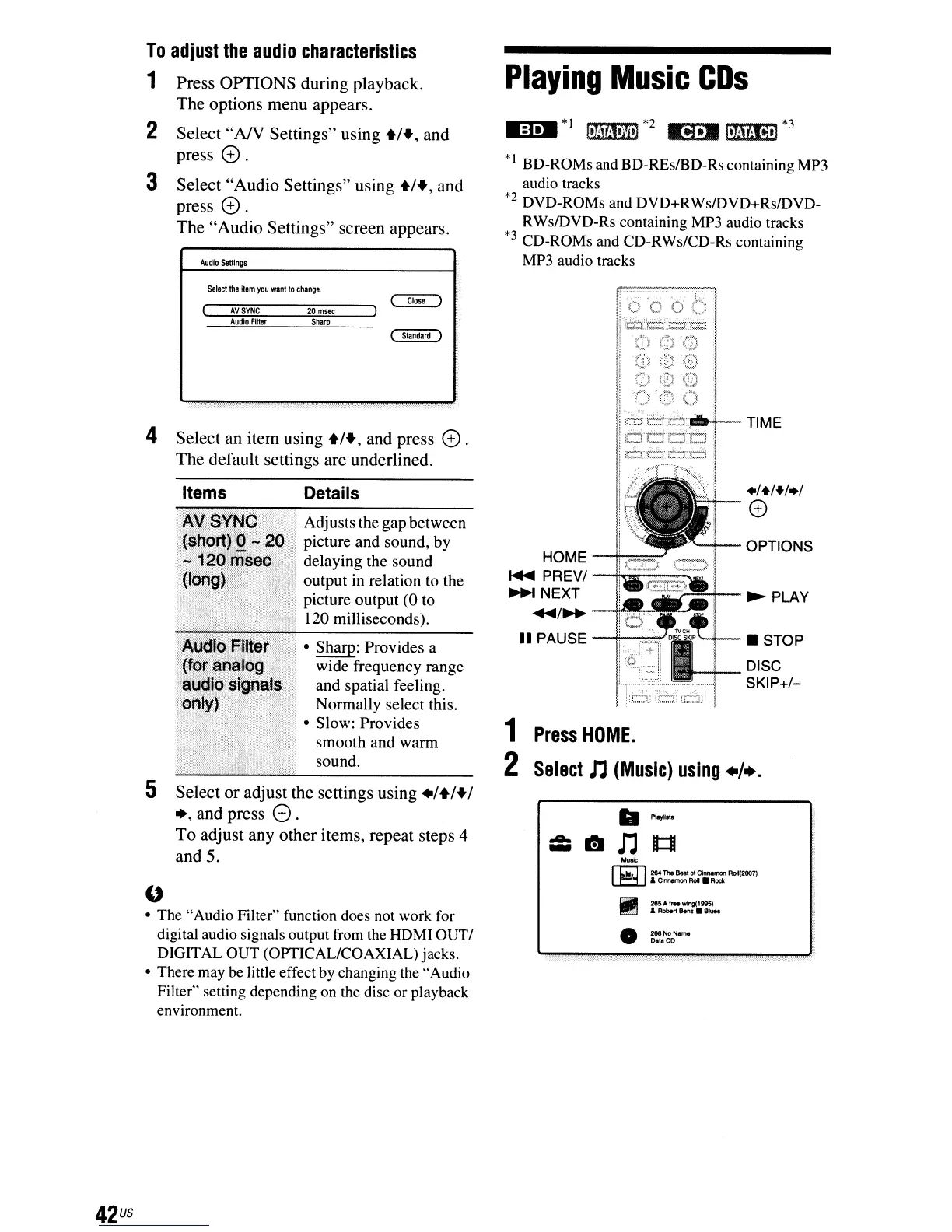
1
Press
HOME
.
2
Select
n
(Music)
using
+/+.
Adjusts the gapbetween
picture and sound, by
delaying the sound
output in relation to the
picture output (0 to
120 milliseconds).
Details
ITA·I'';'!·!:.··;· • Sharp: Provides a
wide frequency range
and spatial feeling.
Normally select this.
• Slow: Provides
.
",+"'::
•..
::;:.:
..
:....
smooth and warm
sound.
Items
Select
the
item
you
want
10
change.
Audio
FiNer
Sharp
AVSYNC
20
msec
5
Select
or
adjust
the
settings
using
+1+1+1
+,
and
press
e.
To
adjust
any
other
items,
repeat
steps
4
and
5.
"
• The "Audio Filter" function does not work for
digital audio signals output from the HDMI
OUTI
DIGIT
AL
OUT (OPTICAL/COAXIAL) jacks.
• There may be little effect by changing the "Audio
Filter" setting depending
on
the disc or playback
environment.
.."'"
rr;:1l
2&4
1M
Beet
of
Clrwwmon
RoI(2007)
L.E:1J
,&
Clnnernon ReI • Rock
~
2IJ,5AfrM'llftng(1tt5)
I!!!!ll
&Aobo<1Benz
__
•
42
us



 To Next Page