32
us
8
Select
the
aspect
ratio
that
matches
your
TV,
and
press
e .
~
Easy
Setup
-
1V
Type
Select
the
screen
aspect
ratio
to
match
your
TV.
16:9
•
:3
[]j[]
16:9
.:3
Select"
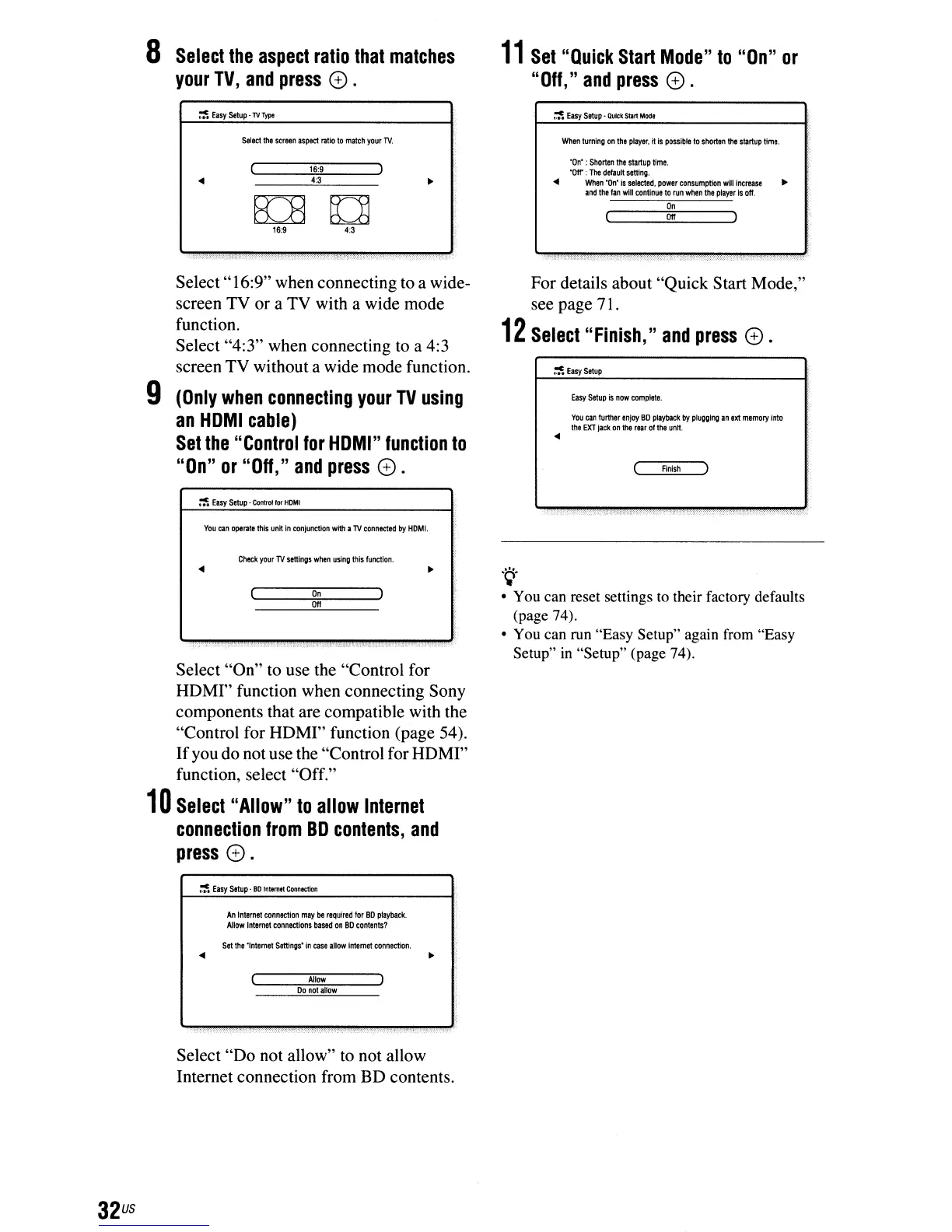
16:9" when connecting to a wide-
screen TV or a TV with a wide mode
function.
Select "4:3" when connecting to a 4:3
screen TV without a wide mode function.
9
(Only
when
connecting
your
TV
using
an
HOMI
cable)
Set
the
"Control
for
HOMI"
function
to
"On"
or
"Off,"
and
press
e .
~
Easy
Setup
-
Control
'0<
HOMI
You
can
operate
this
untt
in
conjunction
with
a
'TV
connected
by
HOM!.
Check
your
TV
settings
when
using
this
funetlon.
On
Off
Select "On" to use the "Control for
HDMI" function when connecting Sony
components that are compatible with the
"Control for HDMI" function (page 54).
If
you do not use the "Control for HDMI"
function, select "Off."
10
Select
"Allow"
to
allow
Internet
connection
from
BO
contents,
and
press
e.
~
Easy
Setup'
BD
Inl,mtt
Connectkln
An
Inlernel
connection
may
be
required
for
BO
playbaclt
Allow
Internet
connections
based
on
BO
contents?
Set
the
'Internet
Settings'
in
case
allow
internet
connection.
Allow
00
nol
allow
Select "Do not allow"
to
not allow
Internet connection from BD contents.
11
Set
"Quick
Start
Mode"
to
"On"
or
"Off,"
and
press
e .
~
Easy Sllup·
OvCk
SIIr1
Modi
WIlon
turning
on
Itl.
player.
II
Is
posslb~
10
shorten
It1e
startup
lime.
'On'
:
Shorten
It1e
startup
lime.
'Off'
:
The
defaull
setting
.
...
When
"On'
is
selected,
power
consumption
will
Increase
..
and
the
fan
will
continue
to
run
when
the
player
Is
off.
On
Off
For details about "Quick Start Mode,"
see page 71.
12
Select
"Finish,"
and
press
e .
~
Easy5elup
Easy
Setup
is
now
complete.
You
can
further
enjoy
BO
playback
by
plugging
an
ext
memory
Into
the
EXT
jack
on
the
rear
of
the
untt
.
...
Finish
.~.
• You can reset settings
to
their factory defaults
(page 74).
• You can run "Easy Setup" again from "Easy
Setup"
in
"Setup" (page 74),



 To Next Page