20
Changing the Aspect Ratio of the Screen
Chapter 2 Preparations
3
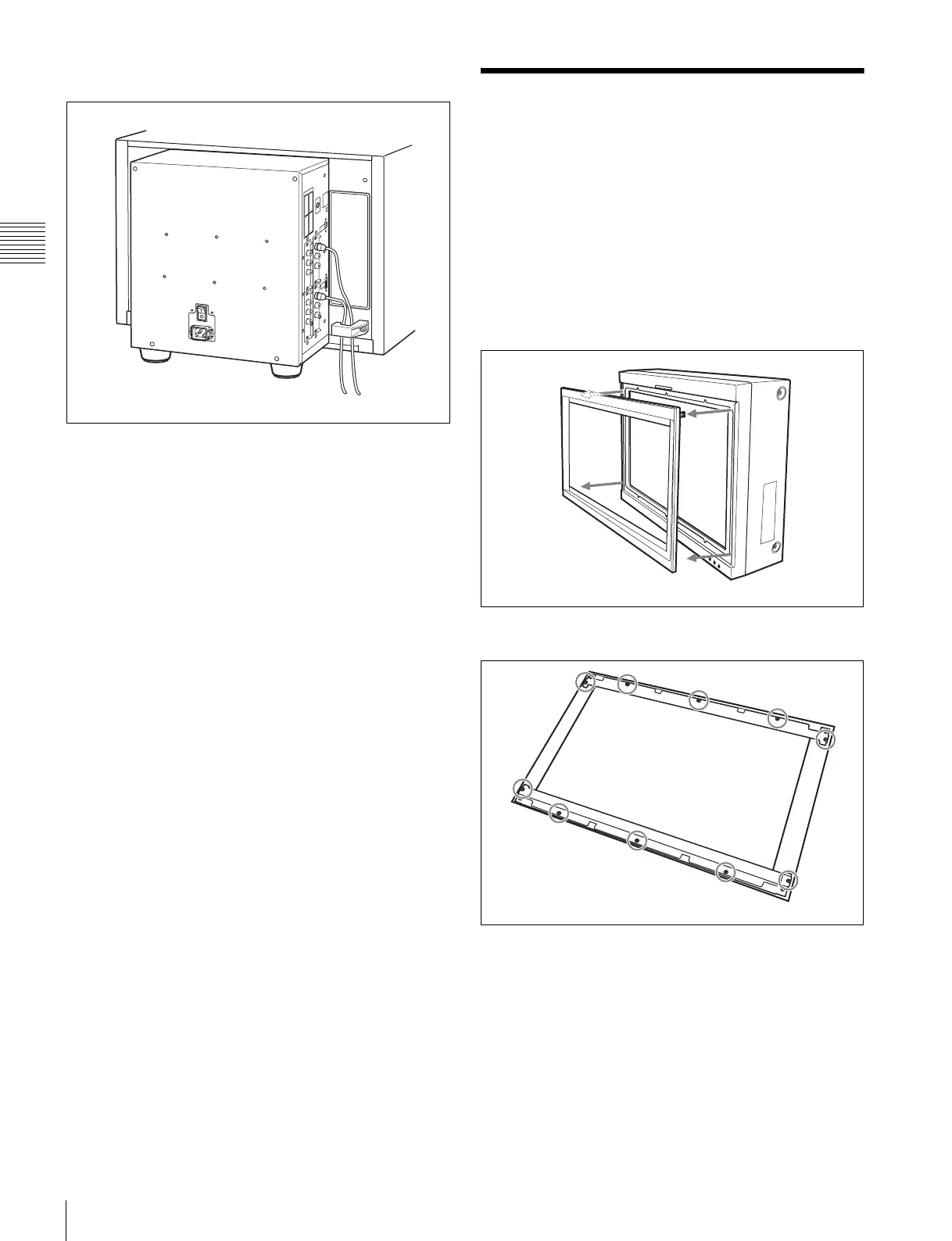
Gather the cables together in the cable holder.
Changing the Aspect
Ratio of the Screen
The 16:9 frame is installed at the factory. The aspect ratio
can be switched from 16:9 to 16:10 by removing the 16:9
frame.
To display the native scan picture (×2 mode) of the 576/50i
signal, or whole picture of the UXGA or WUXGA signal,
remove the 16:9 frame.
1
Remove the front frame.
2
Remove 10 screws and then remove the 16:9 frame.







 To Next Page