31
Adjusting
Chapter 2 Preparations
When the XYZ signal is displayed, the brightness cannot
be adjusted.
1
Input the multi format color-bar signal or SMPTE
color-bar signal to the monitor.
The following are explained as the example when the
multi format color-bar signal is used for adjustment.
2
Select the Manual Adjust menu (page 44) in the Picture
Adj menu of the Adjustment menu.
3
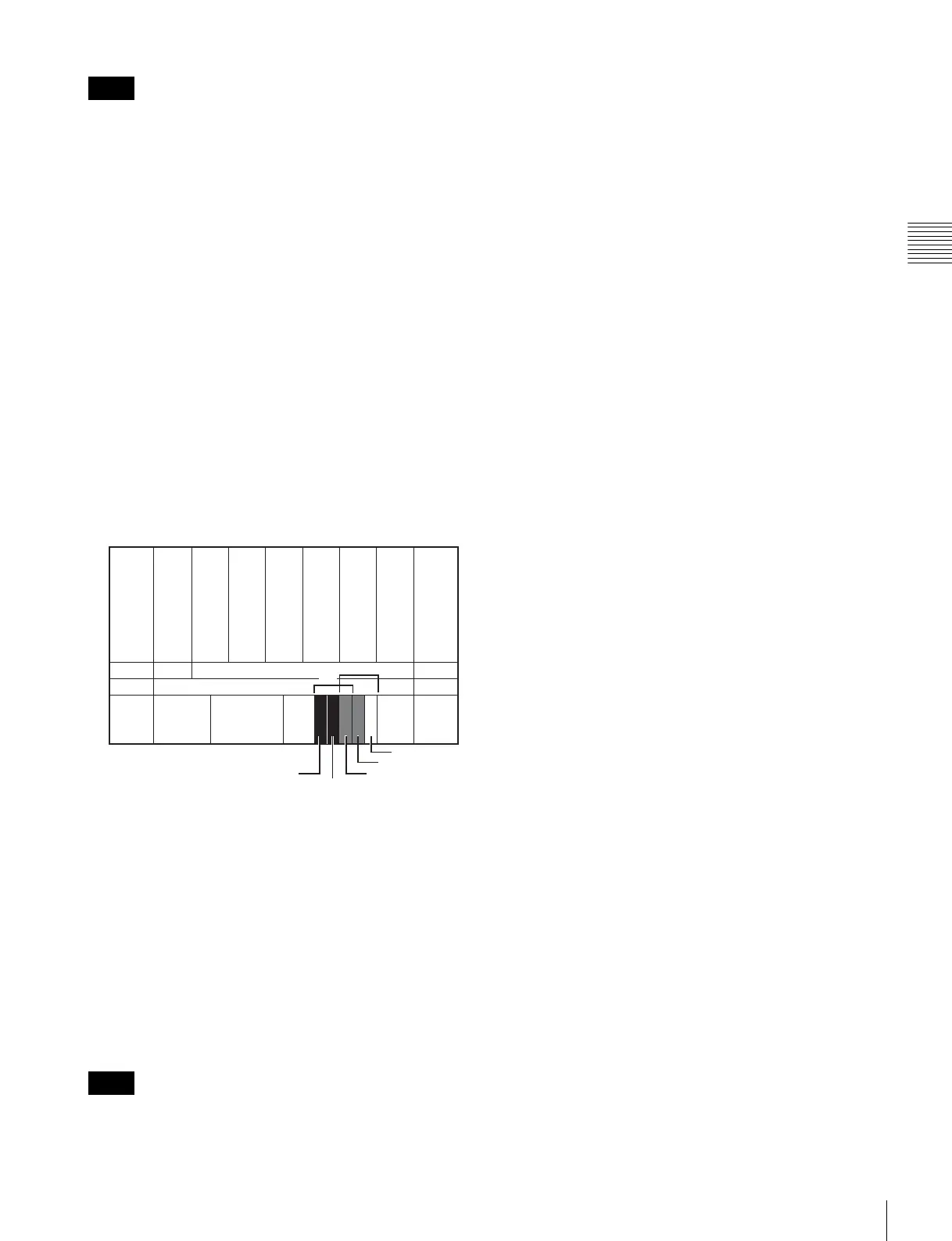
Adjust the –2%, 0% and +2% ranges or the 0%, +2%
and +4% ranges of the PLUGE signal section of the
color-bar with the BRIGHT knob.
HD signal
Adjust so that the –2% and 0% ranges are seen as equal
and the +2% and 0% ranges are more distinctive.
SD signal
Adjust so that the 0% and +2% ranges are seen as equal
and the +2% and +4% ranges are more distinctive.
4
Adjust so that the luminance of the 100% white signal
of the color-bar is set to the desired value with the
CONTRAST knob.
We recommend adjusting the luminance to 100 [cd/
m
2
] when Preset1 to Preset5 is selected in the Picture
Preset menu of the Input Configuration menu and to 48
[cd/m
2
] when Preset (D-Cine) is selected in the Picture
Preset menu of the Input Configuration menu.
5
As the brightness and contrast adjustments affect each
other, repeat the adjustments of step 3 and 4.
When the contrast of this unit is adjusted, the luminance of
the backlight is adjusted for a picture of luminance 40 [cd/
m
2
] (20 [cd/m
2
] in black frame insertion or interlace
display mode) or higher, and the contrast is adjusted by the
signal level for a picture of luminance lower than 40 [cd/
m
2
] (20 [cd/m
2
] in black frame insertion or interlace
display mode).
Note
Note
HD
SD
SD
0%
+2%-2%
0%
+4%







 To Next Page