60
Display Function Menu
Chapter 3 Menu
Marker Setting
Area Marker 1 Sets the area marker 1.
Area Marker 1 Sets whether or not to display the area marker 1 when the MARKER button is pressed (Off or
[On])*.
* Area Marker 2: ([Off], On)
Aspect Mode Sets the aspect ratio of the area marker 1.
You can select from [16:9], 15:9, 14:9, 13:9, 4:3, 2.39:1, 2.35:1, 1.85:1, 1.66:1, 1.896:1 or
Variable.
Note
When Variable (dot) is selected in Area Size, the size of the area marker 1 is set in pixel unit
of the input signal and the Aspect Mode setting becomes invalid.
Aspect Sets the aspect ratio of the area marker 1 when Variable is selected in Aspect Mode.
Set to 1.00:1 to 3.00:1. [1.78]:1
Area Size Sets the size of the area marker 1.
You can select from [80%], 88%, 90%, 93%, Variable (%) or Variable (dot).
Width Sets the width of the area marker 1 when Area Size is set to Variable (%) or Variable (dot).
When Variable (%) is selected
Set to 050 to 100 (%). [080]
When Variable (dot) is selected
Set to 0360 to 2048 (dot). [0512]
Height Sets the height of the area marker 1 when Area Size is set to Variable (%) or Variable (dot).
When Variable (%) is selected
Set to 050 to 100 (%). [080]
When Variable (dot) is selected
Set to 0240 to 1080 (dot). [0384]
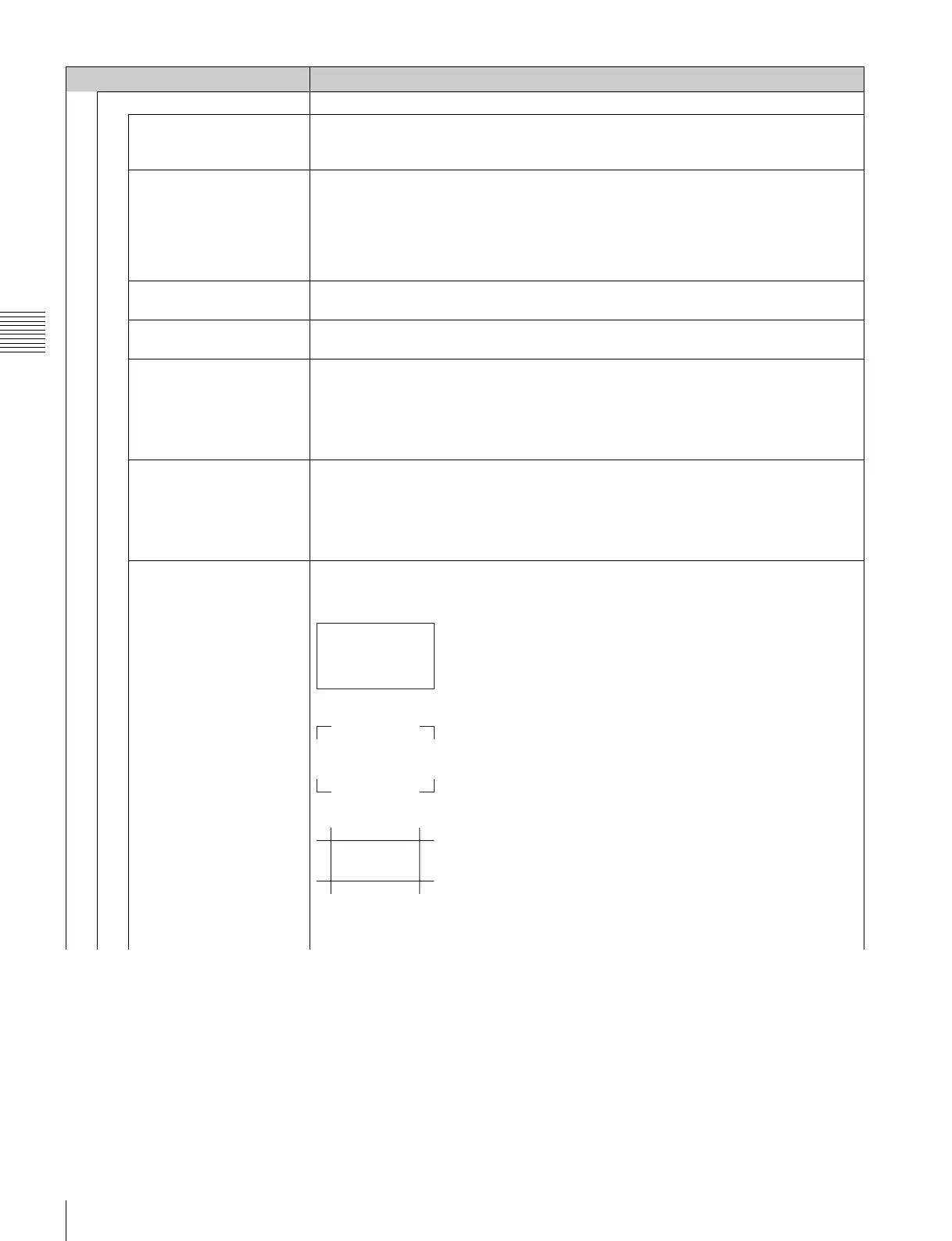
Mode Sets the shape of the area marker 1.
You can select from [Shape A], Shape B or Shape C.
Shape A
Shape B
Shape C
Note
The size of the area is as follows depending on the Aspect Mode and 16:9 On/Off setting.
Menu Function and operation ([ ]: factory setting)







 To Next Page