104
Dubbing only desired scenes
– Digital program editing
6,8,9
5,7
4
6,8,9
STOPREC PAUSE
PLAYREW FF
OTHERS
READY
BEEP
DATA CODE
COMMANDER
DISPLAY
VIDEO EDIT
ED I TSET
RETURN
[
MENU
]
:
END
MARK
UNDO
ERASE ALL
START
TOTAL
SCENE
1
IN
0
:
32
:
30
:
14
0
:
00
:
00
:
00
0
VIDEO EDIT
[
MENU
]
:
END
MARK
UNDO
ERASE ALL
START
TOTAL
SCENE
1
OUT
0
:
08
:
55
:
06
0
:
00
:
00
:
00
0
VIDEO EDIT
[
MENU
]
:
END
MARK
UNDO
ERASE ALL
START
TOTAL
SCENE
2
IN
0
:
09
:
07
:
06
0
:
00
:
12
:
13
1
VIDEO EDIT
[
MENU
]
:
END
MARK
UNDO
ERASE ALL
START
TOTAL
SCENE
4
IN
0
:
10
:
01
:
23
0
:
00
:
47
:
12
3
VIDEO EDIT
[
MENU
]
:
END
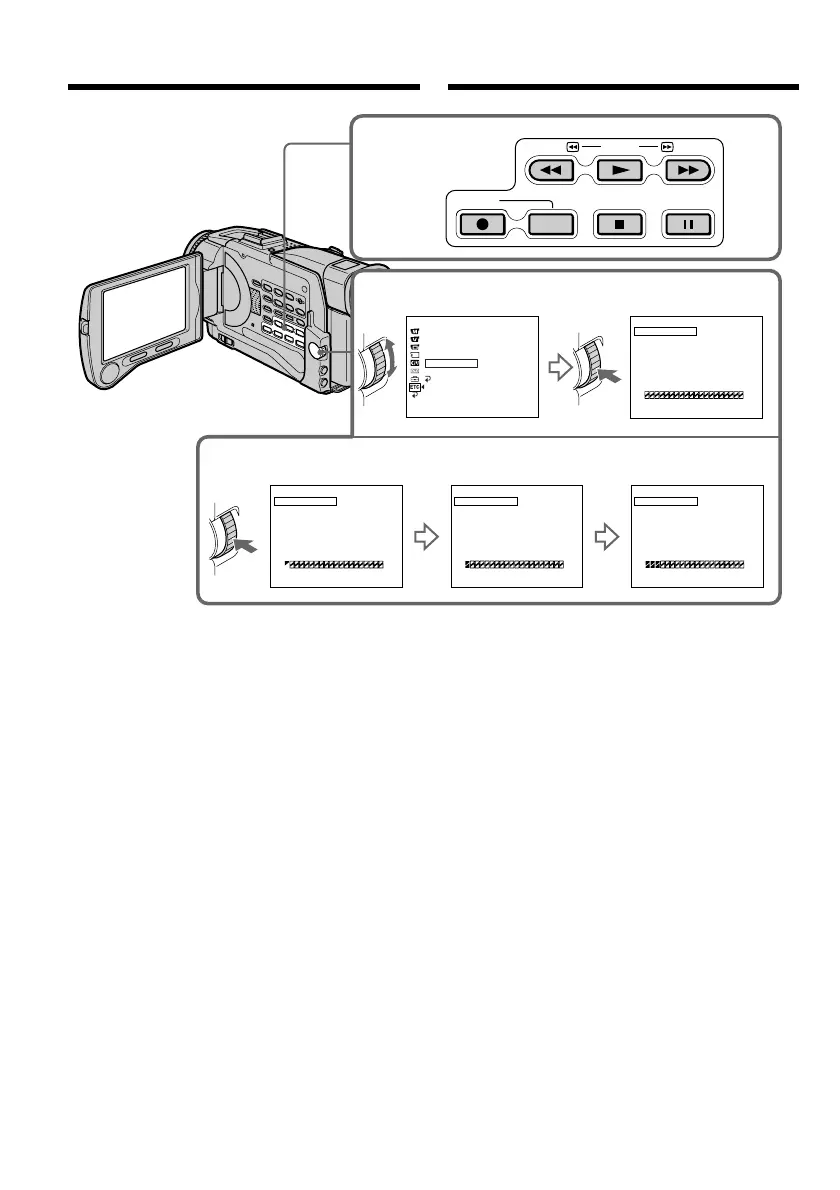
Erasing the programme you have set
Erase OUT first and then IN from of the last
programme.
(1)Turn the SEL/PUSH EXEC dial to select
UNDO, then press the dial.
(2)Turn the SEL/PUSH EXEC dial to select
EXECUTE, then press the dial.
The last set programme mark flashes, then the
setting is cancelled.
To cancel erasing
Select RETURN in step 2.
Erasing all programmes
(1)Select VIDEO EDIT in the menu settings. Turn
the SEL/PUSH EXEC dial to select ERASE
ALL, then press the dial.
(2)Turn the SEL/PUSH EXEC dial to select
EXECUTE, then press the dial.
All the programme marks flash, then the
settings are cancelled.
To cancel erasing all programmes
Select RETURN in step 2.
Annuleren van een afgebakende
scène
U kunt de laatst gekozen scène annuleren door
hiervan eerst het OUT eindpunt en dan het IN
startpunt te wissen.
(1)Draai aan de SEL/PUSH EXEC regelknop,
stel in op UNDO en druk dan de regelknop
in.
(2)Draai aan de SEL/PUSH EXEC regelknop, stel
in op EXECUTE en druk de regelknop in.
De laatste scènemarkering gaat eerst
knipperen op het scherm en daarna wordt de
markering gewist.
Bij nader inzien niet annuleren
Kies in stap 2
RETURN.
Annuleren van alle gemarkeerde
scènes
(1)Kies het onderdeel VIDEO EDIT in het
instelmenu. Draai aan de SEL/PUSH EXEC
regelknop, stel in op ERASE ALL en druk dan
de regelknop in.
(2)Draai aan de SEL/PUSH EXEC regelknop,
stel in op EXECUTE en druk de regelknop in.
Alle scènemarkeringen gaan eerst knipperen
op het scherm en daarna worden alle
markeringen gewist.
Bij nader inzien niet alle markeringen
annuleren
Kies in stap 2 RETURN.
Geselecteerde bandopnamen
kopiëren – Digitale
programmamontage













 To Next Page