93
Editing Videomontage
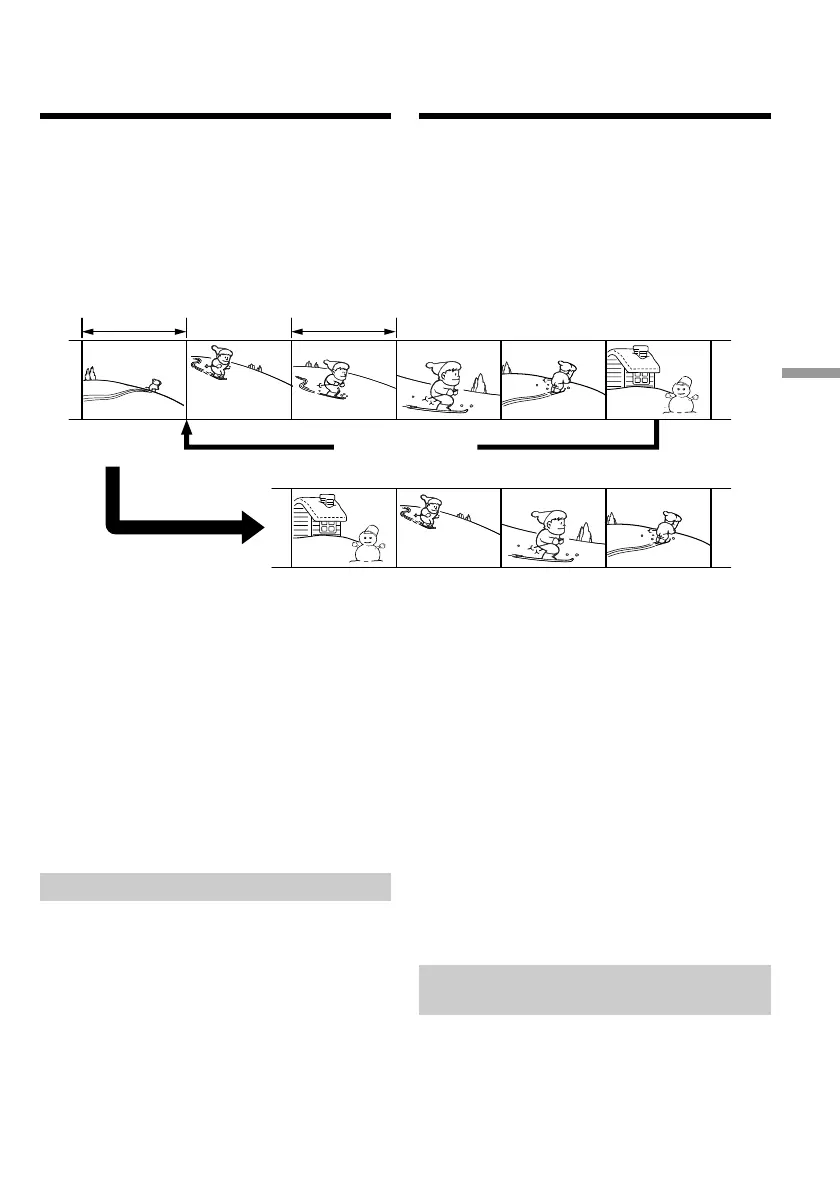
U kunt een programma samenstellen van alleen
de gewenste beelden van een opgenomen band,
om deze te kopiëren naar een videorecorder,
zonder dat u die laatste rechtstreeks hoeft te
bedienen.
U kunt de gewenste scènes beeld voor beeld
kiezen. Zo kunt u maximaal 20 scènes voor
montage samenstellen.
Alvorens de digitale
programmamontage te starten
Stap 1 Sluit uw camcorder aan op de
videorecorder (zie blz. 93).
Stap 2 Breng de videorecorder in gereedheid
voor opname (zie blz. 95 en 100).
Stap 3 Zorg dat uw camcorder en de
videorecorder synchroon lopen (zie blz.
101).
Wanneer u nogmaals kopieert naar dezelfde
videorecorder, kunt u stappen 2 en 3 achterwege
laten.
Werkwijze voor de digitale
programmamontage
Procedure 1 Stel het gewenste
videoprogramma samen
(zie blz. 103).
Procedure 2 Neem het samengestelde
programma op digitale wijze over
(digitaal kopiëren) (zie blz. 105).
Stap 1: Aansluiten van de
videorecorder
Voor het aansluiten kunt u zowel een gewoon
audio/video-aansluitsnoer als een i.LINK kabel
(DV-aansluitsnoer) gebruiken.
Gebruikt u een gewoon audio/video-
aansluitsnoer, dan maakt u de aansluitingen
zoals aangegeven op blz. 89. Gebruikt u een
i.LINK kabel (DV-aansluitsnoer), dan maakt u de
aansluitingen zoals aangegeven op blz. 91.
Dubbing only desired
scenes – Digital
program editing
You can duplicate selected scenes (programmes)
for editing onto a tape without operating the
VCR.
Scenes can be selected by frame. You can set up
to 20 programmes.
Before operating the Digital program
editing
Step 1 Connecting the VCR (p. 93).
Step 2 Setting the VCR for operation (p. 95, 100).
Step 3 Adjusting the synchronicity of the VCR
(p. 101).
When you dub using the same VCR again, you
can skip steps 2 and 3.
Using the Digital program editing
function
Operation 1 Making the programme (p. 103).
Operation 2 Performing a Digital program
editing (dubbing a tape) (p. 105).
Step 1: Connecting the VCR
You can connect both an A/V connecting cable
and an i.LINK cable (DV connecting cable).
When you use the A/V connecting cable, connect
the devices as illustrated in page 89. When you
use an i.LINK cable (DV connecting cable),
connect the devices as illustrated in page 91.
Unwanted scene/
Ongewenst beeld
Unwanted scene/
Ongewenst beeld
Switch the order/
Volgorde veranderen
Geselecteerde bandopnamen
kopiëren – Digitale
programmamontage













 To Next Page