36
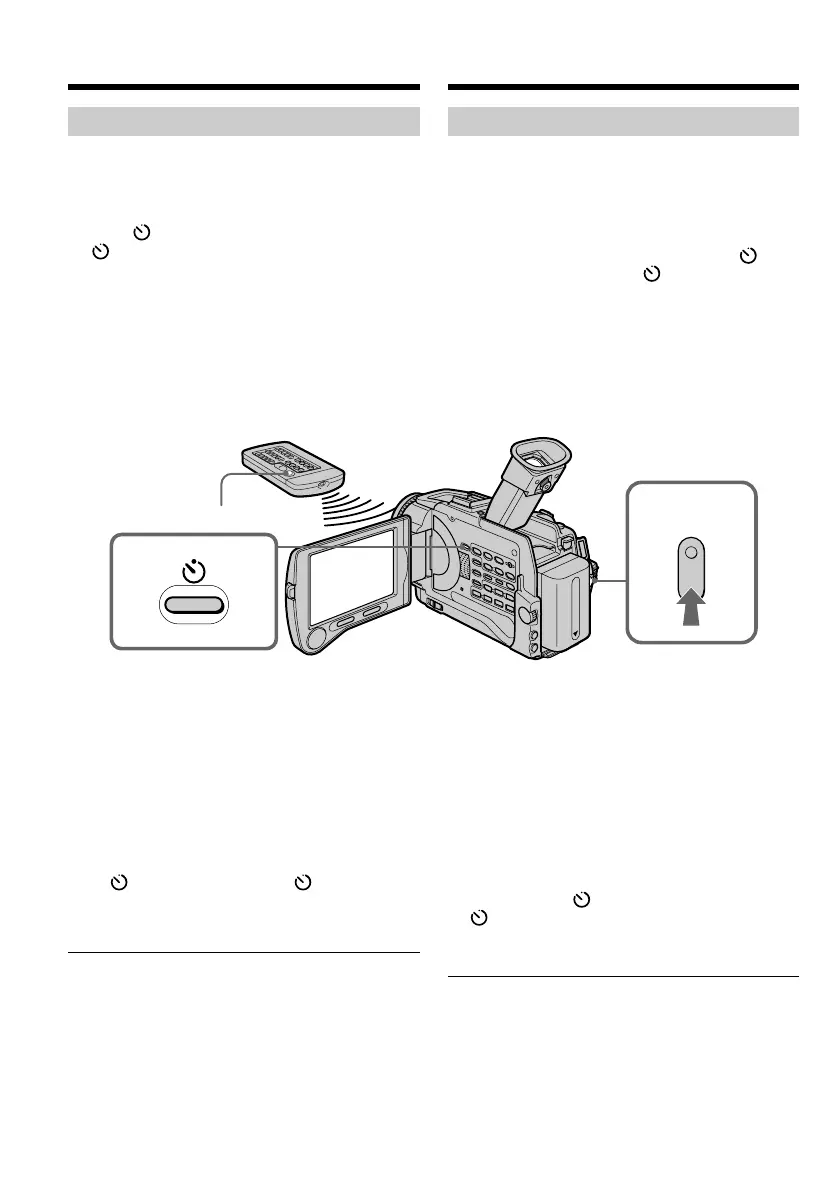
Opnemen met de zelfontspanner
U kunt de camcorder volautomatisch laten
opnemen met de zelfontspanner. Dit is handig
als u zichzelf in beeld wilt opnemen. Voor
optimaal bedieningsgemak kunt u bovendien de
afstandsbediening gebruiken.
(1)Druk in de opnamepauzestand op de
zelfontspannertoets. De zelfontspanner-
indicator verschijnt op het scherm.
(2)Druk op de START/STOP toets.
De zelfontspanner gaat nu terugtellen vanaf
10, met telkens een pieptoon. In de laatste 2
seconden van het aftellen klinken de
pieptonen korter achtereen en dan begint
automatisch het opnemen.
Stoppen van het opnemen met de
zelfontspanner
Druk weer op de START/STOP toets.
Om het aftellen weer te starten, drukt u opnieuw
op de START/STOP toets.
Opnemen van stilstaande beelden
met de zelfontspanner
Druk in stap 2 op de PHOTO toets (zie blz. 52).
Uitschakelen van de zelfontspanner-
opname
Druk weer op de zelfontspannertoets, zodat
de zelfontspanner-indicator van het scherm
verdwijnt, met de camcorder in de
opnamepauzestand.
Opmerking
De zelfontspannerfunctie wordt automatisch
uitgeschakeld, wanneer:
– de zelfontspanner-opname beëindigd is;
– de POWER schakelaar op “OFF (CHG)” of
“VCR” wordt gezet.
Geheugenfoto-opname met de zelfontspanner
U kunt de zelfontspanner ook gebruiken om
stilstaande beelden op te nemen op een “Memory
Stick” (zie blz. 159).
Recording a picture
Self-timer recording
Recording with the self-timer starts in 10 seconds
automatically. You can also use the Remote
Commander for this operation.
(1)Press (self-timer) in the standby mode. The
(self-timer) indicator appears on the
screen.
(2)Press START/STOP.
Self-timer starts counting down from 10 with
a beep sound. In the last 2 seconds of the
countdown, the beep sound gets faster, then
recording starts automatically.
To stop the count down
Press START/STOP.
To restart the countdown, press START/STOP
again.
To record still images on tapes using
the self-timer
Press PHOTO in step 2 (p. 52).
To cancel self-timer recording
Press (self-timer) so that the indicator
disappears from the screen while your camcorder
is in the standby mode.
Note
The self-timer recording mode is automatically
canceled when:
– Self-timer recording is finished.
– The POWER switch is set to OFF (CHG) or
VCR.
Self-timer memory photo recording
You can also record still images on “Memory
Stick”s with the self-timer. (p. 159)
1
START/STOP
2
Video-opnamen maken













 To Next Page