245
Quick Reference Compleet overzicht
Identifying the parts and controls
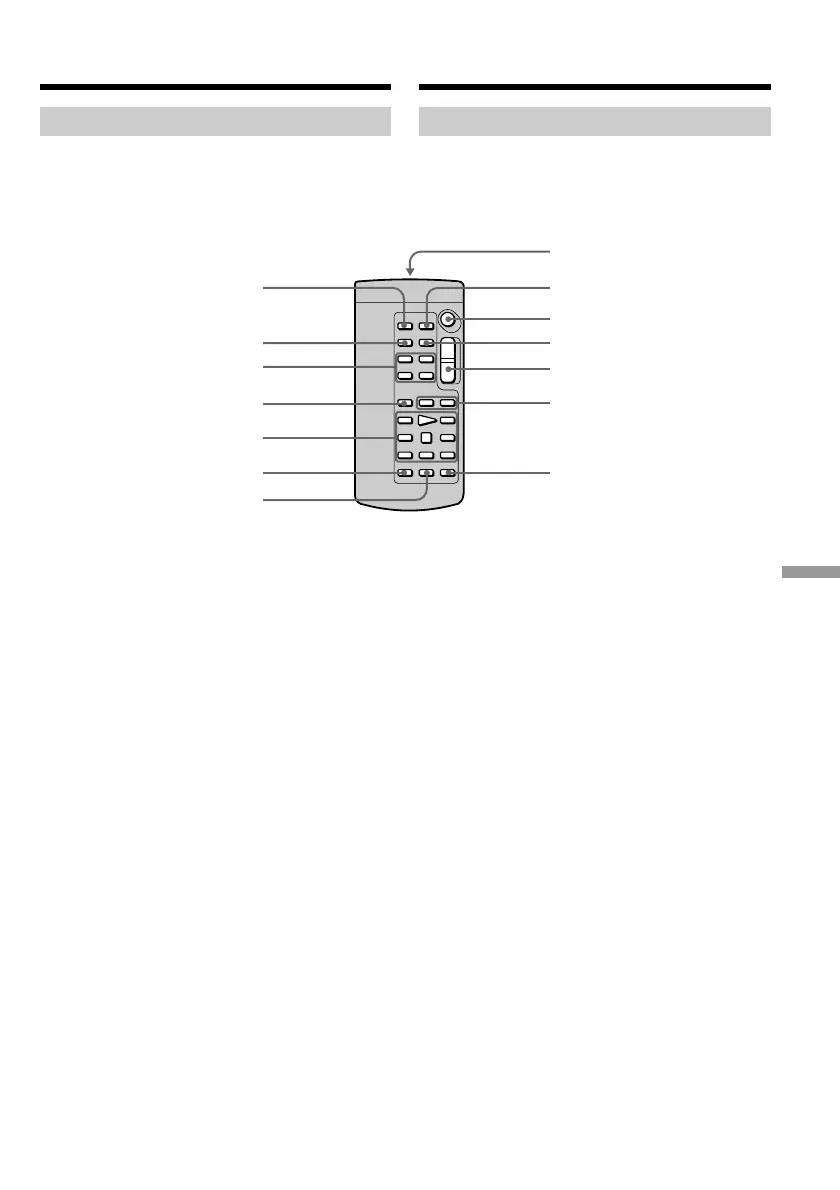
Remote Commander
The buttons that have the same name on the
Remote Commander as on your camcorder
function identically to the buttons on your
camcorder.
1 PHOTO button (p. 48, 153)
2 DISPLAY button (p. 40)
3 Memory control buttons (p. 109)
4 SEARCH MODE button (p. 82)
5 Video control buttons (p. 42)
6 REC button (p. 109)
7 MARK button (p. 110)
8 Transmitter
Point toward the remote sensor to control
your camcorder after turning on your
camcorder.
9 ZERO SET MEMORY button (p. 81)
q; START/STOP button (p. 26)
qa DATA CODE button (p. 40)
qs Power zoom button (p. 31)
qd ./> buttons (p. 82)
qf AUDIO DUB button (p. 118)
7
qf
5
4
3
2
1
qs
qd
0
qa
9
8
6
Afstandsbediening
De toetsen op de afstandsbediening met
hetzelfde opschrift als die op de camcorder zelf
hebben ook dezelfde functie.
1 Foto-opnametoets (PHOTO) (blz. 48, 153)
2 Beeldscherm-informatietoets (DISPLAY)
(blz. 40)
3 Geheugenbedieningstoetsen (blz. 109)
4 Zoekfunctie-keuzetoets (SEARCH MODE)
(blz. 82)
5 Bandlooptoetsen (blz. 42)
6 Opnametoets (REC) (blz. 109)
7 Markeringstoets (MARK) (blz. 110)
8 Infraroodzender
Richt deze op de afstandsbedieningssensor
van de camcorder, nadat u die hebt
ingeschakeld, om de camcorder op afstand te
bedienen.
9 Nulpunt-geheugentoets (ZERO SET
MEMORY) (blz. 81)
q; Opnamestart/stoptoets (START/STOP)
(blz. 26)
qa Opnamegegevenstoets (DATA CODE)
(blz. 40)
qs Motorzoomtoets (blz. 31)
qd ./> zoek/verspringtoetsen (blz. 82)
qf Geluidsinlastoets (AUDIO DUB) (blz. 118)
Plaats en functie van de
bedieningsorganen













 To Next Page