66
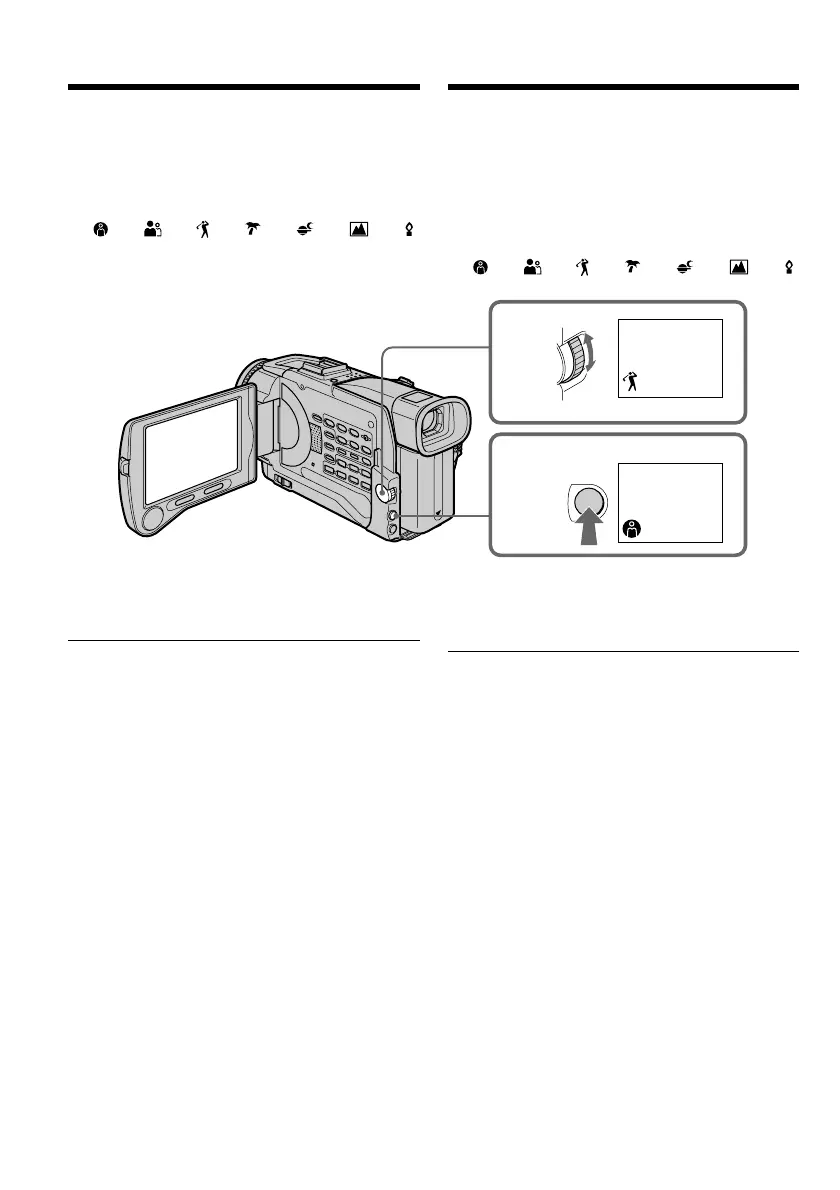
(1)Druk in de “CAMERA” of de “MEMORY”
stand op de PROGRAM AE toets. De
PROGRAM AE belichtingsprogramma-
aanduiding verschijnt.
(2)Draai aan de SEL/PUSH EXEC regelknop en
kies het gewenste belichtingsprogramma.
De programma-aanduiding verandert als
volgt:
y y y y y y
Uitschakelen van de PROGRAM AE
belichtingsprogramma’s
Druk nogmaals op de PROGRAM AE toets.
Opmerkingen
•Bij de volgende programma’s wordt de
camcorder automatisch scherpgesteld op
gemiddelde tot grote afstand, dus hierbij kunt u
geen close-up opnemen maken:
– Spotlight-programma
– Sport-programma
– Strand- en ski-programma
•De camcorder wordt automatisch scherpgesteld
op vergezichten, op grote afstand, bij de
volgende programma’s:
– Schemer- en maanlicht-programma
– Landschaps-programma
•De volgende functies zijn niet te gebruiken
tijdens opnemen met de PROGRAM AE
belichtingsprogramma’s:
– Langzame sluitertijden
– De oude-speelfilm functie
– De BOUNCE in-fader functie
•De volgende functies zijn niet te gebruiken
tijdens opnemen met het duisternis-
belichtingsprogramma:
– Digitale opname-effecten
– OVERLAP in-faden
– WIPE in-faden
– DOT in-faden
– Opnemen met de flitser
Using the PROGRAM AE function
(1)In CAMERA or MEMORY mode, press
PROGRAM AE. The PROGRAM AE indicator
appears.
(2)Turn the SEL/PUSH EXEC dial to select the
desired PROGRAM AE mode.
The indicator changes as follows:
y y y y y y
To cancel the PROGRAM AE function
Press PROGRAM AE again.
Notes
•Because your camcorder is set to focus only on
subjects in the middle to far distance, you
cannot take close-ups in the following modes:
–Spotlight
–Sports lesson
–Beach & ski
•Your camcorder is set to focus only on distant
subjects in the following modes:
–Sunset & moon
–Landscape
•The following functions do not work in the
PROGRAM AE mode:
– Slow shutter
– Old movie
– Bounce
•The following functions do not work in the low
lux mode:
– Digital effect
– Overlap
– Wipe
– Dot
– Recording with the flash
1
2
PROGRAM
AE
PROGRAM AE
belichtingsprogramma’s













 To Next Page