88
Doornemen van een serie foto’s
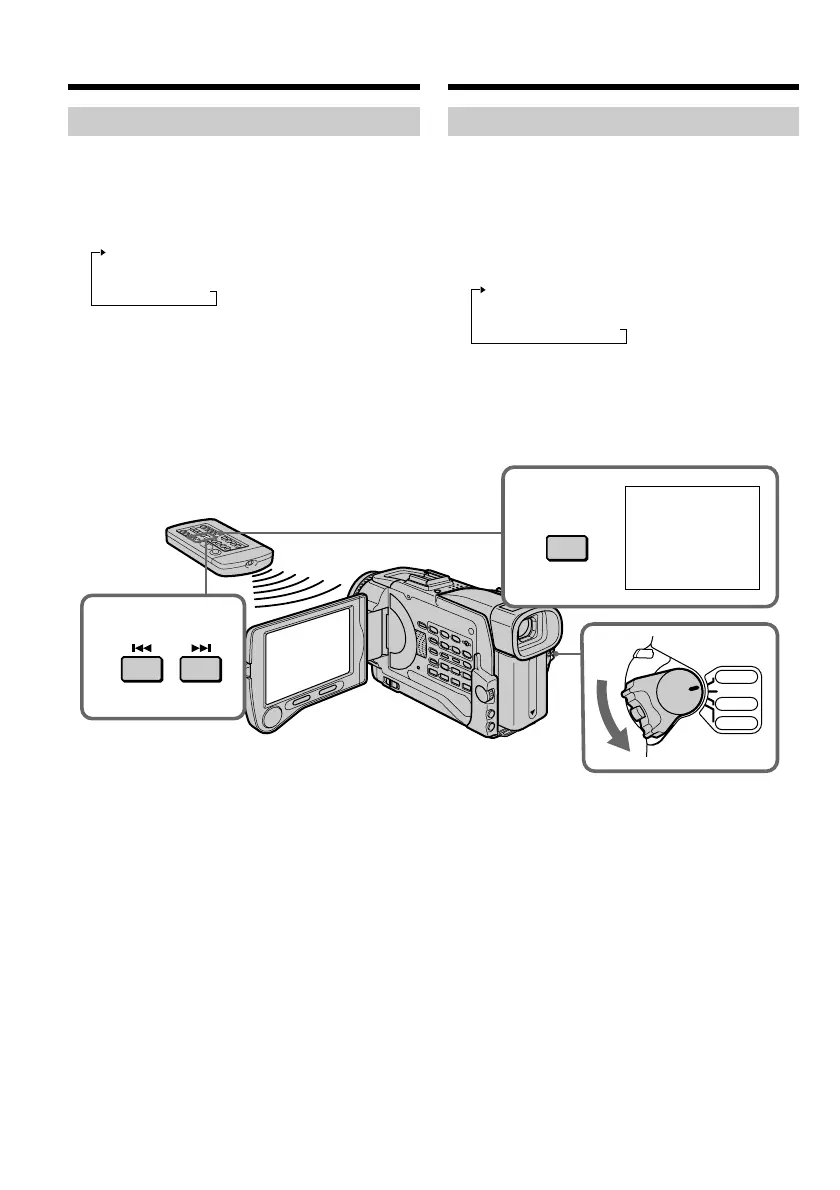
(1)Zet de POWER schakelaar in de “VCR” stand.
(2)Druk enkele malen op de SEARCH MODE
toets van de afstandsbediening, totdat de
aanduiding “PHOTO SCAN” oplicht.
Telkens wanneer u op deze toets drukt,
verspringt de zoekfunctie-aanduiding als
volgt:
TITLE SEARCH t DATE SEARCH t
PHOTO SEARCH t PHOTO SCAN t
geen aanduiding
(3)Druk op de . of > toets van de
afstandsbediening.
Dan worden achtereenvolgens al uw foto-
opnamen elk 5 seconden lang in beeld
weergegeven.
Stoppen met doorzoeken van de
band
Druk op de x stoptoets.
Scanning photo
(1)Set the POWER switch to VCR.
(2)Press SEARCH MODE on the Remote
Commander repeatedly, until the PHOTO
SCAN indicator appears.
The indicator changes as follows:
TITLE SEARCH t DATE SEARCH t
PHOTO SEARCH t PHOTO SCAN t
no indicator
(3)Press . or > on the Remote
Commander.
Each photo is played back for about 5 seconds
automatically.
To stop scanning
Press x.
Searching for a photo
– Photo search/Photo scan
1
2
SEARCH
MODE
3
SCAN
PHOTO
00
VCR
CAMERA
MEMORY
OFF(CHG)
PO
W
ER
Opzoeken van een foto-opname
– Foto-zoekfunctie/foto-
serieweergave













 To Next Page