Usable cassettes
12-bit mode: The original sound can be recorded in stereo 1, and the new sound in
stereo 2 in 32 kHz. The balance between stereo 1 and stereo 2 can be adjusted by
selecting AUDIO MIX in the menu settings during playback. Both sounds can be played
back.
16 bit mode: A new sound cannot be recorded but the original sound can be recorded in
high quality. Moreover, it can also [)lay back sound recorded in 32 kHz, 44.1 kHz or
48 kHz. When playing back a tape recorded in the 16bit inode, 16BIT indicator appears
on the LCD screen or in the viewfinder.
When you play back a dual sound track tape recorded in a stereo system, set HiFi
SOUND to the desired mode in the menu settings (p. 107).
Sound from speaker
HiFi SOUND Playing back Playing back a dual
mode a stereo tape sound track tape
STERE() Stereo Main sound and
sub sound
1 Left sound Main soutld
2 Right SOtlrld Sub sound
You cannot record dual SOtlild progranls on your canlcordeF.
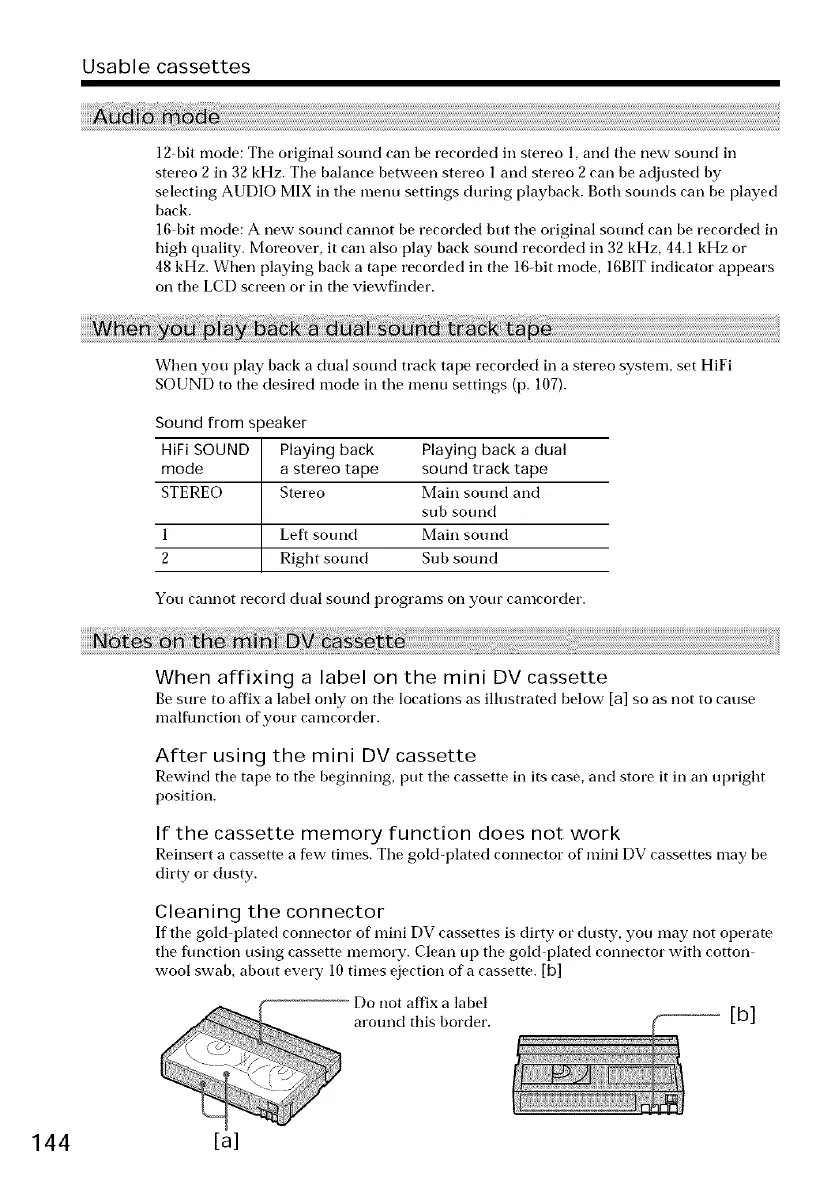
When affixing a label on the mini DV cassette
Be sure to affix a label only on the locations as illustrated below [a] so as not to cause
malflmction of your camcorder.
After using the mini DV cassette
Rewind tim tape to the beginning, [)tit tim cassette in its case, and store it in an upright
position.
If the cassette memory function does not work
Reinsert a cassette a few times. The gold-plated connector of' mini DV cassettes may be
dirty or dusty.
Cleaning the connector
If the gold-plated connector of mini DV cassettes is dirty or dusty, you may not operate
tim flmction using cassette memory. Clean tip the gold plated connector with cotton
wool swab, about every 10 times ejection of a cassette. [b]
[b]
144 [a]















 To Next Page