Recording a picture
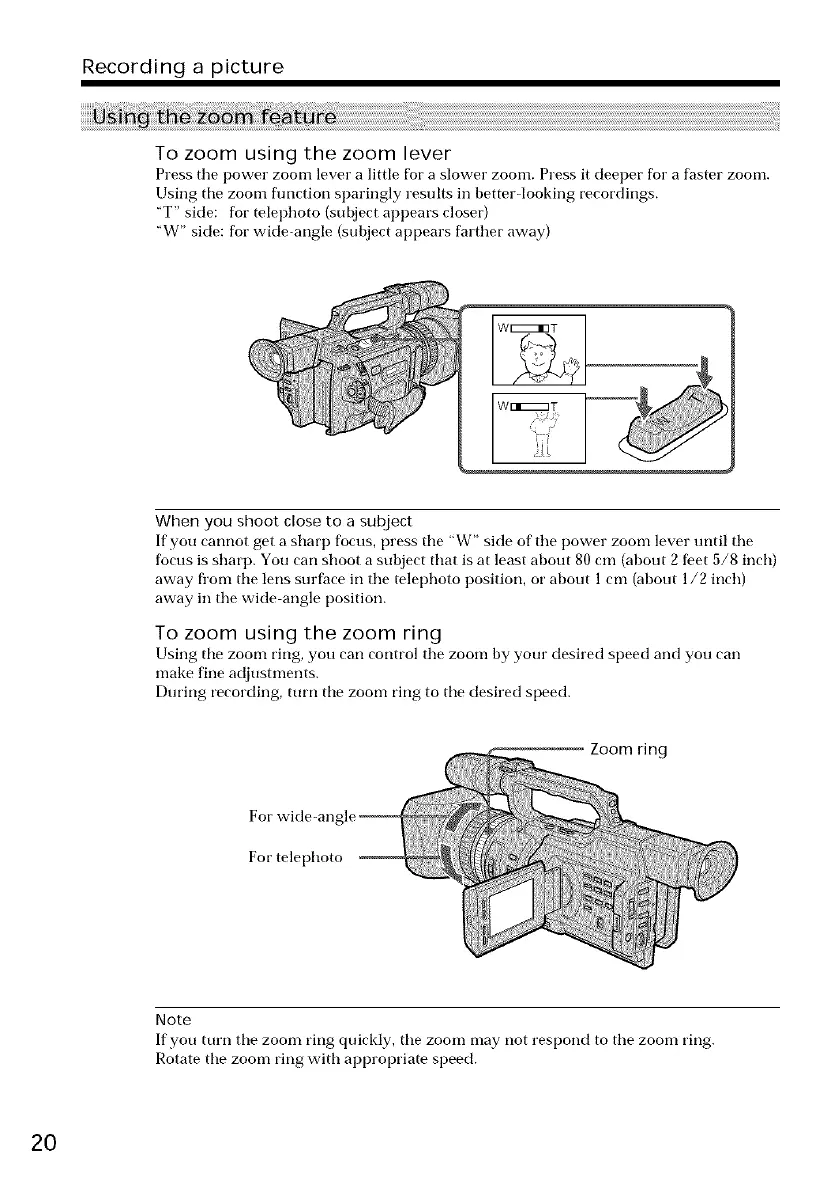
To zoom using the zoom lever
Press tile power zoom lever a little for a slower zoom. Press it deeper for a faster zoom.
Using tile zoom flmction sparingly results in better-looking recordings.
"T" side: for telephoto (subject appears closer)
"W" side: for wide-angle (subject appears farther away)
When you shoot close to a subject
If you cannot get a sharp focus, press tile "W" side of the power zoom lever until tile
focus is sharp. You can shoot a subject that is at least about 80 cm (about 2 feet 5/8 inch)
away fi'om tile lens surface in the telephoto position, or about 1 cm (about 1/2 inch)
away in the wide angle position.
To zoom using the zoom ring
Using tile zoom ring, you carl control tile zoom by your desired speed and you carl
make fine adjustments.
During recording, turn tile zoom ring to tile desired speed.
Zoom ring
For wide-m
For telephoto
Note
If you turn tile zoom ring quickly, tile zoom may not respond to tile zoom ring.
Rotate tile zoom ring with appropriate speed.
20















 To Next Page