Recording a picture
Time code
Tile time code indicates tile recording or playback time, "0:00:00" (hours : minutes :
seconds) in CAMERA mode and "0:00:00:00" (hours : minutes : seconds : fl'ames) in
VCR mode. You cannot rewrite only tile time code. Your camcorder uses tile drop
fl'ame mode.
Remaining tape indicator
Tile indicator may not be displayed accurately depending on tile tape.
Note on recording date/time
Recording date/time is not displayed during shooting, however, it is automatically
recorded on the tape. You call check tile recording date/time during playback by
pressing DATA CODE.
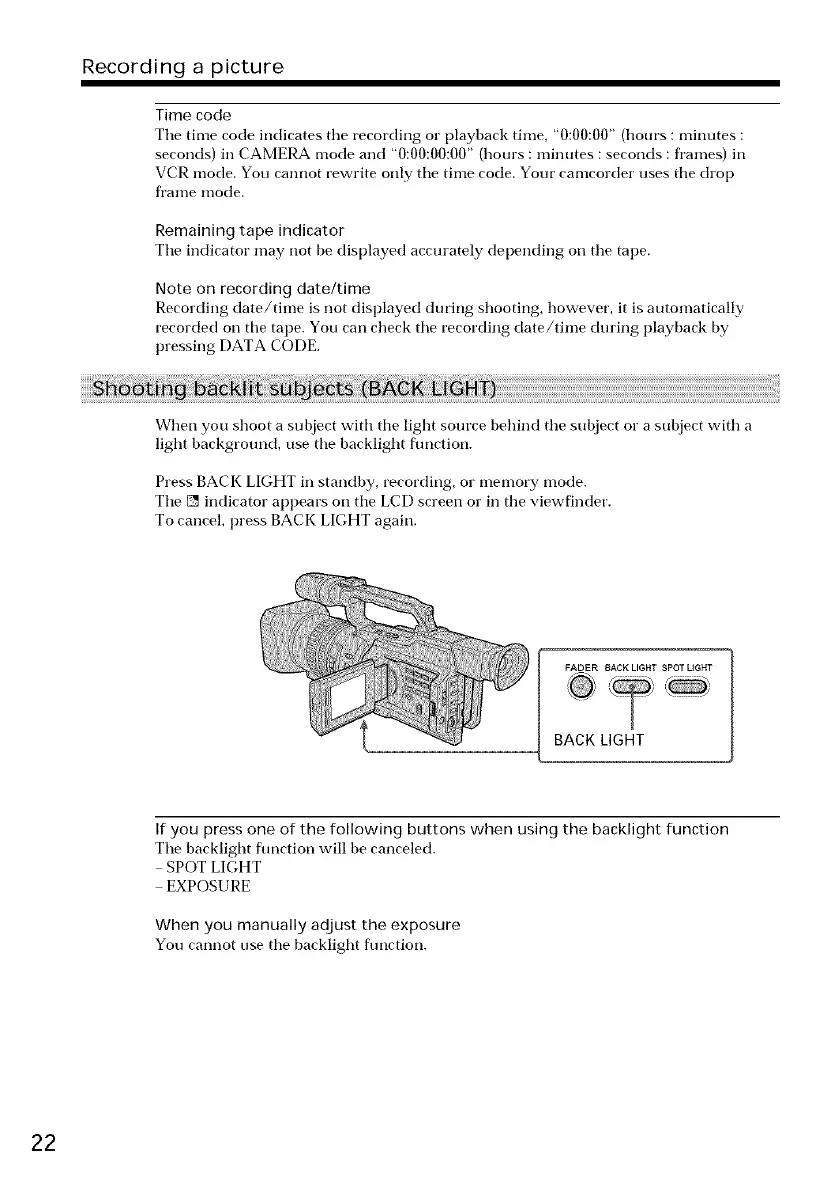
When you shoot a subject with tile light source behind tile subject or a subject with a
light background, use the backlight fimction.
Press BACK LIGHT in standby, recording, or memory mode.
Tile [] indicator appears on tile LCD screen or in the viewfinder.
To cancel, press BACK LIGHT again.
FADER BACK LIGHT SPOT LIGHT
BACK LIGHT
If you press one of the following buttons when using the backlight function
Tile backlight flmction will be canceled.
SPOT LIGHT
EXPOSURE
When you manually adjust the exposure
You cannot use the backlight flmction.
22















 To Next Page