Shooting with manual adjustment
Under normal conditions, this unit automatically makes various adjustments as it
shoots. However, you cart adjust the following functions manually to suit your
preference.
Functions you can adjust by setting the AUTO LOCK selector to the center (auto
lock release) position
Brightness (exposure), shutter speed, white balance, and PROGRAM AE
Functions you can adjust in menu settings
Deactivating tile SteadyShot
Functions you can adjust by using other selectors/rings
ND filter, zebra pattern, focus, and zoom
The following describes how to adjust all tile f_mctions mentioned above except white
balance (p. 49), PROGRAM AE (p. 55), focus (p. 58), and zoom (p. 20).
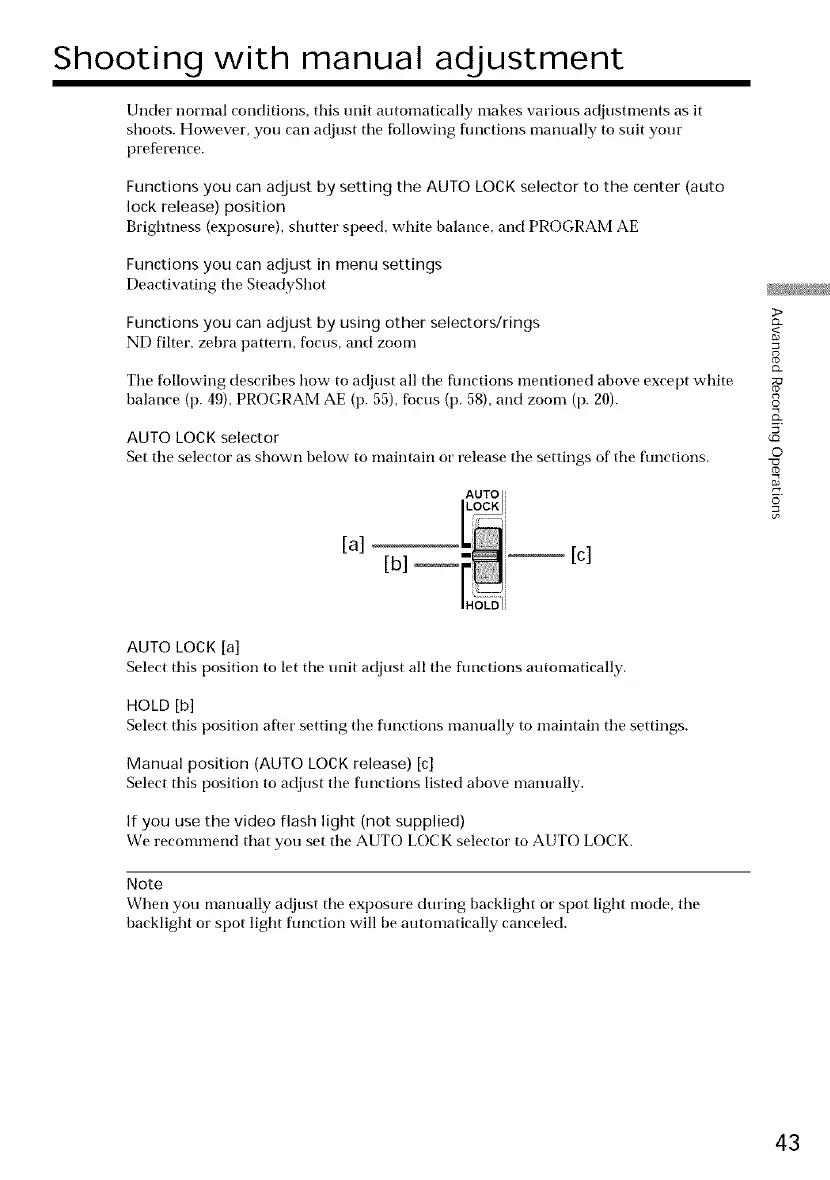
AUTO LOCK selector
Set tile selector as shown below to maintain or release tile settings of tile functions.
AUTO
[a] [b] _-_ [c]
AUTO LOCK [a]
Select this position to let tile unit adjust all tile functions automatically.
HOLD [b]
Select this position after setting tile functions manually to maintain tile settings.
Manual position (AUTO LOCK release) [c]
Select this position to adjust tile functions listed above manually.
If you use the video flash light (not supplied)
We recommend that you set tile AUTO LOCK selector to AUTO LOCK.
Note
When you manually adjust tile exposure during backlight or spot light mode, the
backlight or spot light function will be automatically canceled.
3>
<
8
g
©
5'
©
43















 To Next Page