-- Advanced Playback Operations --
Quicklylocatingasceneusingthe zerosetmemoryfunction
Using tile zero set memory flmction, your camcorder rewinds or advances tile tape to
Locate tile desired scene, and ttle searching automatically stops at ttle scene having a
tape counter value of "0:00:00." You call do this with the Remote Commander.
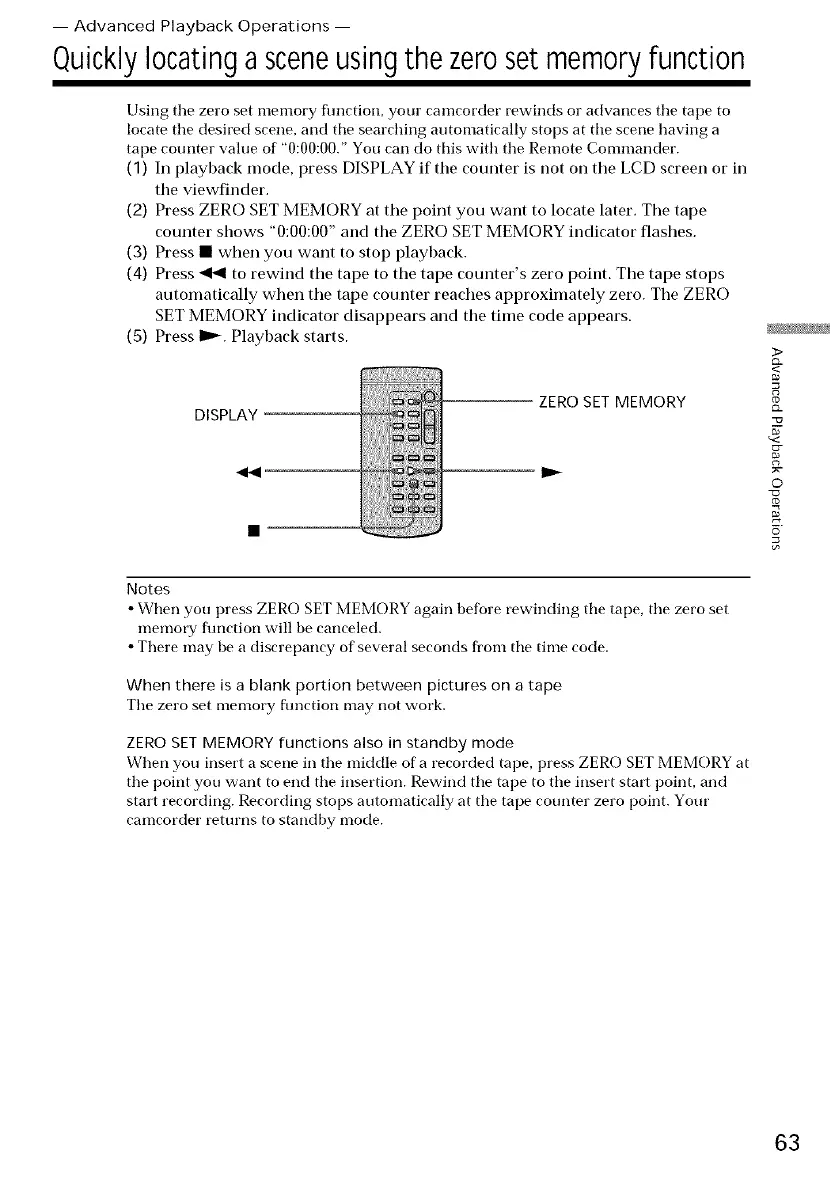
(1) In playback mode, press DISPLAY if the counter is not on tile LCD screen or in
the viewfinder.
(2) Press ZERO SET MEMORY at the point you want to locate later. The tape
counter shows "0:00:00" and the ZERO SET MEMORY indicator flashes.
(3) Press • when you want to stop playback.
(4) Press _ to rewind the tape to the tape counter's zero point. The tape stops
automatically when the tape counter reaches approximately zero. The ZERO
SET MEMORY indicator disappears and the time code appears.
(5) Press ID,_. Playback starts.
DISPLAY
ZERO SET MEMORY
Notes
• Wrnen you press ZERO SET MEMORY again before rewinding tile tape, tile zero set
memoty function will be canceled.
• There may be a discrepancy of several seconds from the time code.
When there is a blank portion between pictures on a tape
Tile zero set memory fimction may not work.
ZERO SET MEMORY functions also in standby mode
When you insert a scene in tile middle of a recorded tape, press ZERO SET MEMORY at
tile point you want to end tile insertion. Rewind the tape to tile insert stari point, and
start recording. Recording stops automatically at the tape counter zero point. Your
camcorder returns to standby mode.
3>
£2.
_<
©
63















 To Next Page