Searching for a recording by index
- Index search
You can automatically search fbr the point where an inde× is marked and start playback
from that point (Index search). Use a tape with cassette memory for convenience. Use
tile Remote Commander fbr this operation.
Use this flmction to check where indexes are marked or to edit tile tape at each
sequence where the index is marked.
You can use this flmction only when playing back a tape with cassette memory (p. 143).
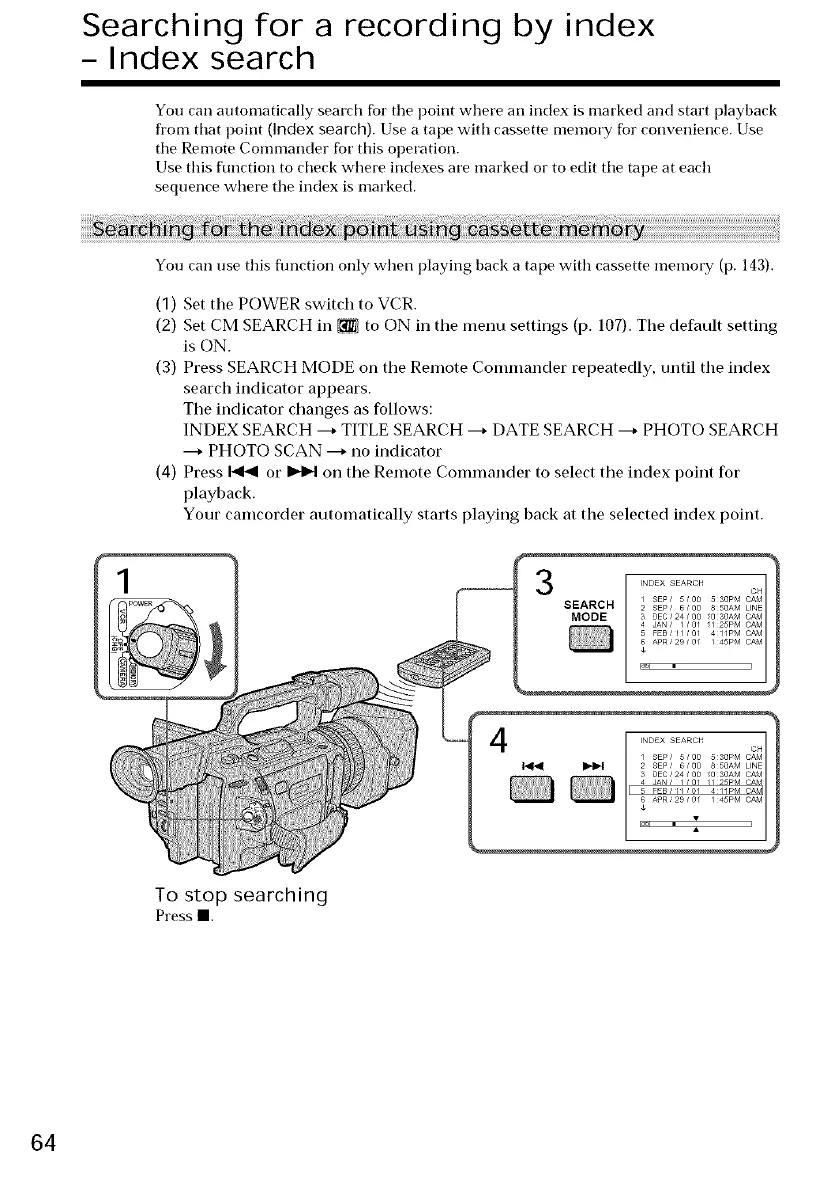
(1) Set the POWER switch to VCR.
(2) Set CM SEARCH in _ to ON in the menu settings (p. 107). The default setting
is ON.
(3) Press SEARCH MODE on the Remote Commander repeatedly, until the index
search indicator appears.
The indicator changes as follows:
INDEX SEARCH ---+TITLE SEARCH ---+DATE SEARCH ---+PHOTO SEARCH
---+PHOTO SCAN ---+no indicator
(4) Press _ or _N on the Remote Commander to select the index point for
playback.
Your camcorder automatically starts playing back at the selected index point.
3
SEARCH
To stop searching
Pressl.
64















 To Next Page