84
Dubbing only desired scenes - Digital program editing
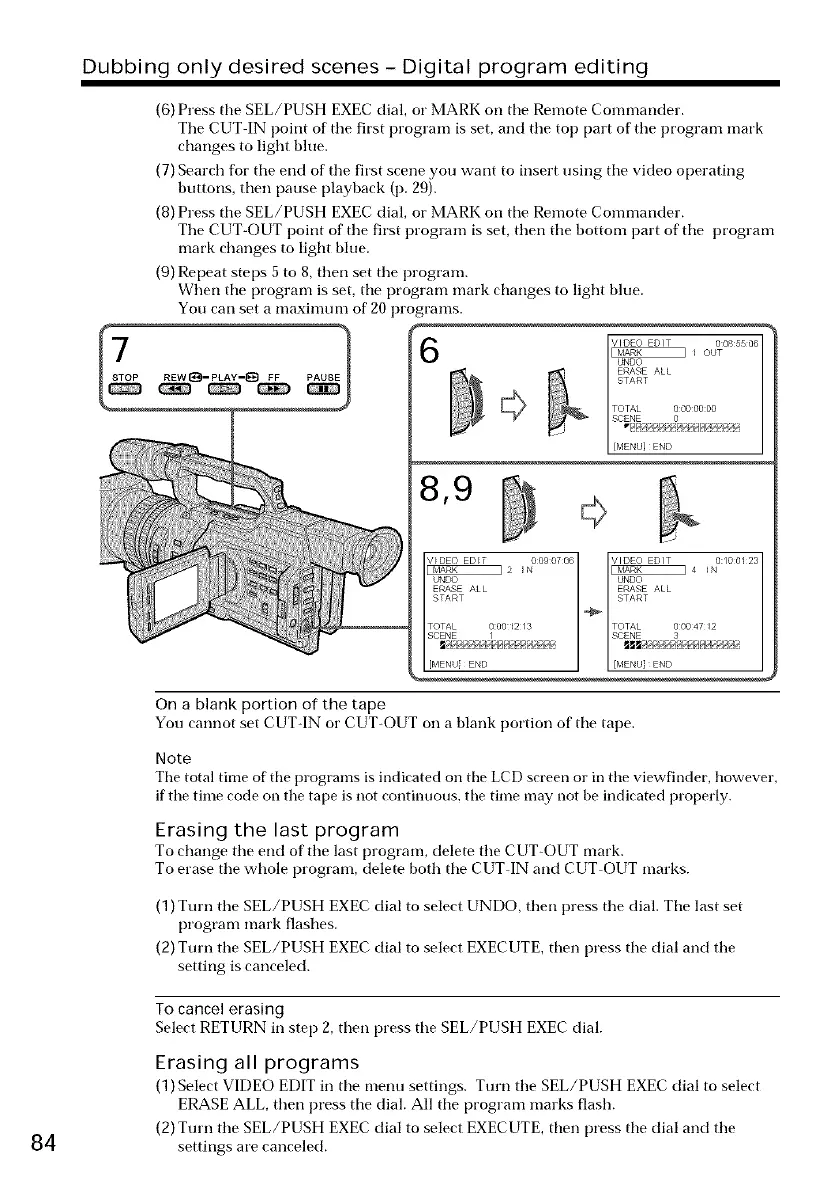
(6) Press tile SEL/PUSH EXEC dial, or MARK on tile Remote Commander.
Tile CUT IN point of tile first program is set, and tile top part of tile program mark
changes to light bhle.
(7) Search for tile end of the first scene you want to insert using tile video operating
buttons, then pallse playback (p. 29).
(8) Press tile SEL/PUSH EXEC dial, or MARK on tile Remote Commander.
Tile CUT-(-)UT point of tile first program is set, then tile bottom part of tile program
mark changes to light bhle.
(9) Repeat steps 5 to 8, then set the program.
When tile program is set, tile program mark changes to light blue.
Yoll carl set a maximum of 20 programs.
6
8,9
I_ _ouTVIDEOEDIT 0085506I
ERASE ALL
START
TOTAL 00000:00
[MENU}END
SCENE 0
On a blank portion of the tape
You cannot set CUT-IN or CUT-OUT on a blank portion of tile tape.
Note
Tire total time of tire programs is indicated on tire LCD screen or in tile viewfinder, however,
if tile time code on tile tape is not continuous, tire time may not be indicated properly.
Erasing the last program
To change tile end of tile last program, delete tile CUT-OUT mark.
To erase the whole program, delete both tile CUT IN and CUT OUT marks.
(1) Turn tile SEL/PUSH EXEC dial to select UNDO, then press tile dial. Tile last set
program mark flashes.
(2) Turn the SEL/PUSH EXEC dial to select EXECUTE, then press tile dial and the
setting is canceled.
To cancel erasing
Select RETURN in step 2, then press tile SEL/PUSH EXEC dial.
Erasing all programs
(1) Select VIDEO EDIT in tile menu settings. Turn tile SEL/PUSH EXEC dial to select
ERASE ALL, then press tile dial. All tile program marks flash.
(2) Turn the SEL/PUSH EXEC dial to select EXECUTE, then press tile dial and the
settings are canceled.















 To Next Page