Dubbing only desired scenes - Digital program editing
If the VCR does not operate correctly
Make sure the IR SETUP ('ode is correct: reset if' necessary.
When the operations of the VCR do not work with an i.LINK cable
Keep tile i.LINK connection, and carry out Preparation Z (p. 76) again. Tile audio and
video signals are sent as digital signals.
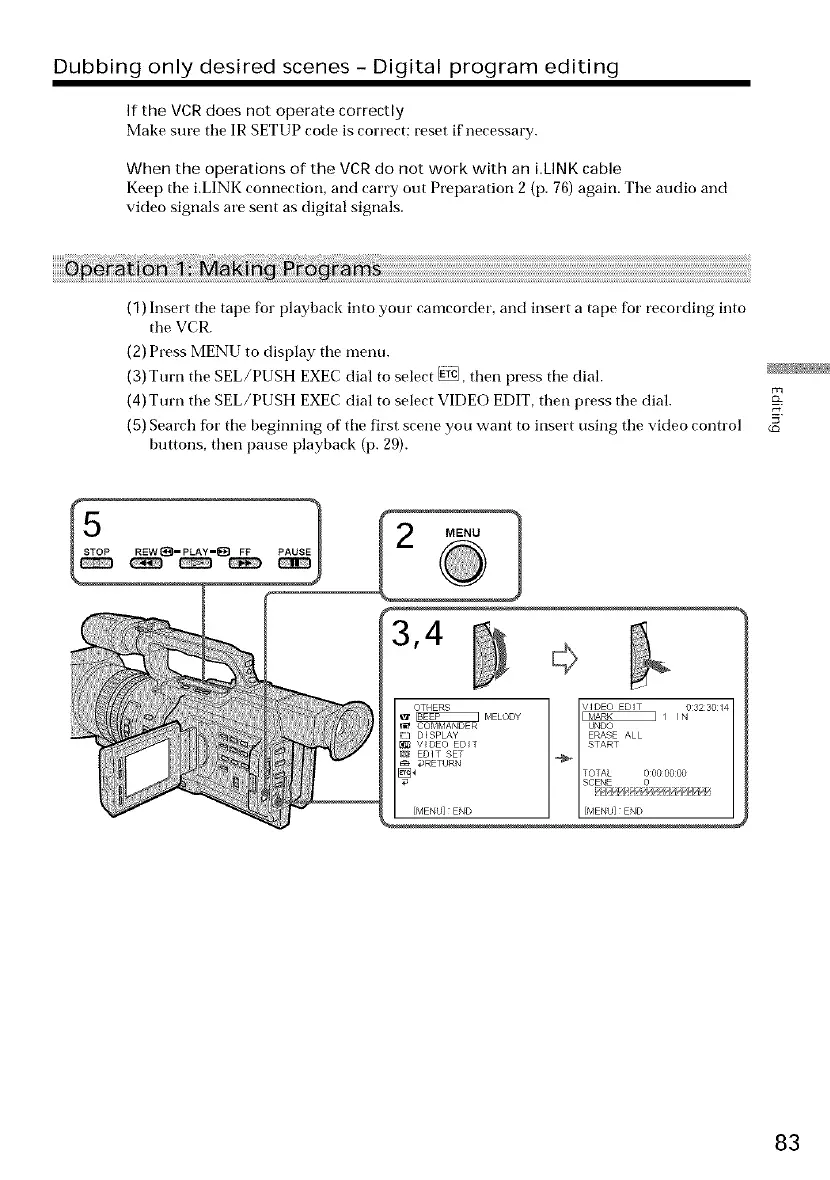
(1) Insert tile tape for playback into your camcorder, and insert a tape for recording into
the VCR.
(2) Press MENU to display the menu.
(3) Turn the SEL/PUSH EXEC dial to select _, then press the dial.
(4)Turn the SEL/PUSH EXEC dial to select VIDEO EDIT, then press the dial.
(5) Search fbr the beginning of the first scene you want to insert using the video control
buttons, then pause playback (p. 29).
(£)
}
83















 To Next Page