Dubbing only desired scenes - Digital program editing
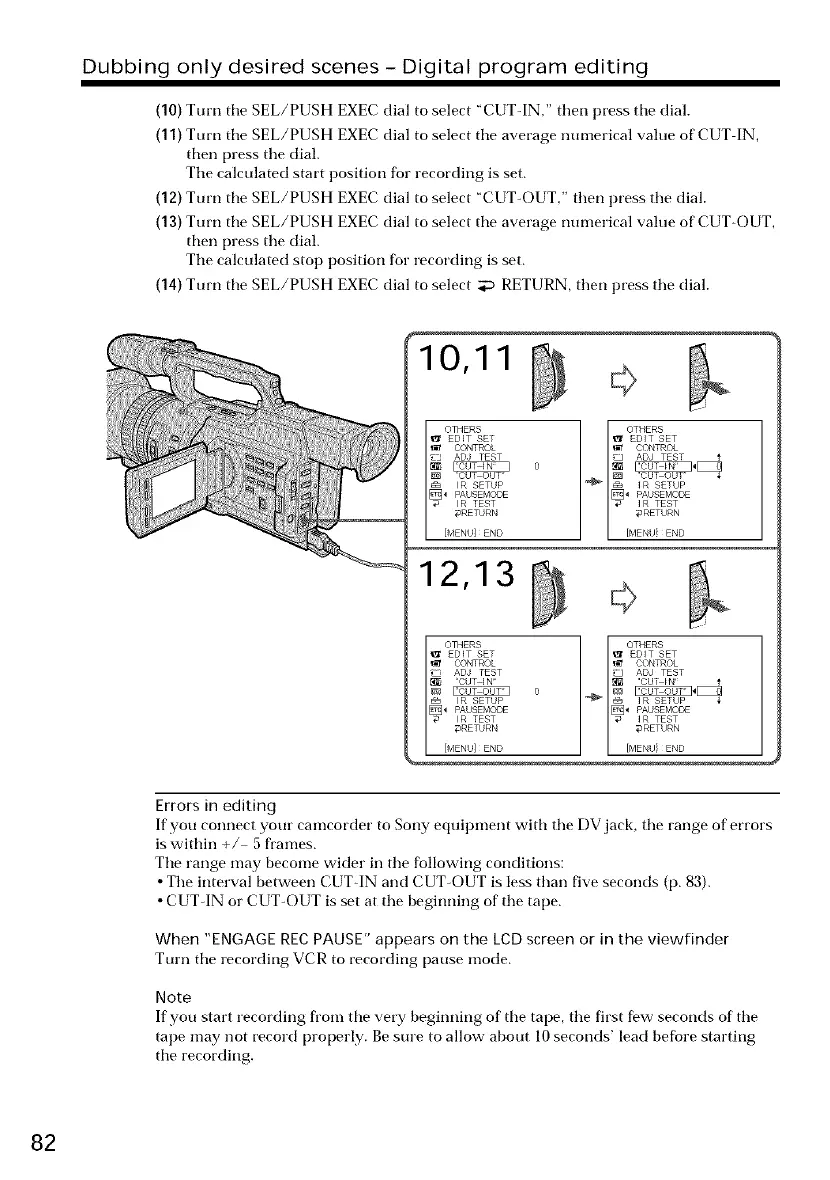
(10) Turn tile SEL/PUSH EXEC dial to select "CUT-IN," then press tile dial.
(11) Turn tile SEL/PUSH EXEC dial to select tile average nunmrical value of CUT IN,
then press tile dial.
Tile calculated start position for recording is set.
(12) Turn tile SEL/PUSH EXEC dial to select "CUT-OUT," then press the dial.
(13) Turn tile SEL/PUSH EXEC dial to select tile average nunmrical value of CUT-OUT,
then press the dial.
Tile calculated stop position for recording is set.
(14) Turn tile SEL/PUSH EXEC dial to select _ RETURN, then press the dial.
10,11
12,13
Errors in editing
If you connect your camcorder to Sony equipment with tile DV jack, tile range of errors
iswithin +/ 5 frames.
Tile range may become wider in tile following conditions:
• Tile interval between CUT-IN and CUT-OUT is less than five seconds (p. 83).
• CUT-IN or CUT-OUT is set at tile beginning of tile tape.
When "ENGAGE REC PAUSE" appears on the LCD screen or in the viewfinder
Turn the recording VCR to recording pause mode.
Note
If you start recording from the very beginning of the tape, tile first few seconds of tile
tape may not record properly. Besure to allow- about 10seconds' lead before starting
tile recording.
82















 To Next Page