5-38
DSC-P31/P31M
8. White Balance Adjustment (PK-062 Board)
Correct the white balance.
If deviated, the LCD screen color cannot be reproduced.
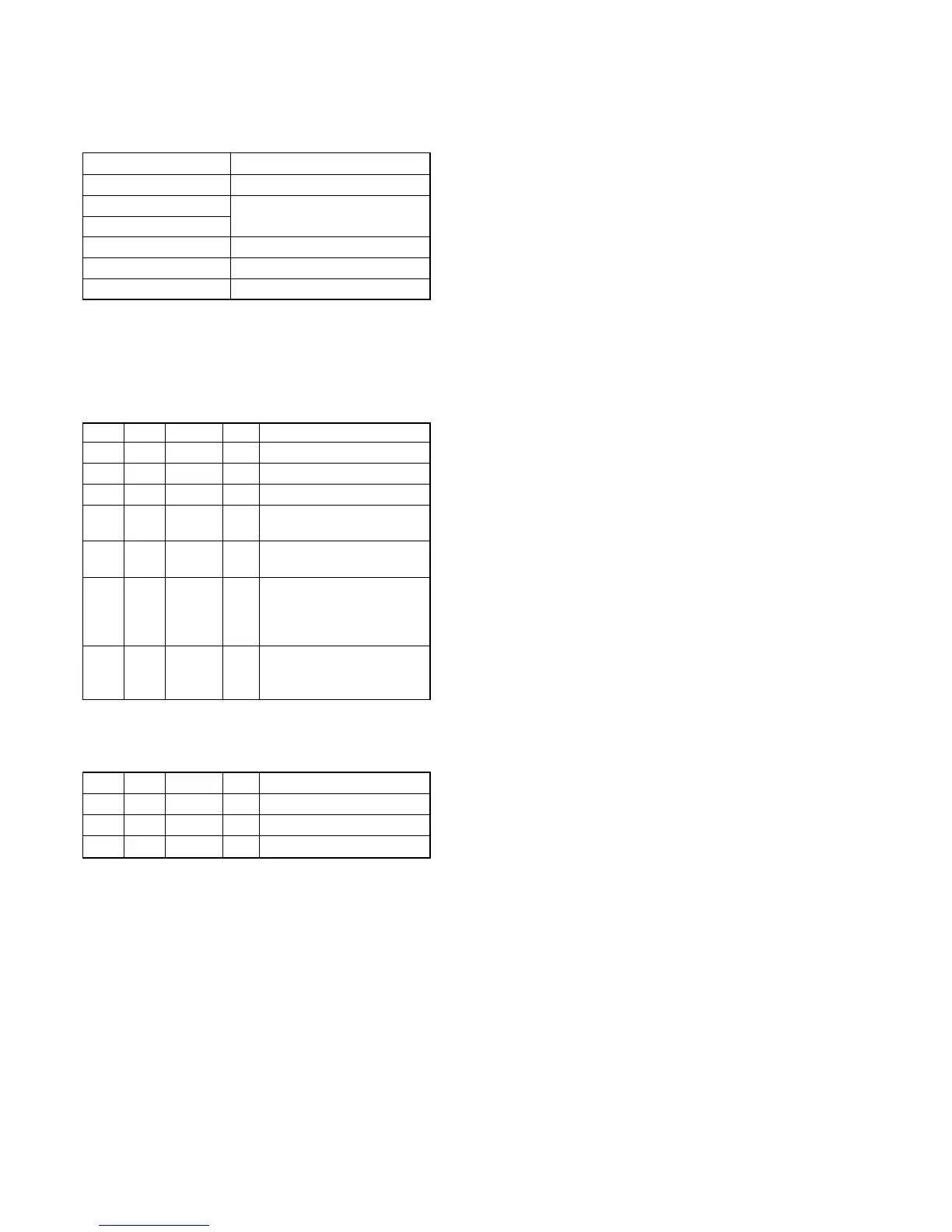
Mode PLAY
Signal Arbitrary
Measurement Point
Check on the LCD screen
Measuring Instrument
Adjustment Page A
Adjustment Address 88, 89
Specified Value LCD screen must not be colored
Note 1: Check the white balance only when replacing the fol-
lowing parts. If necessary, adjust them.
1. LCD panel
2. Light induction plate
3. IC801
Adjusting method:
Order Page Address Data Procedure
10 0101
2A 02 03 Press PAUSE button.
34 F102
4A 8890
Press PAUSE button.
(Intital value)
5A 8983
Press PAUSE button.
(Intital value)
6
Check that the LCD screen is
not colored. If not colored,
proceed to “Processing after
Completing Adjustments”.
7A
88
Change the data so that the
LCD screen is not colored.
89
(Note 2)
Note 2: To write in the non-volatile memory (EEPROM), press
the PAUSE button each time to set the data.
Processing after Completing Adjustments:
Order Page Address Data Procedure
1A 02 00 Press PAUSE button.
24 F100
30 0100








 To Next Page