1-43
DSC-P31/P31M
90
Self-Diagnostics
Display
– When a message starting with a
letter of the alphabet appears
Your camera has a self-diagnostics display.
This function displays the condition of the
camera on the LCD screen using a
combination of a letter and four numerical
digits. If this occurs, check the following
code chart and take the corresponding
countermeasure. The last two digits
(indicated by ss)will differ depending on
the state of the camera.
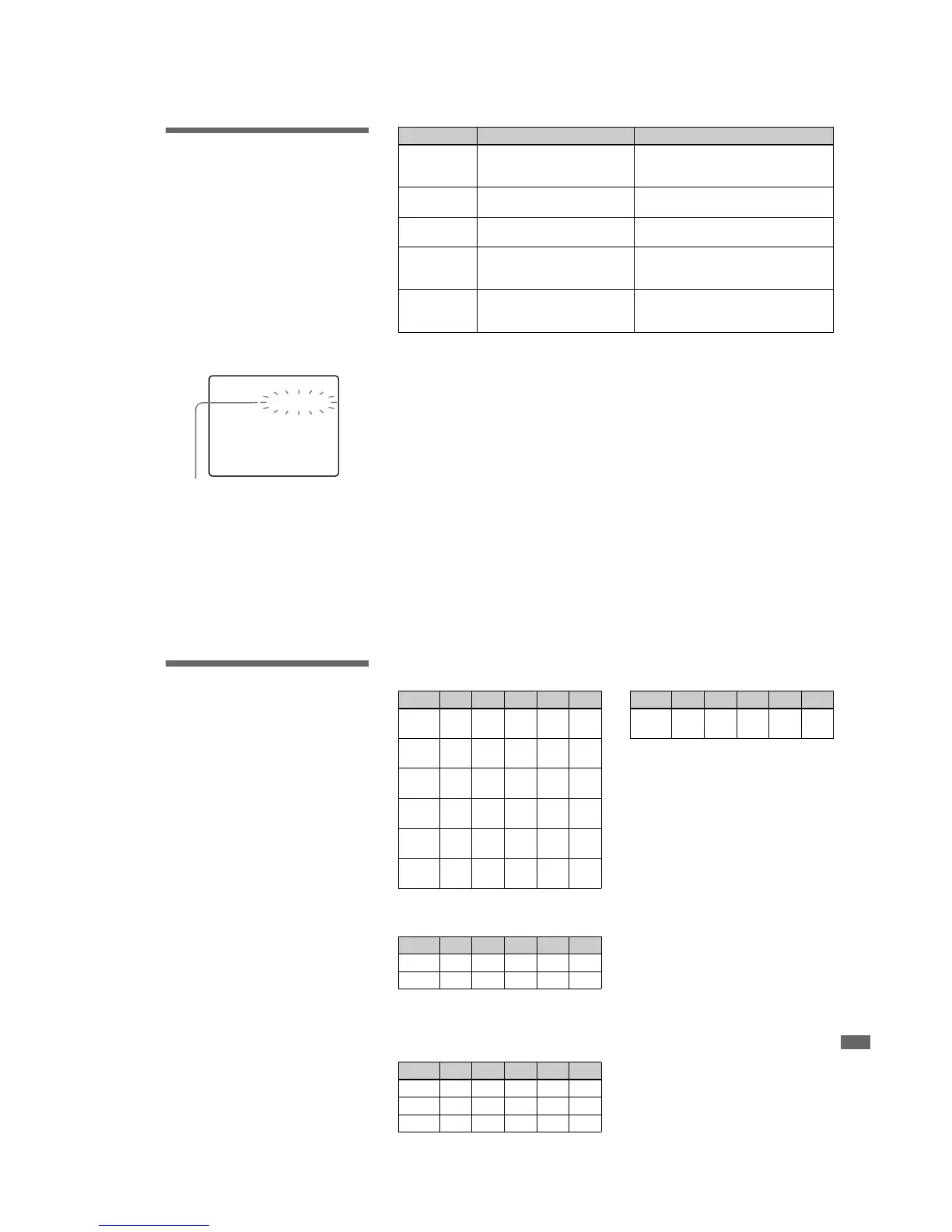
C:32:ss
Self-diagnostics display
If your camera is not still functioning well
after trying the countermeasure a couple of
times, contact your nearest Sony service
station and inform them of the 5-digit
service code.
Example: E:61:10
Message Cause Countermeasure
C:32: ss There is trouble with your
camera’s hardware, or with the
zoom function.
•Turn the power off and on again
(page 20).
C:13: ss The camera cannot read or write
data on the “Memory Stick.”
•Re-insert the “Memory Stick” several
times.
An unformatted “Memory Stick”
has been inserted.
•Format the “Memory Stick”(page 43).
The inserted “Memory Stick”
cannot be used with your camera,
or the data is damaged.
•Insert a new “Memory Stick” (page 23).
E:61: ss
E:91: ss
E:92: ss
A camera malfunction that you
cannot reverse has occurred.
•Press the RESET button (pages 11, 13) on
the bottom of the camera, then turn the
power on again.
91
Troubleshooting
The number of images
that can be saved/
shooting time
The number of images that can be saved and
the shooting time are different, depending
on the capacity of the “Memory Stick,” the
image size, and the image quality. Refer to
the following charts when you choose a
“Memory Stick.”
•The number of images is listed in FINE
(STANDARD) order.
•The values for the number of images that
can be saved and the shooting time may
vary, depending on the shooting
conditions.
•For normal shooting times and numbers
of images that can be saved, see page 25.
E-mail
(Units: images)
Clip Motion
(Units: images)
Normal: When 10 frames are shot
Mobile: When 2 frames are shot
MPEG movies
(Units: seconds)
Multi Burst
(Units: images)
8M 16M 32M 64M 128M
2048×1536
(DSC-P71)
4
(8)
9
(17)
20
(36)
40
(72)
80
(146)
2048 (3:2)
(DSC-P71)
4
(8)
9
(17)
20
(36)
40
(72)
80
(146)
1600×1200
8
(14)
16
(28)
32
(59)
64
(118)
128
(236)
1600 (3:2)
(DSC-P31)
8
(14)
16
(28)
32
(59)
64
(118)
128
(236)
1280×960
12
(21)
21
(42)
48
(88)
96
(176)
192
(352)
640×480
43
(95)
87
(192)
177
(390)
357
(786)
714
(1572)
8M 16M 32M 64M 128M
Normal 40 80 160 320 640
Mobile 350 450 900 1800 3600
8M 16M 32M 64M 128M
320 (HQX)
20 40 85 170 340
320×240
80 160 340 680 1360
160×112
320 640 1300 2700 5400
8M 16M 32M 64M 128M
1280×960
12
(22)
24
(44)
50
(93)
100
(186)
200
(372)








 To Next Page