1-31
DSC-P31/P31M
66
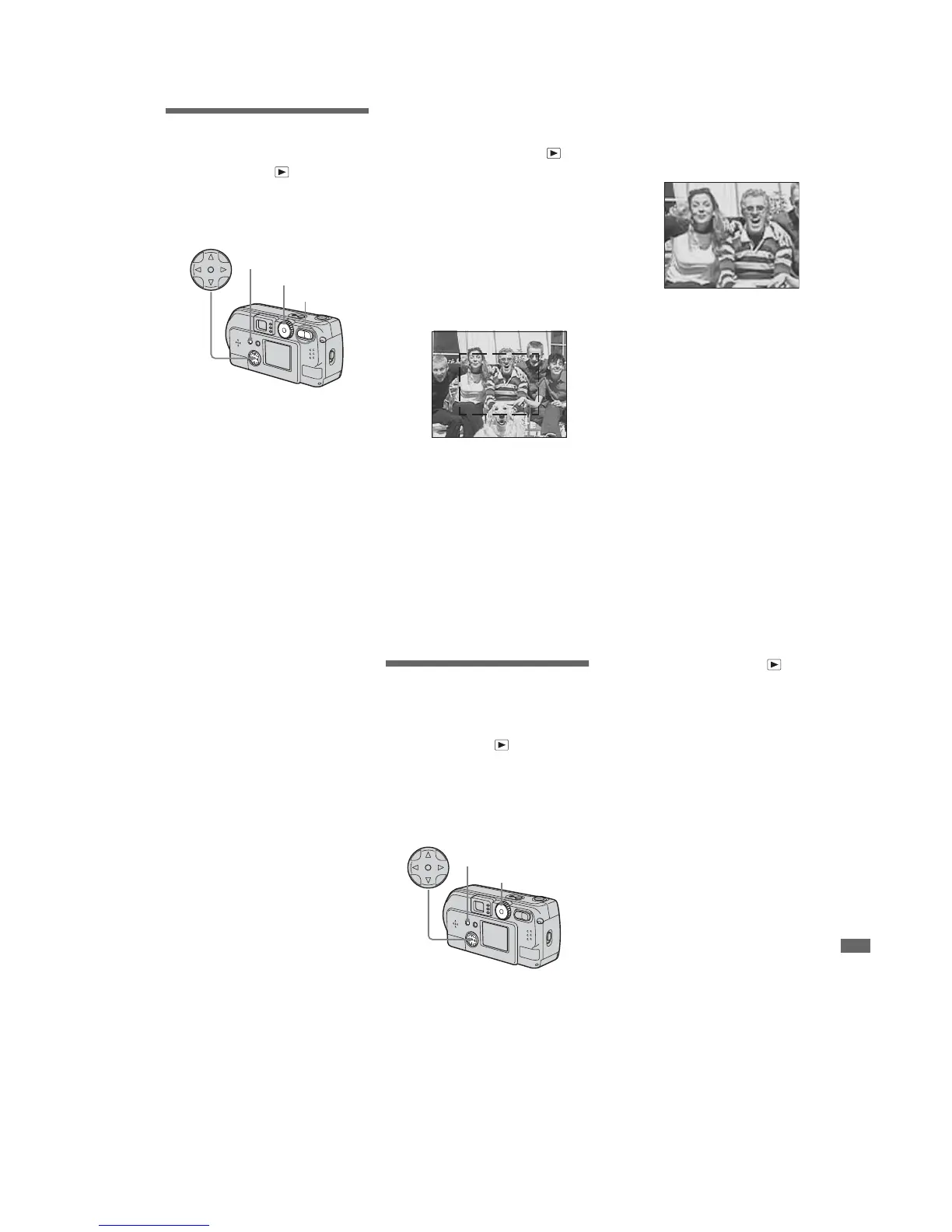
Enlarging a portion of
a still image
Mode dial setting:
You can magnify an image up to five times
the size of the original image. You can also
record the magnified image as a new file.
Enlarging an image
– Playback
zoom
a Turn the Mode dial to
.
b Display the image you want to
enlarge.
c Press the T zoom button, the
image will be enlarged.
d Press the control button
repeatedly to select a portion
of the image to enlarge.
e Press the T zoom button
repeatedly, the portion of the
image selected in Step 4 will
be enlarged.
To cancel enlarged viewing
Press the center z.
• Yo u cannot use Playback zoom with movies
(MPEG MOVIE)/Clip Motion/Multi Burst
images
• If you press the W zoom button when you are
viewing images that have not been enlarged,
the Index screen will appear (page 37).
• The images displayed in Quick Review
(page 27) can be enlarged using the procedures
outlined in Steps 3 to 5.
Mode dial
Zoom button
Control button
MENU button
Press v
Press V
Press
b
Press
B
v:To view a portion of the top of the
image
V:To view a portion of the bottom of
the image
b:To view a portion of the left side
of the image
B:To view a portion of the right side
of the image
ng
67
Advanced still image viewing
Recording an enlarged
image
– Trimming
a After you have viewed an
image using playback zoom,
press the MENU button.
b Select “TRIMMING” using B,
then press the center z.
c Select the image size using v/
V, then press the center z.
The image will be recorded, and the
screen image will return to the size it
was before enlargement.
• The trimmed image will be recorded as the
newest file, and the original image will be
retained.
• The trimmed image may suffer some
deterioration in image quality
• Yo u cannot trim an image using the 3:2 image
size.
Playing back
successive images
– Slide show
Mode dial setting:
You can playback recorded images in
succession, one after another. This is useful
for checking your images, or for giving a
presentation.
a Turn the mode dial to
.
b Press the MENU button.
The menu appears.
c Select “SLIDE” using v/V, and
press the center z.
Select an interval from those listed
below.
INTERVAL settings
3 sec/5 sec/10 sec/30 sec/1 min
REPEAT
ON:Plays the images back repeatedly.
OFF:Plays through the images one
time and then stops.
d Select “START” using v/V/b/
B, then press the center z.
The slide show begins.
To cancel the Slide show setting
In Step 3, select “CANCEL”, then press
the center z.
Mode dial
Control button
MENU button








 To Next Page