1-24
DSC-P31/P31M
52
Image file storage destinations and file names (continued)
Note on the table
• The meanings of the file names are as above:
ssss stands for any number within the range from 0001 to 9999.
• The numerical portions of the following files are the same.
–A small-size image file shot in E-MAIL mode and its corresponding image file
–An image file shot with Clip Motion and its corresponding index image file
Folder File name File meaning
100MSDCF DSC0ssss.JPG • Still image files shot normally
•Still image files shot in
–E-MAIL mode (page 65)
–Multi Burst mode (page 64)
CLP0ssss.GIF
• Clip Motion files shot in NORMAL mode (page 62)
CLP0ssss.THM
• Index image files of Clip Motion files
shot in NORMAL mode
MBL0ssss.GIF
• Clip Motion files
shot in MOBILE mode (page 62)
MBL0ssss.THM
• Index image files of Clip Motion files
shot in MOBILE mode
IMCIF100 DSC0ssss.JPG
• Small-size image files shot in E-MAIL mode (page 65)
MOML0001 MOV0ssss.MPG
• Movie files
shot normally (page 74)
53
Copying still images to your computer
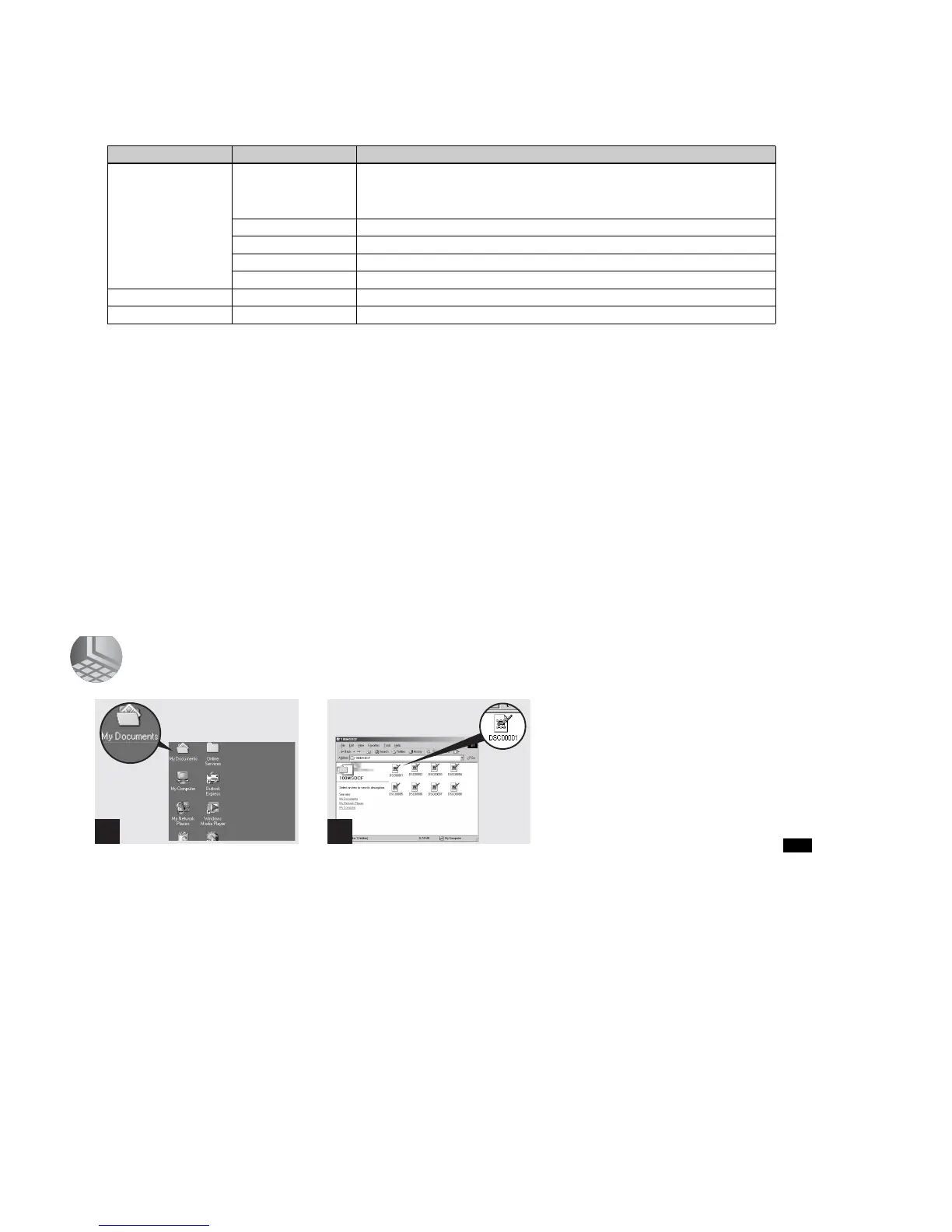
5 Viewing the images on your computer
, Double-click “My Documents”
on the desktop.
The “My Documents” folder opens.
• This section describes the steps followed for
copying images to the “My Documents” folder
on page 48.
• When using Windows XP, click “Start”t“My
Documents” in that order.
• Yo u can use the “PIXELA ImageMixer for
Sony” software to view images on your
computer. For details, see the software’s help
files.
, Double-click the desired image
file.
The image file opens.
1 2








 To Next Page