– 6 –
DSC-P31/P31M
[Description on Self-diagnosis Display]
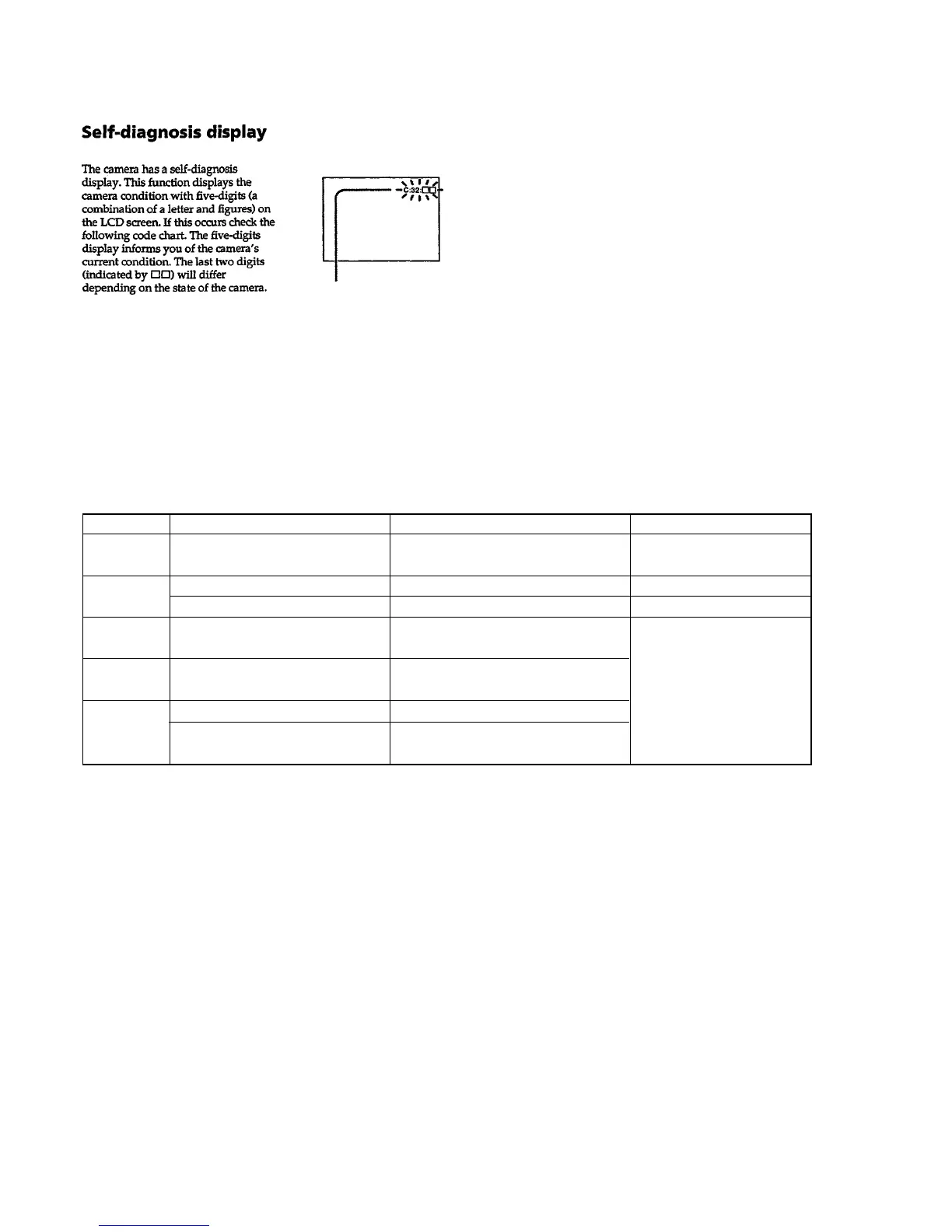
Self-diagnosis display
• C: ss: ss
You can reverse the camera mal-
function yourself. (However, con-
tact your Sony dealer or local
authorized Sony service facility
when you cannot recover from
the camera malfunction.)
• E: ss: ss
Contact your Sony dealer or lo-
cal authorized Sony service facil-
ity.
Display Code
C:32:ss
C:13:ss
Countermeasure
Turn the power off and on again.
Format the “Memory stick”.
Insert a new “Memory Stick”.
Cause
Trouble with hardware.
Unformatted memory stick is inserted.
Memory stick is broken.
Caution Display During Error
SYSTEM ERROR
FORMAT ERROR
MEMORY STICK ERROR
E:61:ss
E:91:ss
Checking of lens drive circuit.
When failed in the focus and zoom
initialization.
Abnormality when flash is being
charged.
Checking of flash unit or replacement
of flash unit.
—
Battery pack was installed or removed
when using the AC adaptor.
Turn the power off and on again.
Insert a battery pack correctly. Battery pack is not inserted correctly.
E:92:ss








 To Next Page