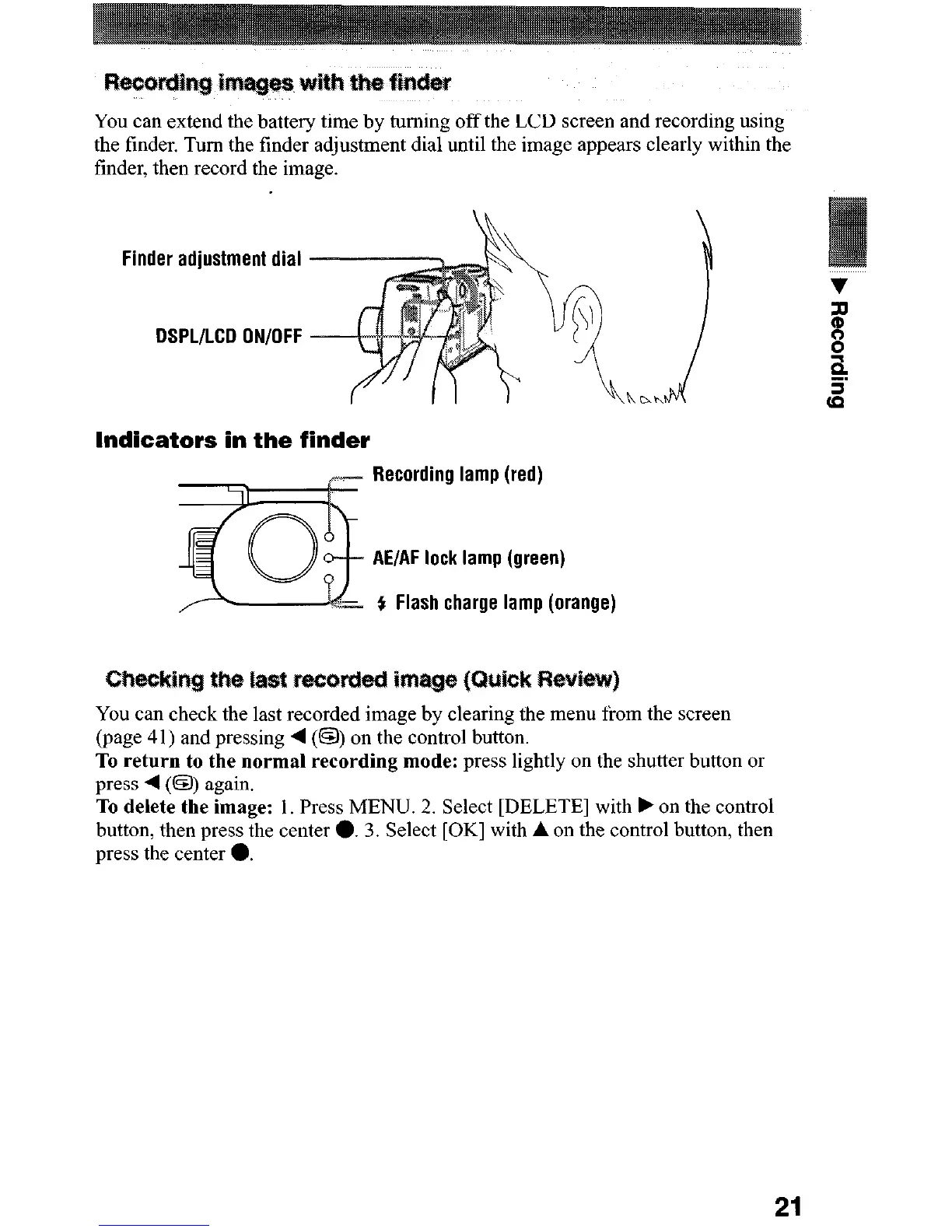
You can extend the battery time by turning off the LCD screen and recording using
the tinder. Turn the finder adjustment dial until the image appears clearly within the
finder, then record the image.
Finder adjustment dial
DSPL/LCD ON/OFF
Indicators in the finder
Recording lamp (red)
AE/AF lock lamp (green)
f Flash charge lamp (orange)
~~~kj~g tw last ~~~~~
You can check the last recorded image by clearing the menu from the screen
(page 41) and pressing 4 (0) on the control button.
To return to the normal recording mode:
press lightly on the shutter button or
press 4 (0) again.
To delete the image:
I. Press MENU. 2. Select [DELETE] with F on the control
button, then press the center 0. 3. Select [OK] with A on the control button, then
press the center 0.
21






 To Next Page