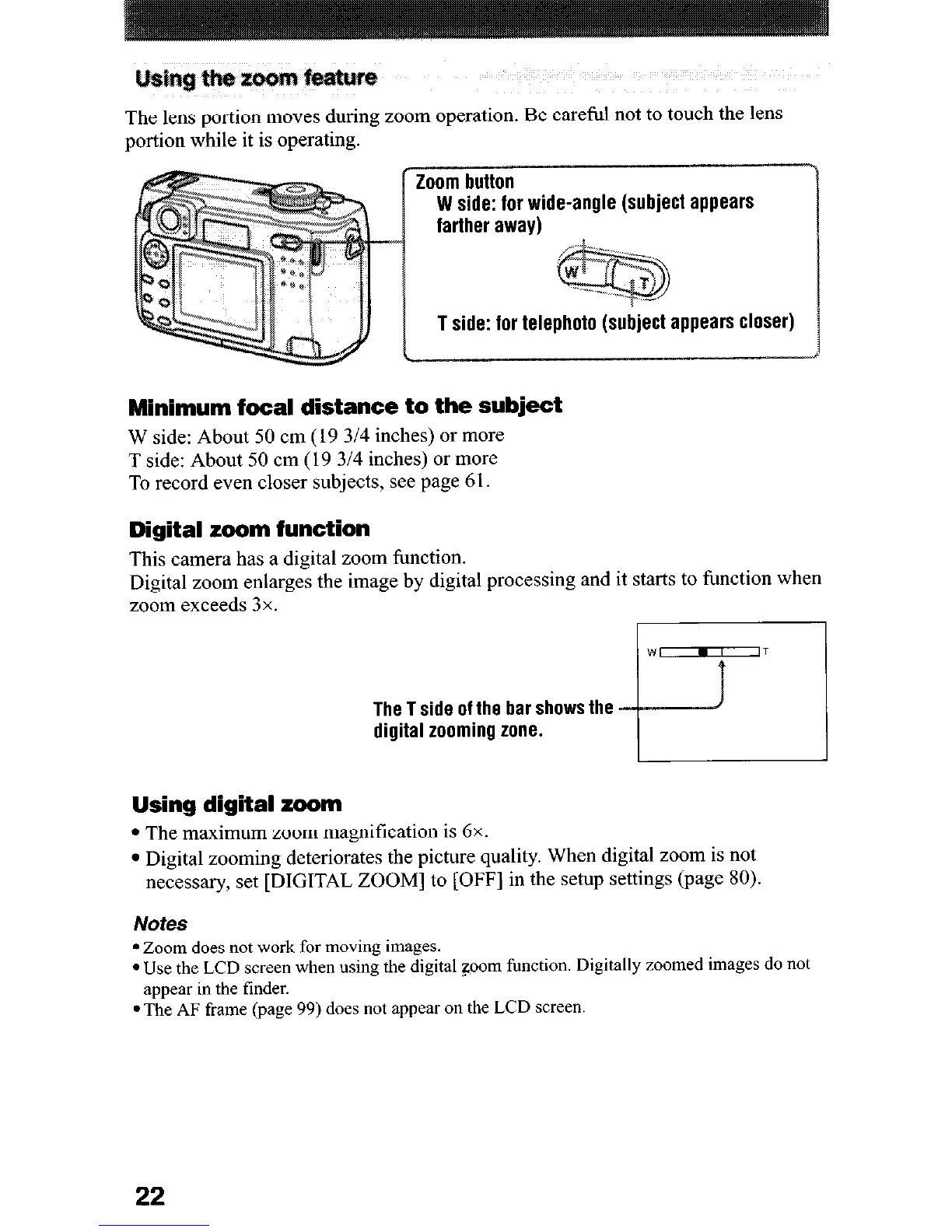
The lens portion moves during zoom operation. Be careful not to touch the lens
portion while it is operating.
Zoom button
W side: for wide-angle (subject appears
farther away)
T side: for telephoto
(subject appears closer)
Minimum focal distance to the subject
W side: About 50 cm (19 314 inches) or more
T side: About 50 cm (19 314 inches) or more
To record even closer subjects, see page 61.
Digital zoom function
This camera has a digital zoom function.
Digital zoom enlarges the image by digital processing and it starts to function when
zoom exceeds 3x.
The T side of the bar shows the
digital zooming zone.
Using digital zoom
l
The maximum zoom magnification is 6x.
l
Digital zooming deteriorates the picture quality. When digital zoom is not
necessary, set [DIGITAL ZOOM] to [OFF] in the setup settings (page 80).
Notes
l
Zoom does not work for moving images.
l
Use the
LCD
screen when using the digital goom function. Digitally zoomed images do not
appear in the tinder.
l
The
AF
frame (page 99) does not appear on the LCD screen.
22












 To Next Page