5-83
DSR-45/45P
40. Playback SC Phase Adjustment (EXT SYNC OFF)
(VD-032 Board)
Mode Playback
Signal Arbitrary
Measurement Point VIDEO OUT terminal
(75 Ω terminated)
Measuring Instrument Vectorscope (SCH measurement
mode)
Adjustment Page E
Adjustment Address CF
Specified Value Ø = 0 ± 5°
Note: “EXT SYNC” of “VIDEO SET” on the menu setting is
OFF.
Adjusting method:
1) Select page: 0, address: 01, and set data: 01.
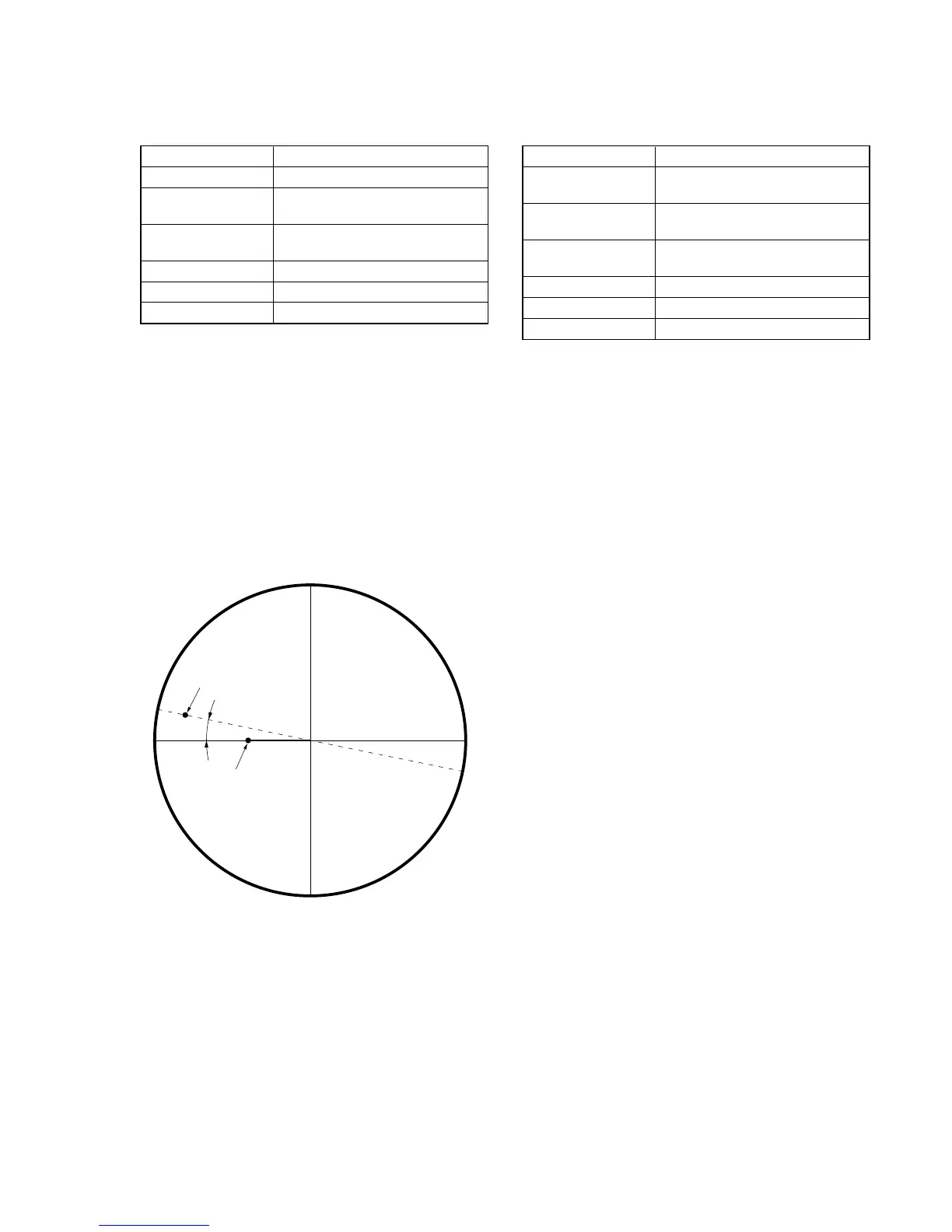
2) Adjust the phase synchronization control on the vectorscope
so that the burst luminance point is close to the U-axis.
3) Select page: E, address: CF, change tha data and adjust the
phase difference (Ø) between the burst and H phase to the speci-
fied value.
4) Press the PAUSE button of the adjustment remote commander.
5) Select page: 0, address: 01, and set data: 00.
H phase
Burst phase
ø
Fig. 5-3-45
41. Playback SC Phase Adjustment (EXT SYNC ON)
(VD-032 Board)
Mode Playback
Signal Arbitrary
Color bar (VIDEO input (REF. IN))
Measurement Point VIDEO OUT terminal
(75 Ω terminated)
Measuring Instrument Vectorscope (SCH measurement
mode)
Adjustment Page E
Adjustment Address A7
Specified Value Ø = 0 ± 5°
Note: “EXT SYNC” of “VIDEO SET” on the menu setting is
ON.
Adjusting method:
1) Select page: 0, address: 01, and set data: 01.
2) Adjust the phase synchronization control on the vectorscope
so that the burst luminance point is close to the U-axis.
3) Select page: E, address: A7, change tha data and adjust the
phase difference (Ø) between the burst and H phase to the speci-
fied value.
4) Press the PAUSE button of the adjustment remote commander.
5) Select page: 0, address: 01, and set data: 00.


 To Next Page